Deriv Nakala make Copy Trading easy for you to use. Wit Nakala, you fit find successful traders, automatically copy dia strategies, and manage your risk—evri tin, manage your risk, for Deriv ecosystem. Follow dis step-by-step guide to create your account, set up di mobile app, fund your trading, and start to copy top performers.
How to open your Deriv Nakala account
To use Deriv Nakala, you go first need a registered Deriv.com account and a Deriv MT5 Standard account.
- Sign up or Log in for Deriv.com
- If you neva get account, click di “Open account” button and follow di instructions to set up your account.
- If you already get Deriv account, Log in to your account and go to Trader's Hub.
- Set up your real MT5 Standard account.
- If you neva get real Deriv MT5 Standard account, find dis account type for di CFDs section of your Trader's Hub and click “Get”. Follow di instructions for your screen to complete di account set-up.
- If you already get real Deriv MT5 Standard account, click “Open” next to your account to see your account details.
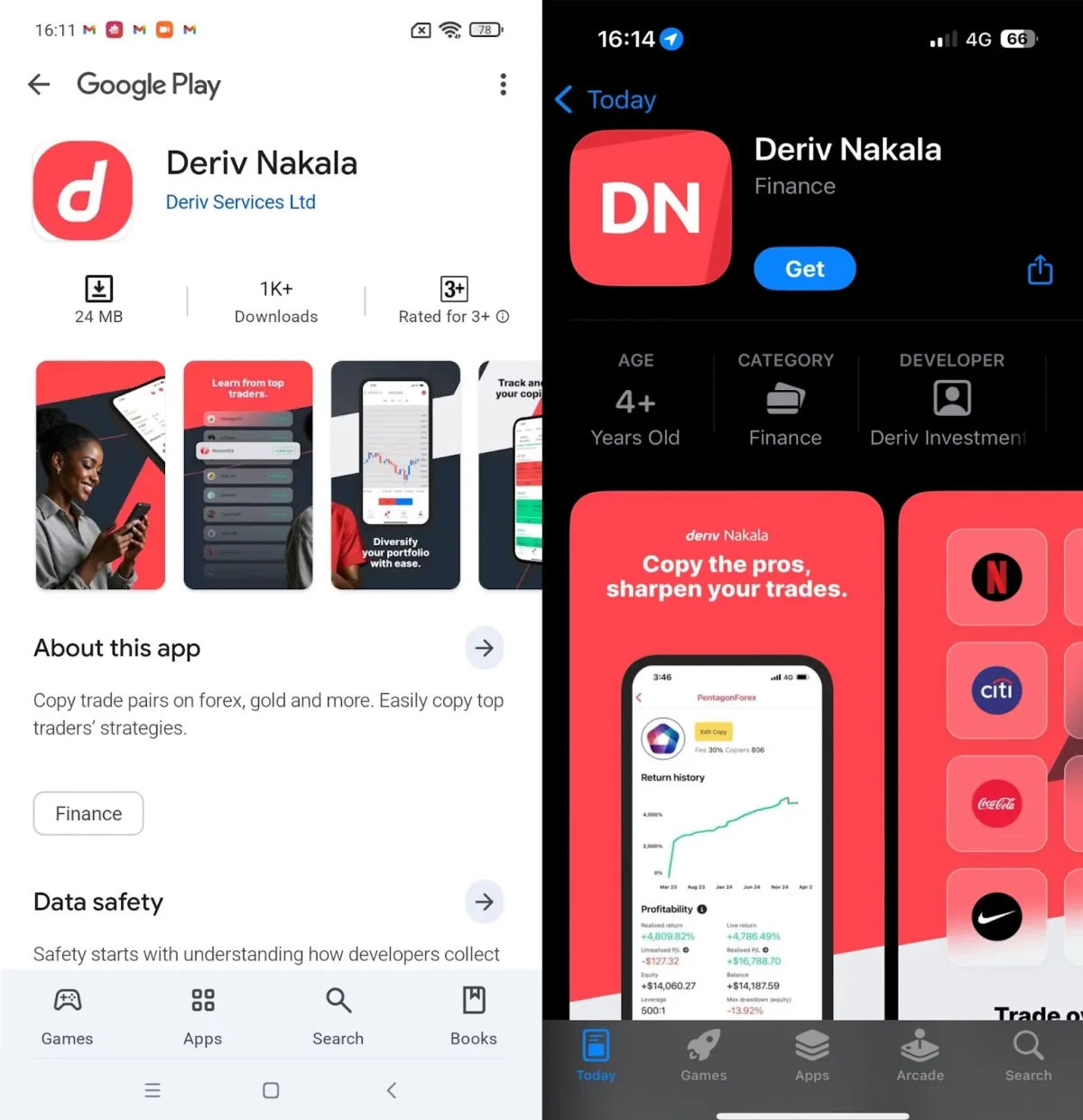
- Download Deriv Nakala app
- Find “Deriv Nakala” for App Store (iOS) or Google Play (Android).
- Install and open di app.
- Register or Log in
- Tap “Create Your Profile” to register.
- Use di email address wey you register wit Deriv to sign up.
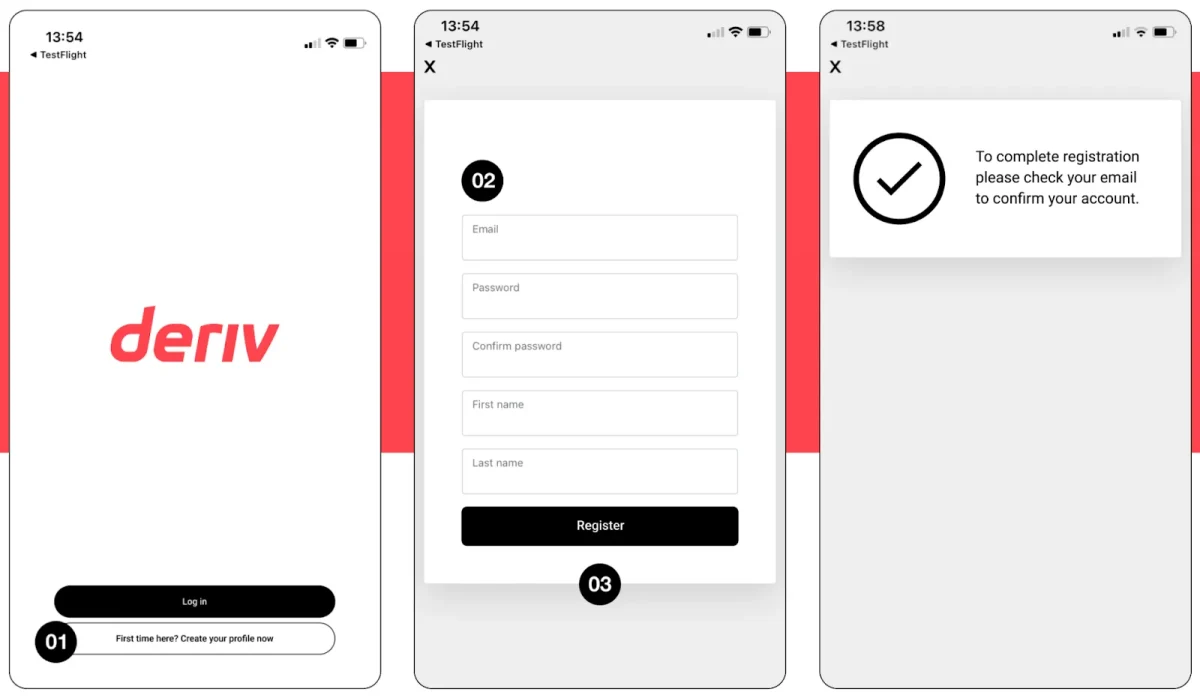
- Verify your email
- Check for a verification email. Click di link to confirm your account.
How to set up di mobile app
Once you don register, complete your profile and connect your trading account.
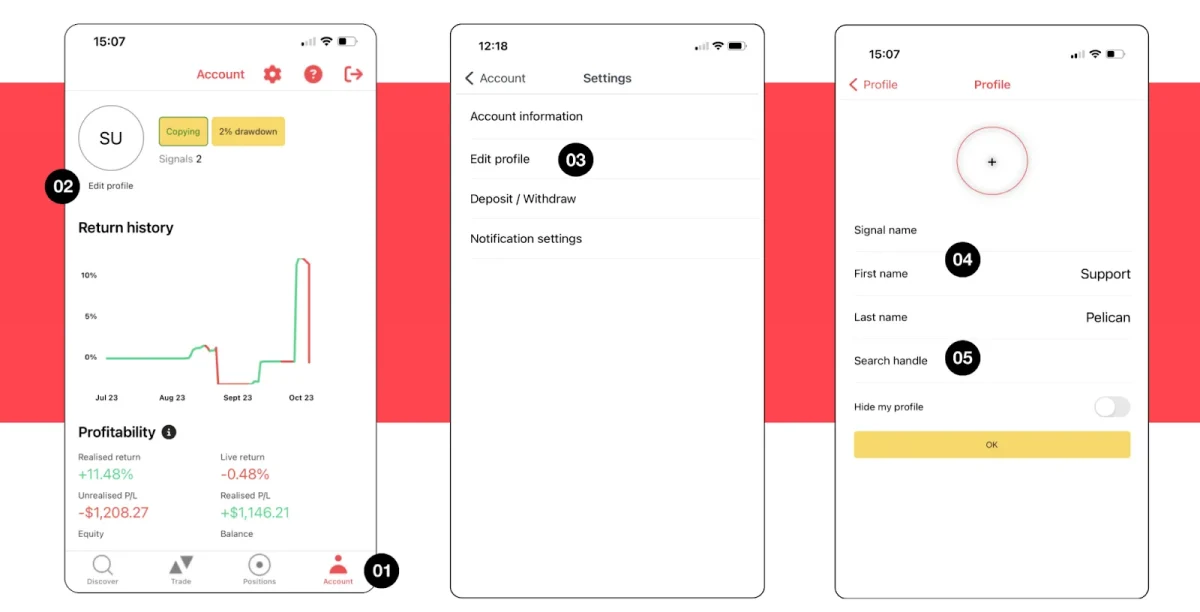
Personalise your profile:
- Tap di profile icon to set your display name, add profile picture, write short bio, and add any website or social media links. If you set a unique Signal Name, pipo go fit see you if you want become signal provider for di future.
Link your trading account:
Go to “Account” > “Link Account”.
Enter your Deriv MT5 Standard account details, including your trading password, no be your investor password, and select di correct server. Den select whether you want be copier or signal provider.
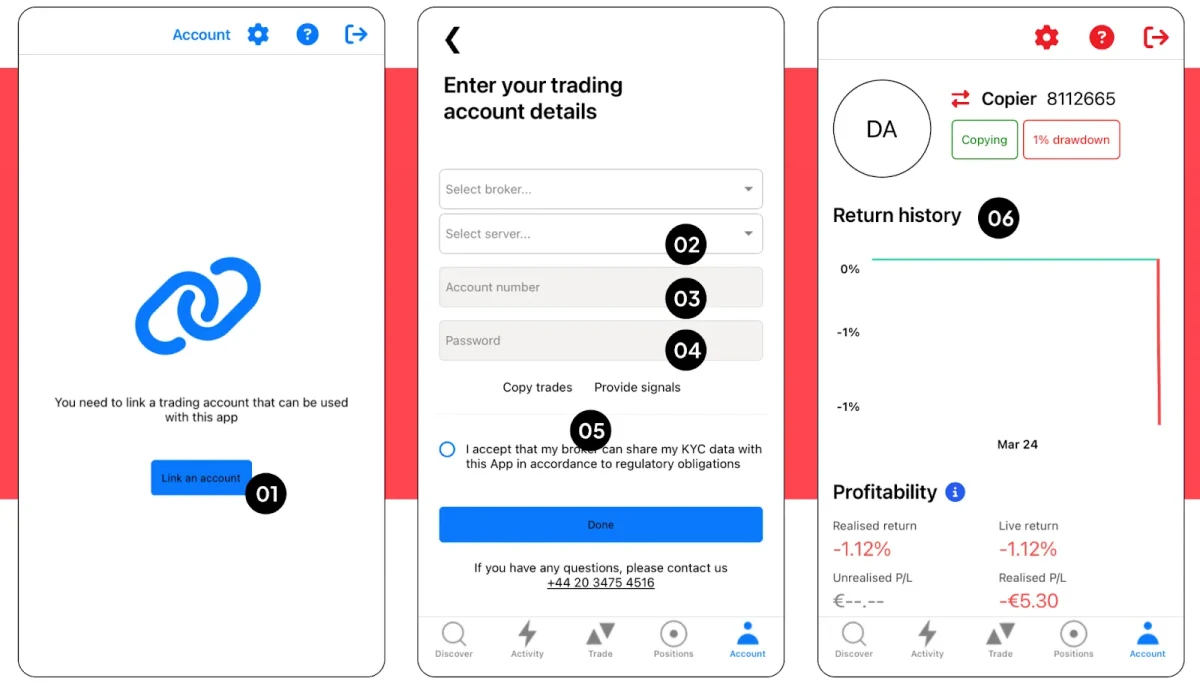
Once you don successfully link your account, your status go show “copying”. Dis mean say your account dey live and fit copy.
How to fund your trading account
Before you start to copy trades, make sure say your trading account get funds and dey ready.
- Deposit funds:
- Log in to your account for deriv.com
- Go to “Cashier” and choose di deposit method wey you prefer.
- Complete di deposit and wait for di funds to appear for your Deriv Wallet.
- Transfer to MT5:
- Move funds from your main account to your Deriv MT5 Standard account wit di “Transfer” feature next to your account.
- Make sure say di required amount dey available for MT5 to copy trades for Nakala.
How to find and copy traders
Find successful signal providers and start to copy dia trades wit just a few taps.
- Visit di Discover section to see available signal providers and search for or select a trader to copy.
- Tap a provider profile to see detailed performance history and strategy overview.
- Review di provider terms and change your copy settings. For dis page, you fit also set di trade sizes wey you want. Finally, confirm and activate copying—di trades go automatically mirror for your account.
- Finally, select “OK” to continue or click “Max drawdown” to set soft stop and hard stop settings.
- Monitor and manage:
- Use di “Positions” tab to track open trades and profit/loss.
- You fit pause, adjust, or stop copying any provider at any time.
To start wit Deriv Nakala na easy way to access di world of Copy Trading—whether you dey new to trading or you want diversify your investment strategy wit expert guidance. If you follow di steps above, you go dey on your way to explore top performers and manage your trading activity wit strong risk controls.
Remember, successful Copy Trading no depend only on di tools wey you use, but also on how you select strategy providers wey match your goals and risk preferences best. For practical tips on how to choose di right traders to follow, make sure you read our article on how to choose who to copy trades from.
Quiz
Na which type of Deriv account you need to link to Nakala before you fit start to copy trades?
FAQs