You fit automatically copy expert trades for your Deriv MT5 account free of charge or for a fee. Once you don subscribe to one trading signal, di system go automatically copy di provider trades enter your Deriv MT5 trading account each time di provider place one trade.
Benefits wey dey when you subscribe to MT5 trading signals
Trades from expert traders go automatically copy enter your account.
Save time – if you subscribe to signals, e go automate your trades.
E easy to set up – you no need installation.
Full details about how each provider don perform.
We no get any hidden fees or commissions.

How you fit subscribe to one MT5 trading signal
Step 1
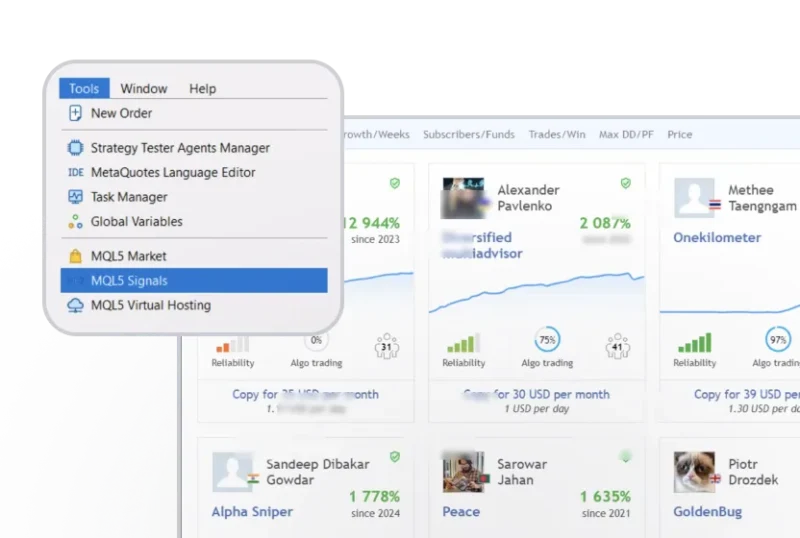
Go to MQL5 Signals
Inside your MT5 trading terminal, go to Tools and select MQL5 Signals.
Step 2
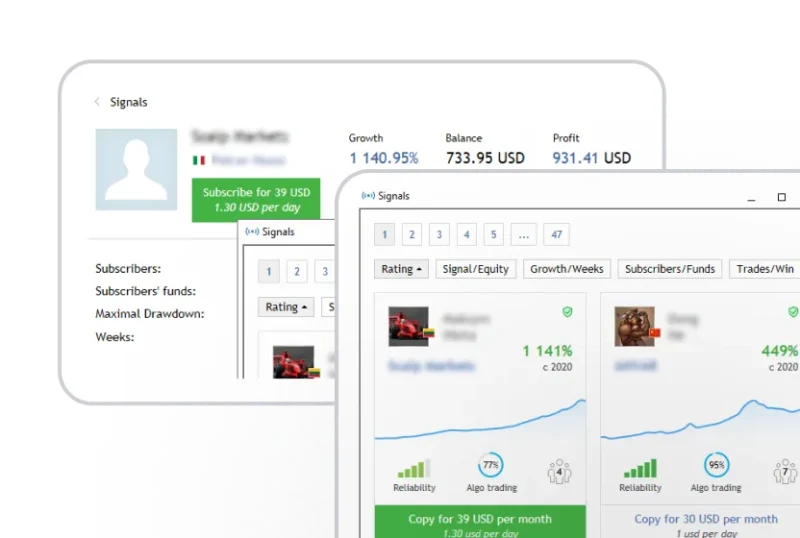
Subscribe to one signal provider
Choose your preferred signal provider, then click “Subscribe”.
Step 3
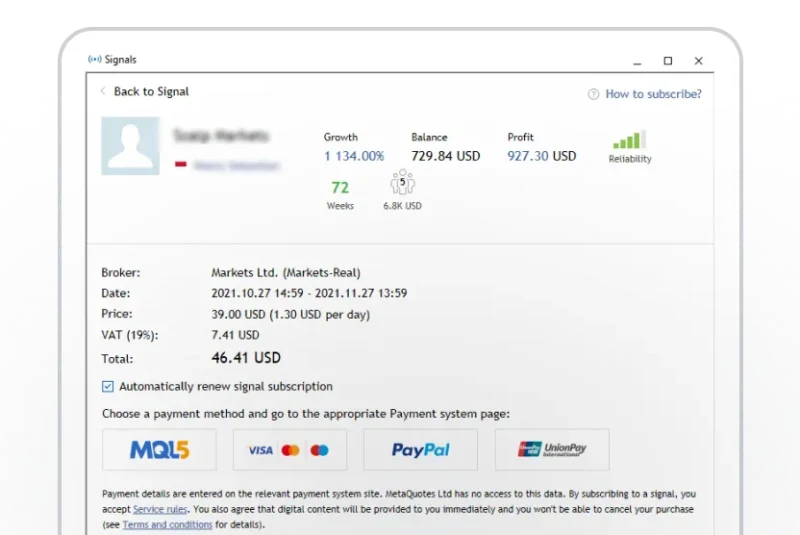
Complete your subscription
Adjust your trading and risk management parameters. Den click “OK” make you complete di subscription.
How you fit renew or cancel your subscription
Step 1
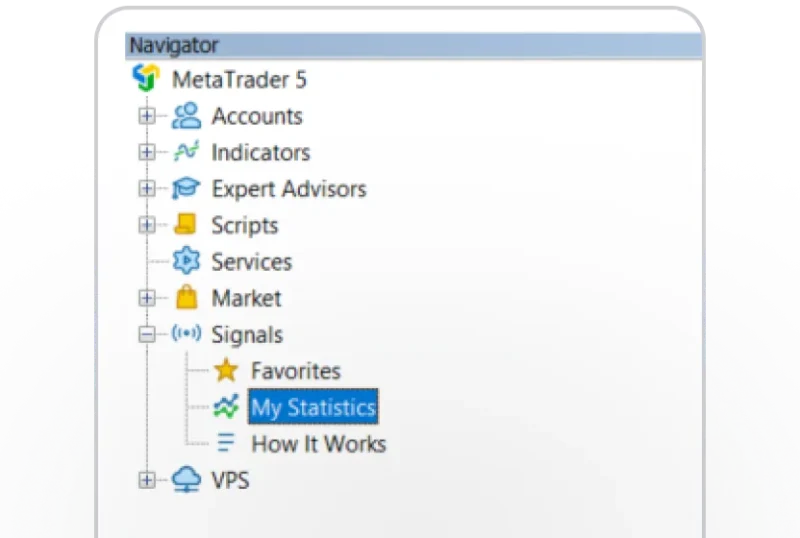
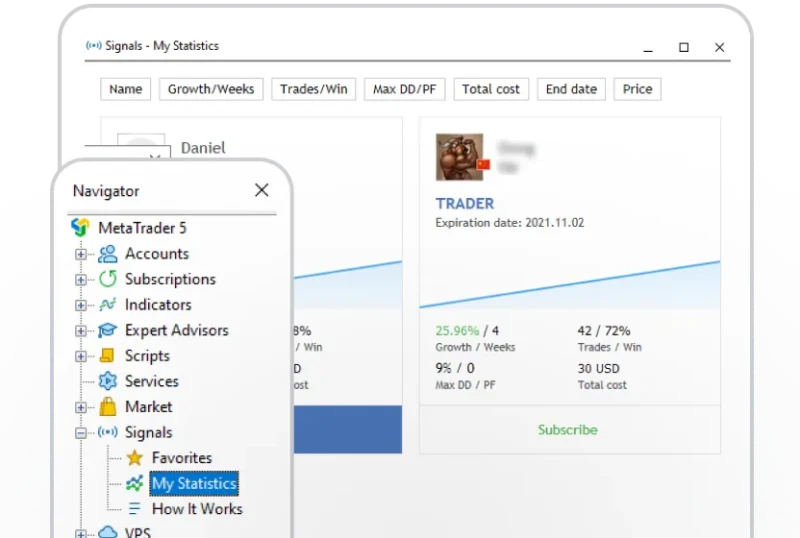
Go to My Statistics
For di Navigator panel, go to Signals and click “My Statistics”.
Step 2
Choose di provider
Choose di signal provider wey you wan renew or cancel your subscription with.
Step 3
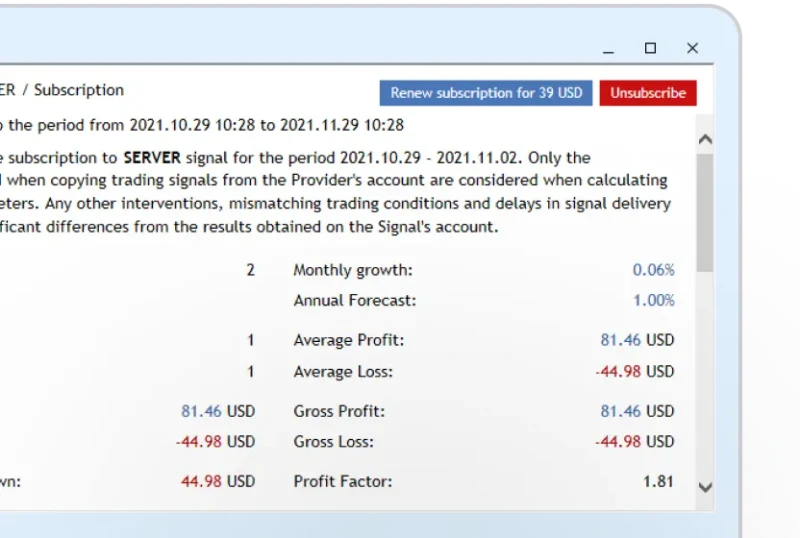
Renew or stop subscription
Click “Renew” or “Unsubscribe” make you renew or cancel your subscription.
Note:
- You need an MQL5 community account to subscribe to trading signals. If you neva get an account yet, go to MQL5.com to register.
- To subscribe to paid signals, put money for your MQL5 account.
- You fit subscribe to only one signal provider wit one Deriv MT5 account at any time. You fit use your signal for up to 3 different computers.
- Once you don subscribe to a signal, you no go fit trade manually wit di same Deriv MT5 account.
