Misimbo ya usalama husaidia kuthibitisha kwamba ni wewe unayekamilisha hatua muhimu, kama vile kuingia, kubadilisha nenosiri au kuweka uthibitishaji wa hatua mbili (2FA). Kwa kuwa misimbo hii inaweza kusaidia kulinda ufikiaji wa akaunti yako ya Deriv, inapaswa kubaki ya siri kila wakati. Mwongozo huu unaeleza misimbo ya usalama ni nini, kwa nini inahitajika na jinsi ya kuishughulikia kwa usalama.
Muhtasari mfupi
- Misimbo ya usalama huongeza ukaguzi wa ziada kabla ya hatua nyeti za akaunti kukamilishwa.
- Inaweza kujumuisha manenosiri ya mara moja, misimbo ya programu ya authenticator, misimbo ya kuweka upya nenosiri na misimbo ya kurejesha akaunti.
- Weka msimbo mwenyewe tu kwenye tovuti au programu rasmi ya Deriv, wakati wa hatua unayoitarajia.
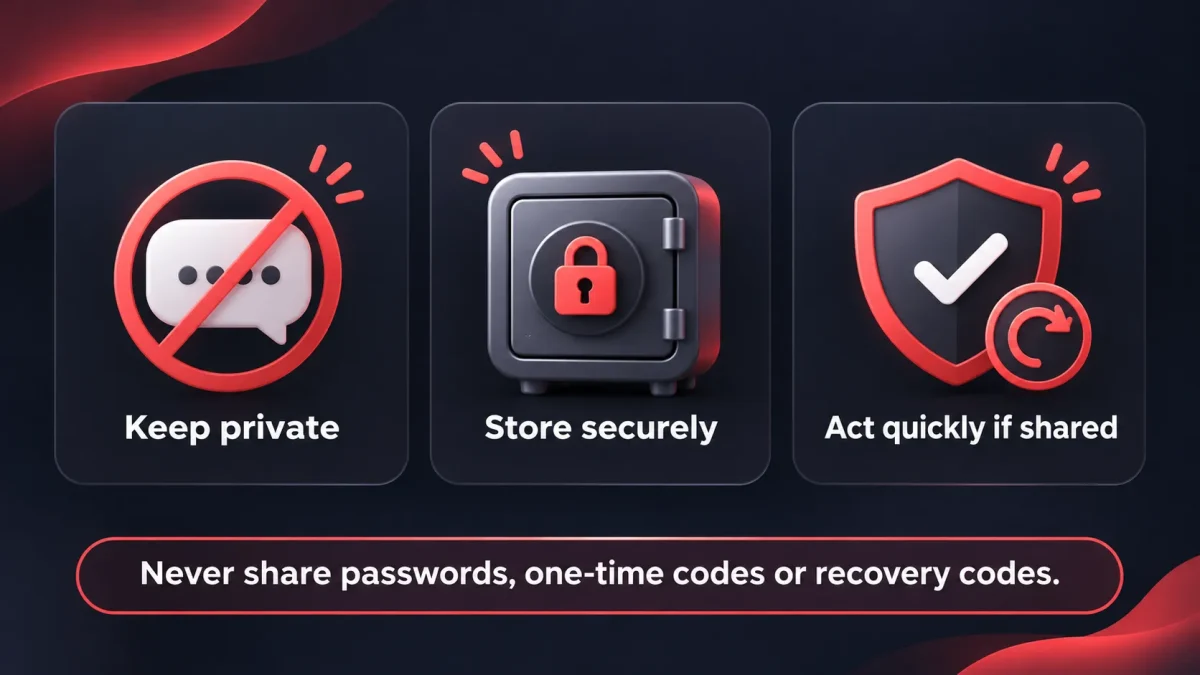
- Kamwe usitume, usisome kwa sauti, usisambaze, usipige picha ya skrini wala usichapishe msimbo wa usalama.
- Ukishiriki msimbo kwa bahati mbaya, linda akaunti yako haraka kupitia njia rasmi za Deriv.
Misimbo ya usalama ni nini?
Msimbo wa usalama ni kitambulisho kinachotumika kusaidia kuthibitisha kwamba kuingia au hatua ya akaunti imeidhinishwa na wewe. Tofauti na nenosiri, misimbo mingi ya usalama ni ya muda: inaweza kuisha muda baada ya kipindi kifupi au kufanya kazi mara moja tu.
Unaweza kukutana na msimbo wa usalama unapofanya yafuatayo:
- Kuingia kutoka kwenye kifaa kipya au kivinjari kipya
- Kuwasha au kutumia 2FA
- Kubadilisha au kuweka upya nenosiri
- Kuthibitisha hatua nyeti ya usalama wa akaunti
- Kurejesha ufikiaji wa akaunti
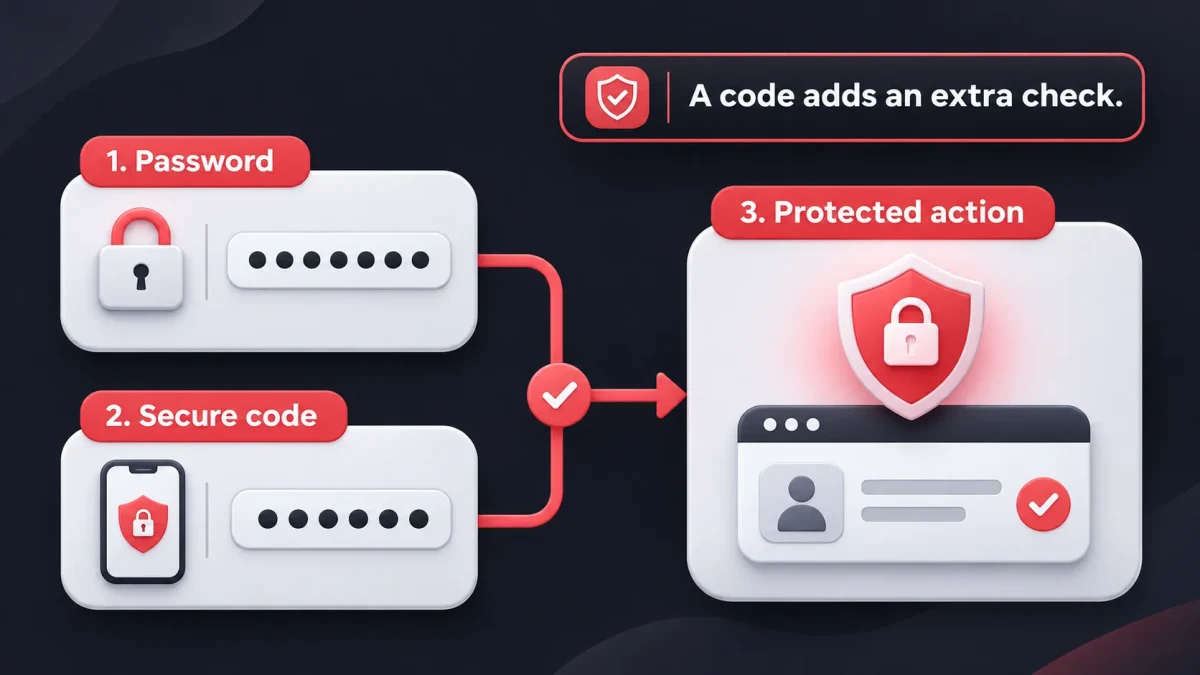
Misimbo ya usalama ni muhimu kwa sababu huongeza safu nyingine ya uthibitishaji. Hata kama mtu atagundua nenosiri, huenda asiweze kukamilisha hatua iliyolindwa bila msimbo wa ziada.
Aina za kawaida za misimbo ya usalama
Manenosiri ya mara moja (OTPs) ni misimbo ya muda inayotumwa kwenye anwani ya barua pepe au nambari ya simu uliyosajili. Husaidia kuthibitisha kwamba unaweza kufikia njia ya mawasiliano iliyounganishwa na akaunti.
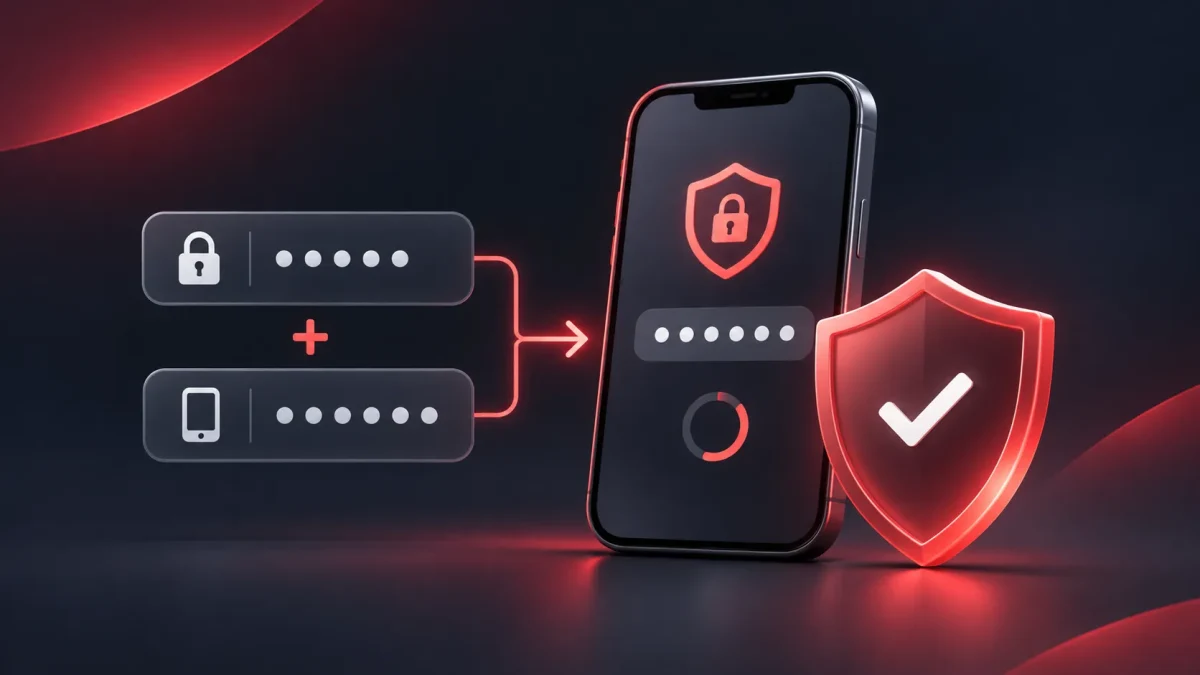
Misimbo ya programu ya authenticator ni misimbo mifupi yenye muda mfupi wa matumizi inayozalishwa kwenye programu ya authenticator. Hutumika sana kwa 2FA na hubadilika mara kwa mara.
Misimbo ya kuweka upya nenosiri husaidia kuthibitisha kwamba ombi la kuweka upya nenosiri limeidhinishwa. Ni nyeti hasa kwa sababu inaweza kuwa sehemu ya mchakato wa kuunda nenosiri jipya.
Misimbo ya kurejesha au ya akiba ni misimbo ya dharura inayotengenezwa wakati wa kuweka 2FA. Inaweza kusaidia kurejesha ufikiaji ukipoteza kifaa chako cha authenticator, hivyo lazima ihifadhiwe kwa usalama na kuchukuliwa kama manenosiri.
Kwa nini misimbo ya usalama inahitajika
Manenosiri yanaweza kukisiwa, kutumiwa tena au kufichuliwa kupitia uvujaji wa data au jaribio la phishing. Msimbo wa usalama husaidia kupunguza hatari ya nenosiri pekee kutumika kufikia akaunti au kufanya mabadiliko nyeti.
Kwa mfano, unapobadilisha nenosiri la Deriv kutoka kwenye wasifu wako, Deriv inaweza kutuma nenosiri la mara moja kwenye barua pepe uliyosajili ili kusaidia kuthibitisha ombi hilo. Unaweka OTP hiyo mwenyewe kama sehemu ya mchakato rasmi, kisha unaweka nenosiri jipya.
Hatua hii ya ziada si hakikisho dhidi ya kila hatari, lakini inaunda kizuizi muhimu. Inathibitisha kwamba mtu anayetoa ombi ana ufikiaji wa njia ya uthibitishaji inayohitajika wakati huo.
Misimbo ni ya kuiweka mwenyewe, si ya kumpa mtu mwingine
Msimbo wa usalama si taarifa ya kushiriki na mtu mwingine. Ni maelekezo kwako ya kukamilisha mwenyewe hatua mahususi ya usalama.
Zingatia tofauti hii:
| Hatua salama | Hatua isiyo salama |
|---|---|
| Kuweka msimbo mwenyewe kwenye tovuti au programu rasmi ya Deriv | Kutuma msimbo kwenye gumzo, barua pepe au ujumbe wa mitandao ya kijamii |
| Kutumia msimbo wakati wa hatua uliyoianzisha | Kumpa msimbo mtu aliyewasiliana nawe bila kutarajia |
| Kuhifadhi misimbo ya kurejesha mahali palipolindwa | Kuhifadhi misimbo ya kurejesha kwenye dokezo lisilolindwa au picha ya skrini |
| Kufungua Deriv moja kwa moja kabla ya kuweka msimbo | Kufuata kiungo ambacho hakijathibitishwa ili kuweka msimbo |
Wakati ambapo ni salama kuweka msimbo
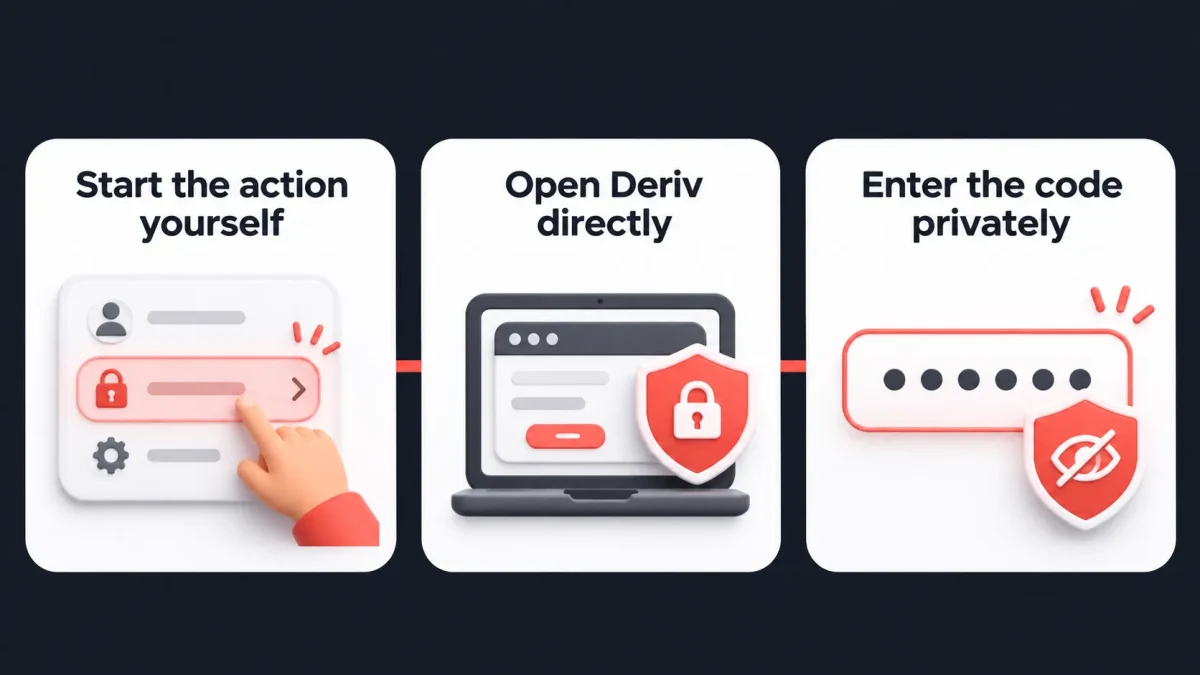
Weka msimbo wa usalama tu pale masharti haya yote yanapotimia:
- Umeanzisha hatua hiyo mwenyewe.
- Unatumia tovuti au programu rasmi ya Deriv.
- Ulitarajia hatua hiyo ya uthibitishaji.
- Msimbo unawekwa kwenye sehemu husika salama, si kutumwa kwa mtu.
Kwa mfano, ukichagua Nenosiri kwenye wasifu wako wa Deriv na kuomba kubadilisha nenosiri, OTP iliyotumwa kwenye barua pepe uliyosajili inaweza kuwa sehemu ya mchakato huo unaotarajiwa. Msimbo unapaswa kuwekwa tu kwenye mchakato rasmi wa kubadilisha nenosiri.
Ikiwa hatua hiyo haikutarajiwa, simama kidogo kabla ya kuweka chochote. Fungua Deriv moja kwa moja kupitia njia yako ya kawaida na uangalie mipangilio ya akaunti yako badala ya kutegemea kiungo kwenye ujumbe.
Usiweke misimbo kwenye picha za skrini
Picha ya skrini inaweza kuwa na taarifa nyingi kuliko inavyoonekana mwanzoni. Inaweza kuonyesha OTP, barua pepe ya akaunti, arifa ya kifaa, rejeleo la muamala, anwani ya kivinjari au maelezo mengine binafsi.
Kabla ya kushiriki picha ya skrini kwa ajili ya msaada, kagua kila kipengele kinachoonekana. Kamwe usijumuishe nenosiri, msimbo wa usalama, msimbo wa QR, msimbo wa kurejesha au skrini ya programu ya authenticator. Inapowezekana, kata au ficha maelezo yoyote binafsi, ya malipo au ya akaunti ambayo hayahitajiki.
Jinsi ya kuhifadhi misimbo ya kurejesha kwa usalama
Misimbo ya kurejesha ni tofauti na misimbo ya kawaida ya mara moja kwa sababu inaweza kubaki halali hadi itumike au ibadilishwe. Imeundwa kwa ajili ya dharura, kama vile kupoteza ufikiaji wa programu ya authenticator.
Ihifadhi mahali unapoweza kuifikia inapohitajika, lakini watu wengine hawawezi. Kidhibiti cha manenosiri kinachoaminika kinaweza kuwa chaguo linalofaa kikilindwa na nenosiri kuu imara na 2FA. Nakala iliyolindwa ya nje ya mtandao pia inaweza kufaa.
Usifanye yafuatayo:
- Kuweka misimbo ya kurejesha kwenye rasimu ya barua pepe au hati ya cloud isiyolindwa
- Kuihifadhi kwenye albamu ya picha ya umma au inayoshirikiwa
- Kuituma kwako mwenyewe kupitia gumzo
- Kuishiriki na rafiki, mwanafamilia au yeyote anayedai kusaidia
- Kuijumuisha kwenye picha ya skrini ya msaada
Ukitengeneza misimbo mipya ya kurejesha, ondoa kwa usalama nakala zozote za zamani ili usitegemee misimbo isiyofanya kazi tena.
Cha kufanya ikiwa umeshiriki msimbo
Msimbo ulioshirikiwa huenda usiwe salama tena kutumika, hata kama haujaisha muda. Chukua hatua haraka, lakini tumia njia rasmi pekee.
- Fungua Deriv moja kwa moja kupitia tovuti au programu rasmi.
- Badilisha nenosiri lako la Deriv liwe nenosiri jipya la kipekee.
- Kagua mipangilio yako ya 2FA na njia za kurejesha akaunti.
- Linda akaunti ya barua pepe iliyounganishwa na Deriv, hasa ikiwa inaweza kupokea maelekezo ya kuweka upya nenosiri.
- Wasiliana na Deriv kupitia msaada rasmi ikiwa unafikiri mtu anaweza kuwa ameingia kwenye akaunti yako.
Jenga utaratibu wa kutumia misimbo ya usalama
Mazoea machache rahisi hurahisisha kushughulikia maombi ya misimbo ya usalama:
- Anzisha hatua za akaunti tu kupitia tovuti rasmi ya Deriv au programu rasmi.
- Tumia 2FA kwenye akaunti yako ya Deriv na kwenye akaunti ya barua pepe iliyounganishwa nayo.
- Soma ujumbe wa uthibitishaji kwa makini kabla ya kuchukua hatua.
- Hifadhi misimbo ya urejeshaji mahali palipolindwa kabla hujaihitaji.
- Usiwahi kuidhinisha wala kuingiza msimbo kwa hatua ambayo hukuianzisha.
- Chukulia ombi lolote la kushiriki msimbo kuwa sababu ya kusimama na kuthibitisha kwa njia huru.
Chukua hatua inayofuata
Kagua mahali unapohifadhi misimbo yako ya urejeshaji na uhakikishe kuwa 2FA imewashwa kwenye akaunti yako ya Deriv na kwenye barua pepe iliyounganishwa nayo. Ukipokea msimbo kwa hatua ambayo hukuianzisha, usiuingize wala kuushiriki—fungua Deriv moja kwa moja na ukague mipangilio yako ya usalama.
Quiz
Ni wakati gani unapaswa kuingiza msimbo wa usalama?
Maswali Yanayoulizwa Mara kwa Mara