Before you start
Make your Deriv login details and phone dey ready. You go need authenticator app to complete di setup.
Set up 2FA
Turn on 2FA in 3 steps
Many times, pipo dey take over accounts wit password wey dem steal or email inbox wey dem hack. Two-factor authentication dey add second layer of protection to your Deriv login.
1.Download authenticator app
Install authenticator app for your phone, like Google Authenticator, 1Password, or Authy.
2.Open your Deriv security settings
Log in to Deriv and go to Account settings > Security > Two-factor authentication.
3.Scan di QR code and confirm
Open your authenticator app and scan di QR code wey Deriv show. Enter di 6-digit code wey your app show to finish di setup.
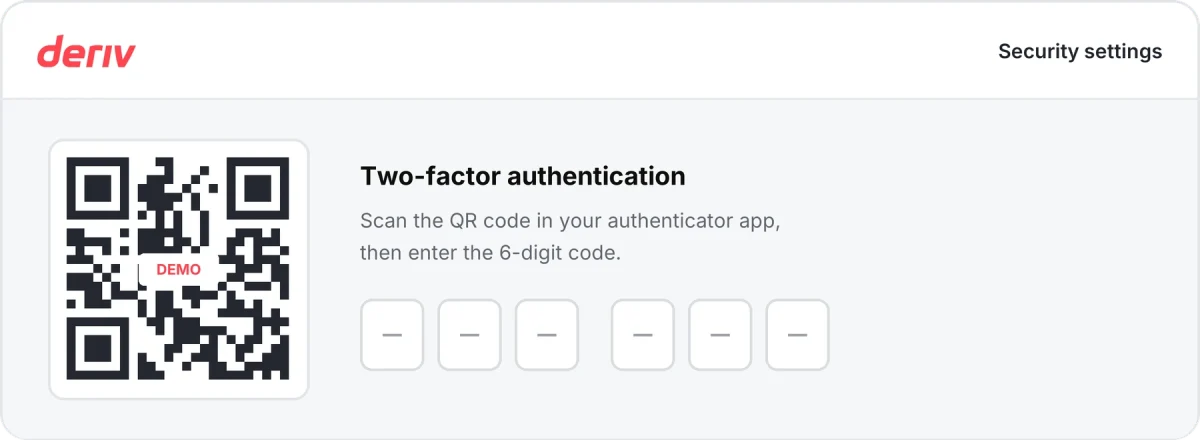
Na illustration only. Your actual screen fit look different. Dis QR pattern na placeholder wey no dey work.
From now on, you go enter new code each time you log in. No ever share dis code wit anybody.
Make 2FA part of your login
If person enta your account before you set up 2FA, dem fit turn am on wit dia own phone and stop you from entering your account. Set am up yourself, and no ever share your 6-digit code, even wit person wey say dem dey from Deriv.
Common questions
You need help?
Common questions
Which authenticator app I fit use?
Wetin go change afta I turn on 2FA?
Wetin I go do if my code no work?
Wetin go happen if I lose my phone or I no fit access my app?

