Kɔ asɛm titire no so tee

Ɛdeɛn ne ahobammɔ codes na adɛn nti na ɛnsɛ sɛ wode kyɛ obiara da

5
simma akenkan
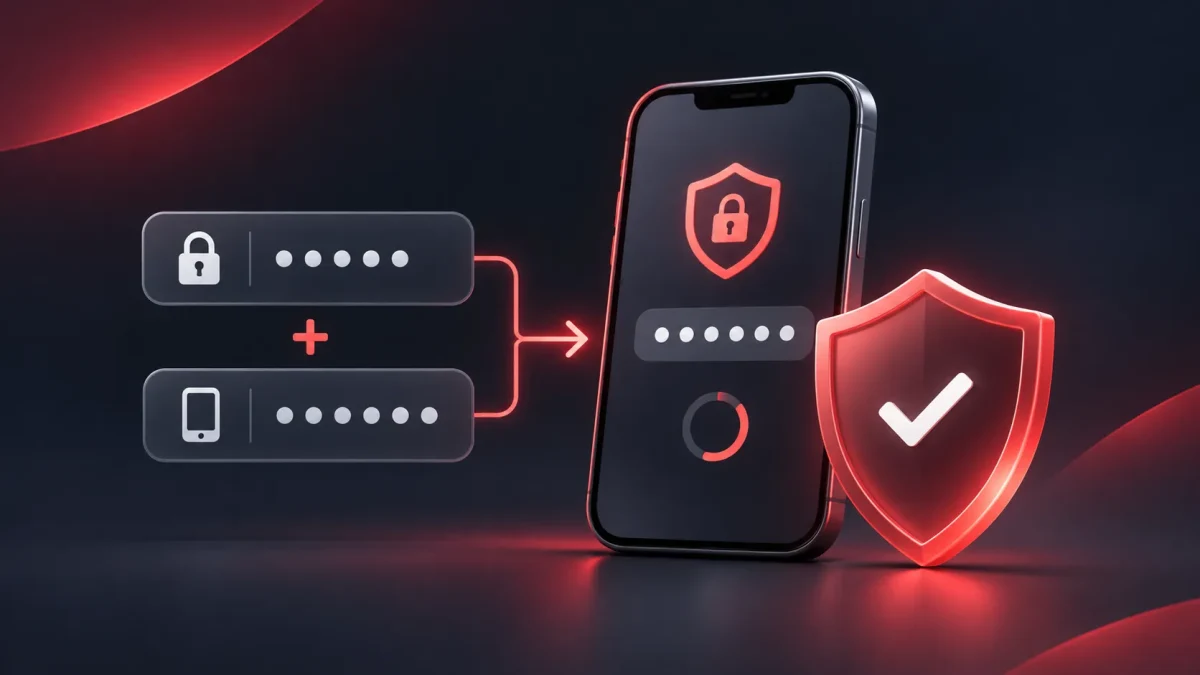
Mfoni a ɛkyerɛ fon a wɔabɔ ho ban a nhwehwɛmu-code kwan, ahobammɔ kyɛm ne nkɔmmɔbɔ kwan a wɔasiw ano wɔ so, a ɛgyina hɔ ma ahobammɔ codes a wɔde di dwuma wɔ kokoam.

Ahobammɔ codes boa si so dua sɛ adeyɛ titire bi—te sɛ muwura, password sesa anaa akwan mmienu so nhwehwɛmu (2FA) nhyehyɛeɛ—yɛ deɛ wo ara woreyɛ. Ɛnam sɛ saa codes yi bɛtumi aboa abɔ kwan a wofa so wura wo Deriv account mu ho ban nti, ɛsɛ sɛ ɛtena kokoam berɛ nyinaa. Saa akwankyerɛ yi kyerɛkyerɛ deɛ ahobammɔ codes yɛ, adɛn nti na ɛho hia ne sɛdeɛ wobɛhwɛ so yie wɔ ahobammɔ mu.

Nsɛm no mua tiawa

  • Ahobammɔ codes de nhwehwɛmu foforɔ ka ho ansa na wɔatumi awie account mu nneyɛeɛ a ɛho hia pa ara.
  • Ɛbɛtumi ayɛ one-time passwords, authenticator-app codes, codes a wɔde sesa password ne recovery codes.
  • Wo ara fa code hyɛ Deriv website anaa app ankasa no mu nko ara wɔ anammɔn bi a worehwɛ anim mu.
  • Mfa ahobammɔ code mmena obiara, nkenkan nte, mfa nsɔ so mmena, ntwa screenshot anaa mfa nto abɔnten da.
  • Sɛ mfomsoɔ mu wode code bi kyɛ obi a, fa Deriv akwan ankasa so bɔ wo account ho ban ntɛm ara.

Ɛdeɛn ne ahobammɔ codes?

Ahobammɔ code yɛ ahyɛnsodeɛ a wɔde boa si so dua sɛ muwura anaa account mu adeyɛ bi firi wo tumi ase. Ɛnte sɛ password, ɛfiri sɛ ahobammɔ codes pii yɛ berɛ tiaa bi mu deɛ: ɛberɛ bɛtumi atwam wɔ berɛ tiaa bi akyi anaa ɛbɛyɛ adwuma prɛko pɛ.

Wobɛtumi ahyia ahobammɔ code berɛ a:

  • Wofiri afidie anaa browser foforɔ mu rewura mu
  • Woresɔ 2FA anaa wode redi dwuma
  • Woresesa password anaa woreyɛ foforɔ
  • Woresi account ahobammɔ adeyɛ titire bi so dua
  • Woresan agye kwan awura account bi mu

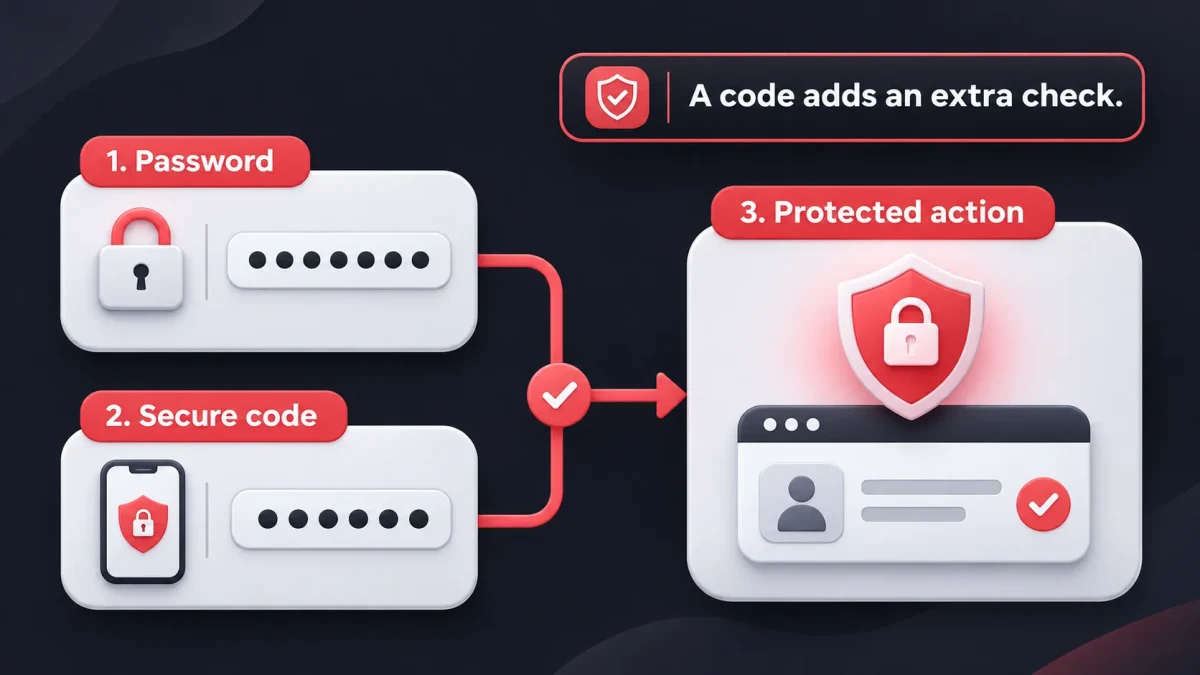
Ahobammɔ codes ho wɔ mfasoɔ ɛfiri sɛ ɛde nhwehwɛmu foforɔ ka ho. Sɛ obi mpo hunu password bi a, ɛbɛtumi aba sɛ ɔrentumi nwie adeyɛ a wɔabɔ ho ban no berɛ a ɔnni code a ɛka ho no.

Ahobammɔ codes ahodoɔ a ɛtaa ba

Password a wɔde di dwuma prɛko pɛ (OTPs) yɛ berɛ tiaa bi mu codes a wɔde mena email address anaa tɛlɛfon nɔma a wɔatwerɛ agye atom so. Ɛboa si so dua sɛ wobɛtumi anya nkitahodie kwan a ɛbata account no ho no.

Authenticator-app codes yɛ codes ntiantiaa a ɛwɔ berɛ ano hyeɛ a wɔyɛ wɔ authenticator app mu. Mpɛn pii no wɔde di dwuma ma 2FA na ɛsesa berɛ nyinaa.

Codes a wɔde sesa password boa si so dua sɛ adesrɛ a wɔde rebɛsesa password bi no wɔ kwan so. Ɛho hia pa ara ɛfiri sɛ ɛbɛtumi ayɛ kwan a wɔfa so yɛ password foforɔ no fa.

Recovery anaa backup codes yɛ ntɛmpɛ codes a wɔyɛ berɛ a wɔrehyehyɛ 2FA no. Sɛ wo authenticator afidie yera a, ɛbɛtumi aboa ama woasan anya kwan awura mu, enti ɛsɛ sɛ wode sie baabi a ɛwɔ ahobammɔ na wohwɛ so te sɛ passwords.
Secure codes help confirm that an important action—such as signing in, changing a password or setting up two-factor authentication (2FA)—is being completed by you. Because these codes can help protect access to your Deriv account, they should always remain private. This guide explains what secure codes are, why they are needed and how to handle them safely. Quick summary Secure codes add an extra check before sensitive account actions can be completed. They can include one-time passwords, authenticator-app codes, password-reset codes and recovery codes. Enter a code yourself only in the official Deriv website or app during an expected step. Never send, read aloud, forward, screenshot or post a secure code. If you accidentally share a code, secure your account promptly through official Deriv channels. What are secure codes? A secure code is a credential used to help confirm that a login or account action is authorised by you. Unlike a password, many secure codes are temporary: they may expire after a short period or work only once. You may encounter a secure code when you: Sign in from a new device or browser Turn on or use 2FA Change or reset a password Confirm a sensitive account-security action Recover access to an account Secure codes are useful because they add another layer of verification. Even if someone discovers a password, they may be unable to complete a protected action without the additional code. Common types of secure codes One-time passwords (OTPs) are temporary codes sent to a registered email address or phone number. They help verify that you can access the contact method linked to the account. Authenticator-app codes are short, time-limited codes generated in an authenticator app. They are commonly used for 2FA and change regularly. Password-reset codes help confirm that a request to reset a password is authorised. They are especially sensitive because they can be part of a process to create a new password. Recovery or backup codes are emergency codes created when setting up 2FA. They may help restore access if you lose an authenticator device, so they must be stored securely and treated like passwords.   Alt text: Diagram shows a password and a secure code as separate requirements before a protected account action can proceed. Why secure codes are needed Passwords can be guessed, reused or exposed through a data breach or phishing attempt. A secure code helps reduce the risk that a password alone can be used to access an account or make a sensitive change. For example, when you change a Deriv password from your profile, Deriv may send a one-time password to your registered email to help verify the request. You enter that OTP yourself as part of the official process, then set the new password.  This extra step is not a guarantee against every risk, but it creates an important barrier. It confirms that the person making the request has access to the required verification method at that moment. Codes are for you to enter, not to give away A secure code is not a piece of information to share with another person. It is an instruction for you to complete a specific security step yourself. Keep this distinction in mind: Safe action Unsafe action Entering a code yourself in the official Deriv website or app Sending a code in a chat, email or social-media message Using a code during a step you started Giving a code to someone who contacted you unexpectedly Storing recovery codes in a protected location Saving recovery codes in an unprotected note or screenshot Opening Deriv directly before entering a code Following an unverified link to enter a code   When it is safe to enter a code Enter a secure code only when all of these conditions apply: You started the action yourself. You are using the official Deriv website or app. You expected the verification step. The code is being entered into the relevant secure field—not sent to a person. For example, if you select Password in your Deriv profile and request a password change, an OTP sent to your registered email can be part of that expected process. The code should be entered only in the official password-change flow. If the action is unexpected, pause before entering anything. Open Deriv directly through your usual route and check your account settings instead of relying on a link in a message. Keep codes out of screenshots A screenshot can contain more information than it first appears to. It may show an OTP, account email, device notification, transaction reference, browser address or other personal details. Before sharing a screenshot for support purposes, review every visible element. Never include a password, secure code, QR code, recovery code or authenticator-app screen. When possible, crop or redact any personal, payment or account details that are not needed.  Alt text: Three cards show starting an account action, opening Deriv directly, and privately entering a secure code in the official platform. How to store recovery codes safely Recovery codes are different from ordinary one-time codes because they may remain valid until used or replaced. They are designed for emergencies, such as losing access to an authenticator app. Store them somewhere you can access when needed, but where other people cannot. A reputable password manager can be a suitable option when it is protected by a strong master password and 2FA. A protected offline copy may also be appropriate. Do not: Keep recovery codes in an email draft or unprotected cloud document Store them in a public or shared photo album Send them to yourself through chat Share them with a friend, family member or anyone claiming to help Include them in a support screenshot If you generate new recovery codes, securely remove any outdated copies so you do not rely on codes that no longer work. What to do if you shared a code A shared code may no longer be safe to use, even if it has not yet expired. Act promptly, but use only official routes. Open Deriv directly through the official website or app. Change your Deriv password to a new, unique password. Review your 2FA settings and recovery methods. Secure the email account linked to Deriv, particularly if it may receive password-reset instructions. Contact Deriv through official support if you think someone may have accessed your account.  Alt text: Three cards advise keeping codes private, storing recovery codes securely, and protecting an account promptly if a code is shared. Build a secure-code routine A few simple habits make secure-code requests easier to handle: Start account actions only from the official Deriv website or app. Use 2FA on your Deriv account and on the email account linked to it. Read verification messages carefully before acting. Keep recovery codes in a protected location before you need them. Never approve or enter a code for an action you did not start. Treat any request to share a code as a reason to stop and verify independently. Take the next step Review where you store your recovery codes and make sure 2FA is enabled on your Deriv account and the email linked to it. If you receive a code for an action you did not start, do not enter or share it—open Deriv directly and review your security settings.

‍Adɛn nti na ahobammɔ codes ho hia

Obi bɛtumi abɔ tirim ahunu passwords, asan de adi dwuma bio anaa ɛbɛtumi ada adi wɔ data wia anaa phishing nsɔhwɛ mu. Ahobammɔ code boa te asiane a ɛwɔ hɔ sɛ wɔde password nko ara bɛwura account bi mu anaa wɔde bɛyɛ nsesaeɛ titire bi no so.

Nhwɛsoɔ ne sɛ, sɛ wofiri wo profile mu sesa Deriv password a, Deriv bɛtumi de one-time password amena wo email a woatwerɛ agye atom no so de aboa asi adesrɛ no so dua. Wo ara wode saa OTP no hyɛ mu sɛ nhyehyɛeɛ ankasa no fa, ansa na woahyehyɛ password foforɔ no.

Saa anammɔn a ɛka ho yi nsi asiane biara ano koraa deɛ, nanso ɛto bansie titire bi. Ɛsi so dua sɛ onipa a ɔreyɛ adesrɛ no wɔ nhwehwɛmu kwan a ɛhia no wɔ saa berɛ no ara mu.

Codes yɛ deɛ wo ara wode bɛhyɛ mu, ɛnyɛ deɛ wode bɛma obi

Ahobammɔ code nyɛ nsɛm a ɛsɛ sɛ wode kyɛ onipa foforɔ. Ɛyɛ akwankyerɛ ma wo sɛ wo ara wie ahobammɔ anammɔn pɔtee bi.

Ma saa nsonsonoeɛ yi ntena w’adwene mu:

Adeyɛ a ɛwɔ ahobammɔ Adeyɛ a ɛnni ahobammɔ
Sɛ wo ara wode code bɛhyɛ Deriv website anaa app ankasa no mu Sɛ wode code bɛmena wɔ chat, email anaa social-media nkra mu
Sɛ wode code bɛdi dwuma wɔ anammɔn a wo ara wohyɛɛ aseɛ mu Sɛ wode code bɛma obi a ɔne wo dii nkitaho mpofirim
Sɛ wode recovery codes bɛsie baabi a wɔabɔ ho ban Sɛ wode recovery codes bɛsie krataa a wɔammɔ ho ban so anaa screenshot mu
Sɛ wobɛbue Deriv tẽẽ ansa na wode code ahyɛ mu Sɛ wobɛdi link a wɔanhwehwɛ mu akyi akɔhyɛ code

‍

Berɛ a ɛyɛ ahobammɔ sɛ wode code bɛhyɛ mu

Fa ahobammɔ code hyɛ mu berɛ a saa tebea yi nyinaa wɔ hɔ nko ara:

  1. Wo ara na wohyɛɛ adeyɛ no ase.
  2. Wode Deriv website anaa app ankasa no na ɛredi dwuma.
  3. na worehwɛ nhwehwɛmu anammɔn no anim.
  4. Wode code no rehyɛ ahobammɔ baabi a ɛfata no—ɛnyɛ sɛ wode remena onipa bi.

Nhwɛsoɔ ne sɛ, sɛ woyi Password wɔ wo Deriv profile mu na wosrɛ sɛ wopɛ sɛ wosesa password a, OTP a wɔde bɛmena wo email a woatwerɛ agye atom no bɛtumi ayɛ saa nhyehyɛeɛ a worehwɛ anim no fa. Ɛsɛ sɛ wode code no hyɛ kwan ankasa a wɔfa so sesa password no mu nko ara.

Sɛ adeyɛ no yɛ deɛ wonhwɛ anim a, twɛn kakra ansa na wode biribiara ahyɛ mu. Fa kwan a wotaa fa so no so bue Deriv tẽẽ na hwɛ wo account nhyehyɛeɛ mu sen sɛ wobɛgyina link bi a ɛwɔ nkra mu so.

Mma codes mmma screenshots mu

Screenshot bɛtumi akura nsɛm pii asen sɛdeɛ ɛda adi kane no. Ɛbɛtumi akyerɛ OTP, account email, afidie so nkra, sikasɛm ho nɔma, browser address anaa wo ho nsɛm foforɔ.

Ansa na wode screenshot bɛmena akɔgye mmoa no, hwehwɛ biribiara a ɛda adi wom no mu yie. Mfa password, ahobammɔ code, QR code, recovery code anaa authenticator-app so mfoni nka ho da. Sɛ ɛbɛtumi a, twa anaa kata wo ho nsɛm, sikatua anaa account mu nsɛm biara a ɛho nhia so.
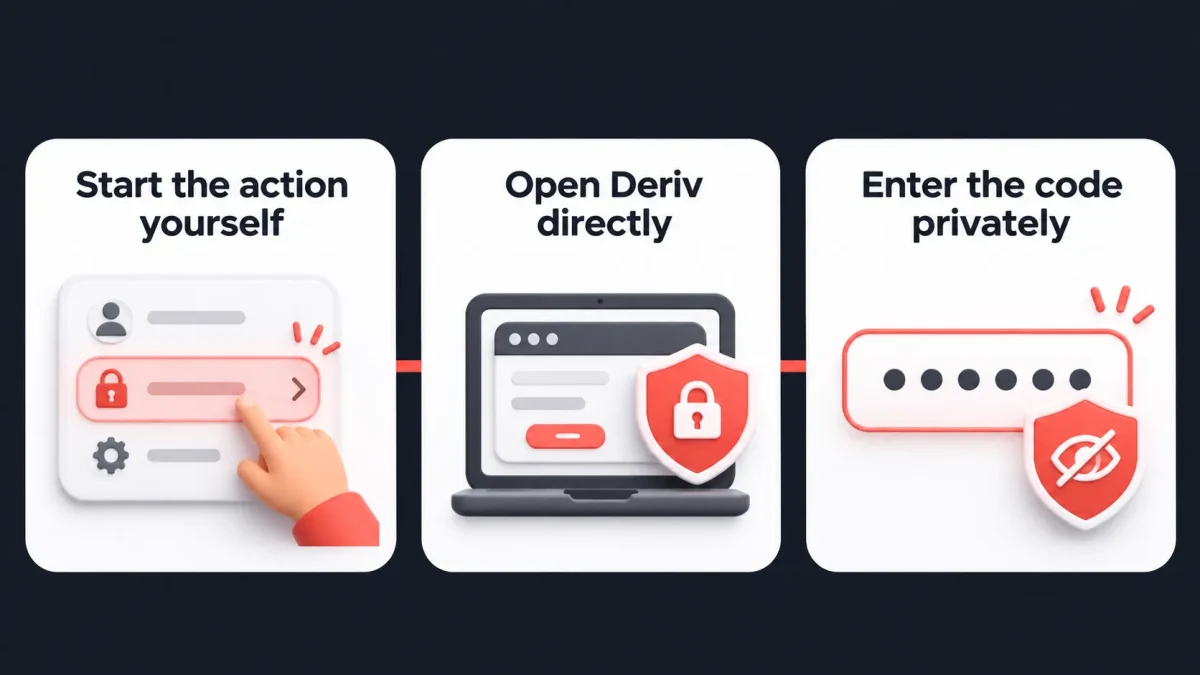
Three cards show starting an account action, opening Deriv directly, and privately entering a secure code in the official platform.

Sɛdeɛ wode recovery codes bɛsie wɔ ahobammɔ mu

Recovery codes yɛ soronko firi one-time codes a ɛtaa ba no ho ɛfiri sɛ ɛbɛtumi akɔ so ayɛ adwuma kɔsi sɛ wode bɛdi dwuma anaa wobɛsesa no. Wɔayɛ ama ntɛmpɛ tebea, te sɛ berɛ a wontumi nwura authenticator app mu bio.

Fa sie baabi a wobɛtumi anya berɛ a ɛho behia, nanso nkurɔfoɔ foforɔ rentumi nnya. Password manager a ɛwɔ din pa bɛtumi ayɛ kwan pa berɛ a wɔde master password a ɛyɛ den ne 2FA abɔ ho ban no. Offline deɛ a wɔabɔ ho ban nso bɛtumi afata.

Nyɛ yeinom:

  • Mfa recovery codes nsie email draft anaa cloud nwoma a wɔammɔ ho ban mu
  • Mfa nsie mfoni korabea a ɛda abɔnten anaa wɔne afoforɔ kyɛ mu
  • Mfa chat mmena wo ara wo ho
  • Mfa nkyɛ adamfoɔ, abusuafoɔ anaa obiara a ɔkyerɛ sɛ ɔreboa wo
  • Mfa nka screenshot a wode regye mmoa ho

Sɛ woyɛ recovery codes foforɔ a, yi dedaw biara a atwam no firi hɔ wɔ ahobammɔ mu na woannyina codes a ɛnyɛ adwuma bio so.

Deɛ ɛsɛ sɛ woyɛ sɛ wode code bi akyɛ obi a

Code a wode akyɛ obi no bɛtumi ayɛ deɛ ɛnni ahobammɔ bio sɛ wode bɛdi dwuma, mpo sɛ ɛberɛ ntwam a. Yɛ ho biribi ntɛm ara, nanso fa akwan ankasa no nko ara so.

  1. Fa website anaa app ankasa no so bue Deriv tẽẽ.
  2. Sesa wo Deriv password kɔ password foforɔ a ɛda nsow koraa mu.
  3. San hwehwɛ wo 2FA nhyehyɛeɛ ne akwan a wofa so san gye wo account mu.
  4. Bɔ email account no ho ban, deɛ ɛbata Deriv ho no, titire sɛ ɛbɛtumi agye akwankyerɛ a wɔde sesa password a.
  5. Sɛ wodwene sɛ obi awura wo akawunti mu a, fa Deriv mmoa kwan ankasa so di Deriv nkitaho.
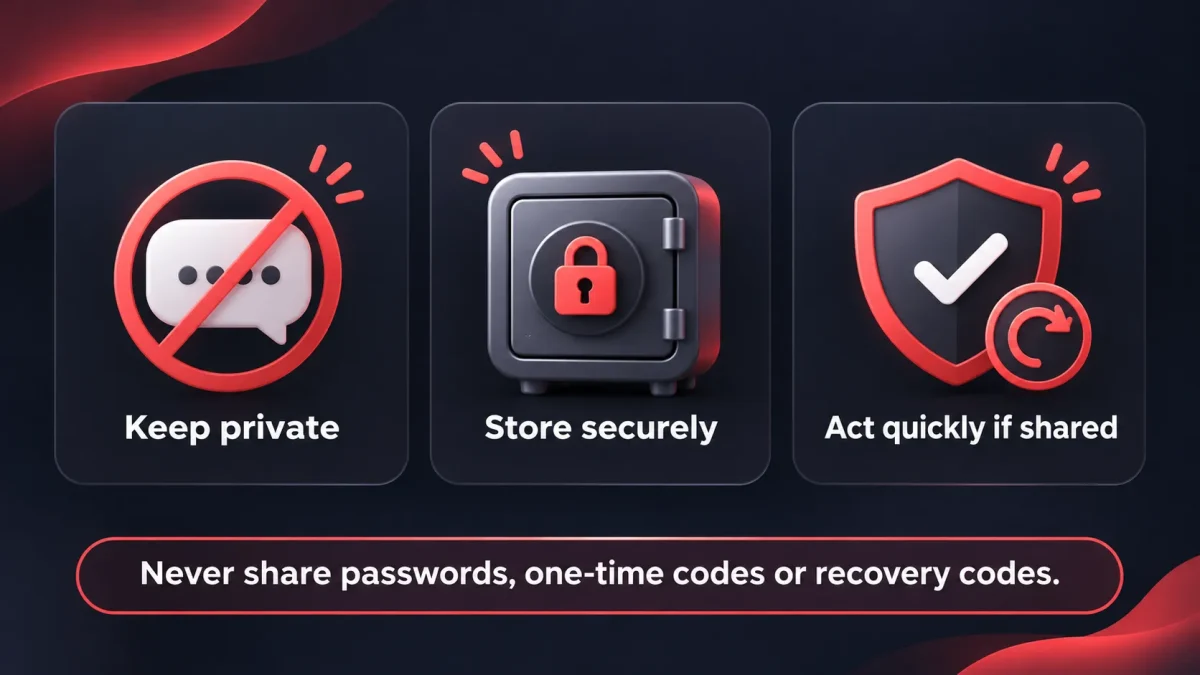
Three cards advise keeping codes private, storing recovery codes securely, and protecting an account promptly if a code is shared.

Nya su a ɛbɛma woakora ahobammɔ code so yie

Suban nketewa bi a ɛnyɛ den ma ɛyɛ mmerɛw sɛ wobɛdi ahobammɔ code abisadeɛ ho dwuma:

  • Firi akawunti so dwumadie biara ase firi Deriv wɛbsaet anaa app ankasa no nko ara so.
  • Fa 2FA di dwuma wɔ wo Deriv akawunti so ne email akawunti a ɛbata ho no so.
  • Kenkan nhwehwɛmu nkra no yie ansa na woadi ho dwuma.
  • Kora recovery codes wɔ baabi a ahobammɔ wɔ ansa na woahia.
  • Mma kwan anaa nhyɛ code biara mma dwumadie a ɛnyɛ wo na wofirii aseɛ.
  • Fa abisadeɛ biara a wɔbisa sɛ kyɛ code no sɛ nea ɛsɛ sɛ wogyina na woyɛ wo ara wo nhwehwɛmu.

Tu anammɔn a ɛdi hɔ no

Hwɛ baabi a wokora wo recovery codes mu bio na hwɛ hu sɛ woabue 2FA wɔ wo Deriv akawunti ne email a ɛbata ho no so. Sɛ wonya code ma dwumadie a ɛnyɛ wo na wofirii aseɛ a, nhyɛ mu na nkyɛ mma obiara—bue Deriv tẽẽ na hwɛ wo ahobammɔ nhyehyɛeɛ mu bio.

Quiz

Berɛ bɛn na ɛsɛ sɛ wode ahobammɔ code hyɛ mu?

Nsɛmmisa a wɔtaa bisa

Analyse markets with AI-powered insights

Explore TradersView
WhatsApp