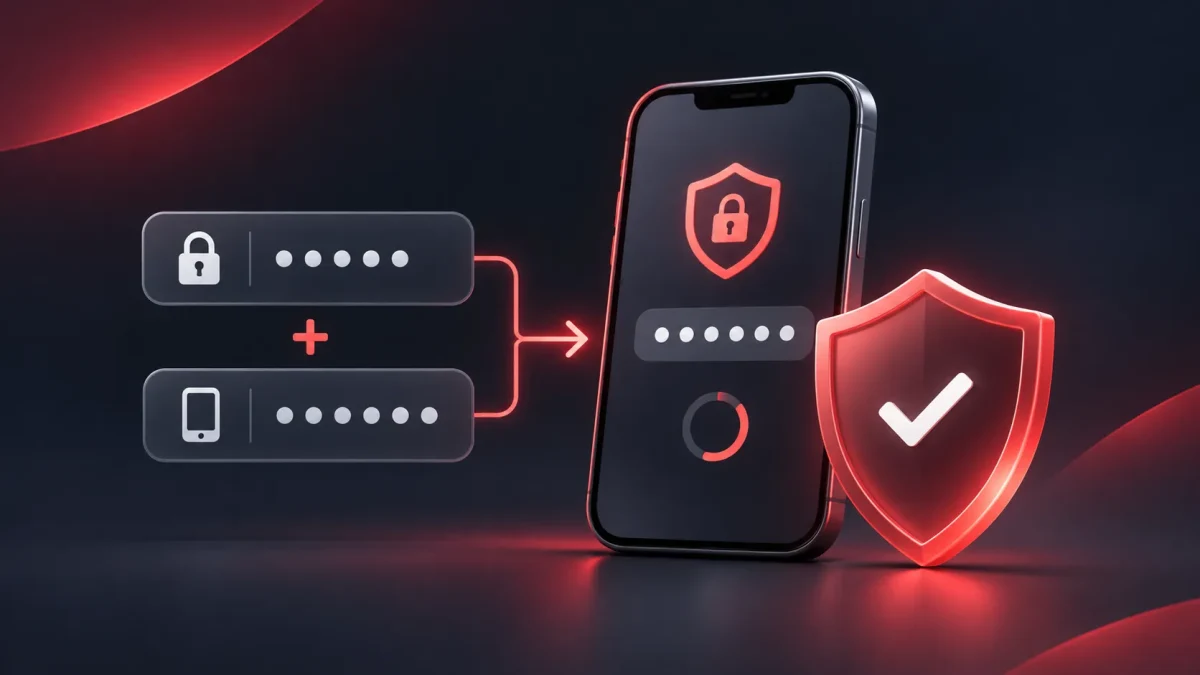
Likhoutu tsa tšireletso li thusa ho netefatsa hore ketso ea bohlokoa—joalo ka ho kena, ho fetola password kapa ho hlophisa netefatso ea mekhahlelo e meli (2FA)—e phethoa ke lona. Kaha likhoutu tsena li ka thusa ho sireletsa phihlello ea ak'haonte ea lona ea Deriv, li lokela ho lula e le lekunutu kamehla. Tataiso ena e hlalosa hore na likhoutu tsa tšireletso ke eng, ke hobane'ng ha li hlokahala le hore na le ka li sebelisa ka polokeho joang.
Kakaretso e khutšoanyane
- Likhoutu tsa tšireletso li eketsa tlhahlobo e 'ngoe pele liketso tse hlokolosi tsa ak'haonte li ka phethoa.
- Li ka kenyelletsa li-password tsa lekhetlo le le leng, likhoutu tsa app ea netefatso, likhoutu tsa ho seta password bocha le likhoutu tsa ho khutlisa phihlello.
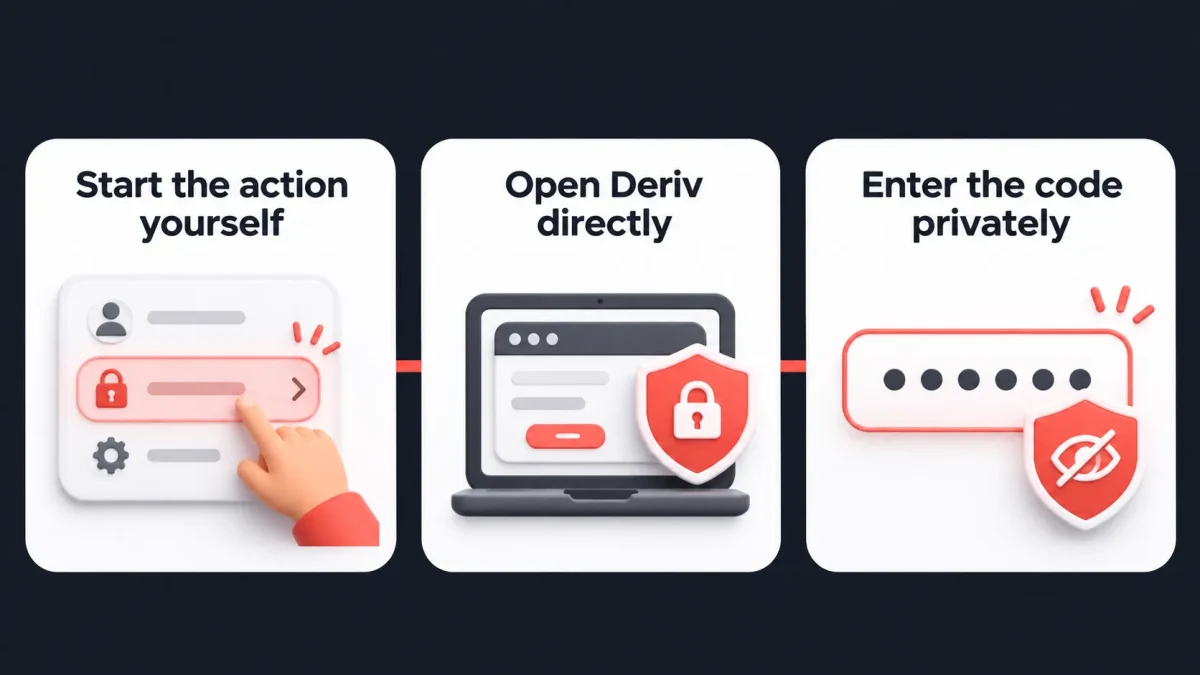
- Kenyang khoutu ka bolona feela sebakeng sa marang-rang sa semolao sa Deriv kapa ho app nakong ea mohato oo le o lebeletseng.
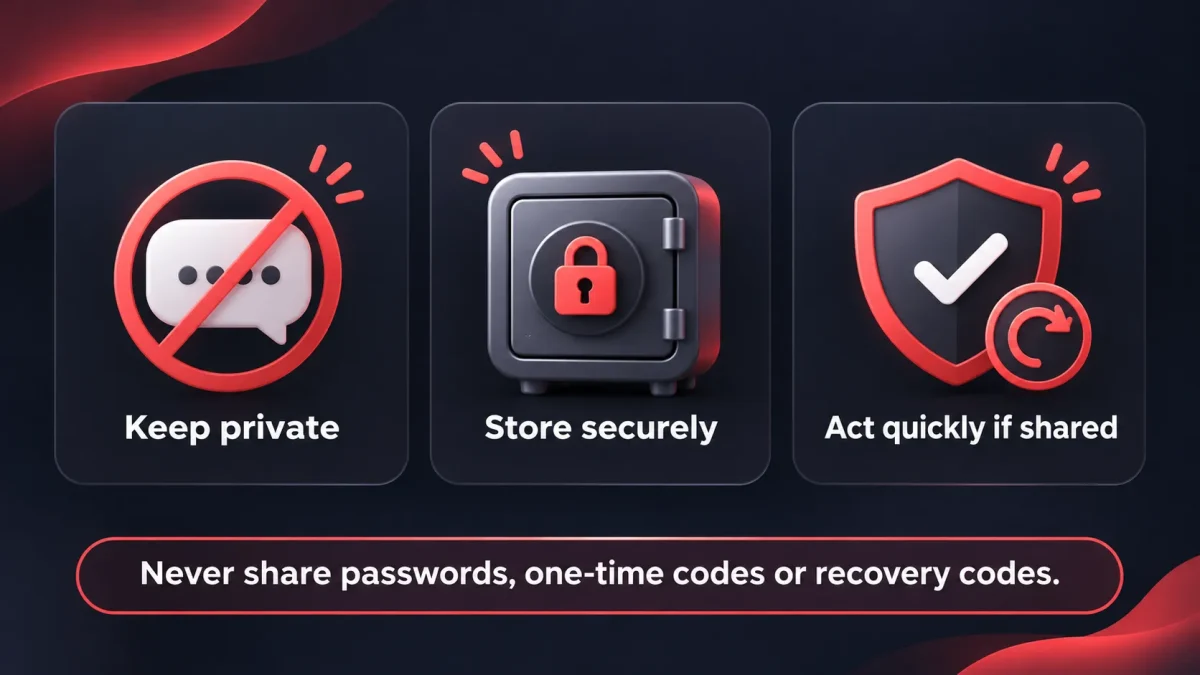
- Le ka mohla le se ke la romela, la balla holimo, la fetisetsa pele, la nka screenshot kapa la phatlalatsa khoutu ea tšireletso.
- Haeba ka phoso le ka fana ka khoutu, sireletsang ak'haonte ea lona hang-hang ka metjha ea semolao ea Deriv.
Likhoutu tsa tšireletso ke eng?
Khoutu ea tšireletso ke bopaki bo sebelisetsoang ho thusa ho netefatsa hore ho kena kapa ketso e etsoang ho ak'haonte e lumelletsoe ke lona. Ho fapana le password, likhoutu tse ngata tsa tšireletso ke tsa nakoana: li ka felloa ke nako ka mor'a nako e khutšoanyane kapa tsa sebetsa lekhetlo le le leng feela.
Le ka kopana le khoutu ea tšireletso ha le:
- Kena ka sesebelisoa se secha kapa sebatli se secha sa marang-rang
- Bulela kapa le sebelisa 2FA
- Fetola kapa le seta password bocha
- Netefatsa ketso e hlokolosi ea tšireletso ea ak'haonte
- Khutlisa phihlello ea ak'haonte
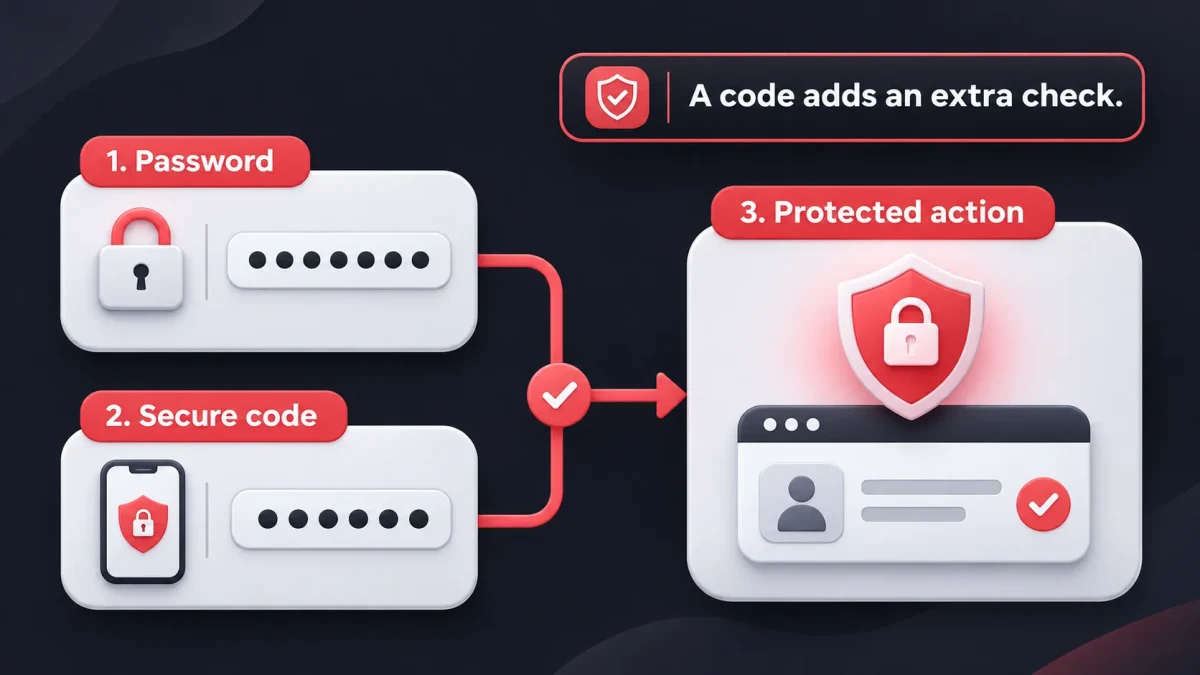
Likhoutu tsa tšireletso li bohlokoa hobane li eketsa mohato o mong oa netefatso. Esita le haeba motho e mong a ka tseba password, a ka 'na a sitoa ho phetha ketso e sirelelitsoeng ntle le khoutu eo e eketsehileng.
Mefuta e tloaelehileng ea likhoutu tsa tšireletso
Li-password tsa lekhetlo le le leng (OTPs) ke likhoutu tsa nakoana tse romelloang atereseng ea imeile kapa nomorong ea mohala e ngolisitsoeng. Li thusa ho netefatsa hore le na le phihlello mokhoeng oa puisano o hokahaneng le ak'haonte.
Likhoutu tsa app ea netefatso ke likhoutu tse khutšoanyane tse behiloeng nako tse hlahisoang ka har'a app ea netefatso. Hangata li sebelisetsoa 2FA 'me li fetoha khafetsa.
Likhoutu tsa ho seta password bocha li thusa ho netefatsa hore kopo ea ho seta password bocha e lumelletsoe. Li hlokolosi haholo hobane li ka ba karolo ea tšebetso ea ho theha password e ncha.
Likhoutu tsa ho khutlisa phihlello kapa tsa polokelo ke likhoutu tsa tšohanyetso tse etsoang ha ho hlophisoa 2FA. Li ka thusa ho khutlisa phihlello haeba le lahleheloa ke sesebelisoa sa netefatso, kahoo li tlameha ho bolokoa ka polokeho 'me li tšoaroe joalo ka li-password.
Ke hobane'ng ha likhoutu tsa tšireletso li hlokahala
Li-password li ka akanyoang, tsa sebelisoa hape kapa tsa pepesoa ka lebaka la ho lutla ha lintlha kapa liteko tsa boqhekanyetsi ba phishing. Khoutu ea tšireletso e thusa ho fokotsa kotsi ea hore password e le 'ngoe feela e ka sebelisoa ho kena ho ak'haonte kapa ho etsa phetoho e hlokolosi.
Ka mohlala, ha le fetola password ea Deriv ho tsoa ho profaele ea lona, Deriv e ka romela password ea lekhetlo le le leng ho imeile ea lona e ngolisitsoeng ho thusa ho netefatsa kopo eo. Le kenya OTP eo ka bolona e le karolo ea tšebetso ea semolao, ebe le beha password e ncha.
Mohato ona o eketsehileng hase tiisetso khahlanong le kotsi e 'ngoe le e 'ngoe, empa o theha tšireletso ea bohlokoa. O netefatsa hore motho ea etsang kopo o na le phihlello mokhoeng o hlokahalang oa netefatso ka nako eo.
Likhoutu li etselitsoe hore le li kenye ka bolona, eseng ho fana ka tsona
Khoutu ea tšireletso hase leseli leo le lokelang ho fana ka lona ho motho e mong. Ke taelo ea hore le phethe mohato o itseng oa tšireletso ka bolona.
Hopola phapang ena:
| Ketso e bolokehileng | Ketso e sa bolokehang |
|---|---|
| Ho kenya khoutu ka bolona sebakeng sa marang-rang sa semolao sa Deriv kapa ho app | Ho romela khoutu molaetseng oa puisano, ka imeile kapa mecheng ea litaba tsa sechaba |
| Ho sebelisa khoutu nakong ea mohato oo le o qalileng | Ho fa motho ea ikopantseng le lona ka tšohanyetso khoutu |
| Ho boloka likhoutu tsa ho khutlisa phihlello sebakeng se sirelelitsoeng | Ho boloka likhoutu tsa ho khutlisa phihlello lengolong le sa sireletsoang kapa ho screenshot |
| Ho bula Deriv ka kotloloho pele le kenya khoutu | Ho latela sehokelo se sa netefatsoang ho ea kenya khoutu |
Nako eo ho bolokehileng ho kenya khoutu ka eona
Kenyang khoutu ea tšireletso feela ha maemo ana kaofela a le teng:
- Le qalile ketso eo ka bolona.
- Le sebelisa sebaka sa marang-rang sa semolao sa Deriv kapa app.
- Le ne le lebeletse mohato oo oa netefatso.
- Khoutu e kenngoa sebakeng se amehang se sireletsehileng—ha e romelloe motho.
Ka mohlala, haeba le khetha Password ho profaele ea lona ea Deriv 'me le kopa ho fetola password, OTP e rometsoeng ho imeile ea lona e ngolisitsoeng e ka ba karolo ea tšebetso eo e lebeletsoeng. Khoutu eo e lokela ho kenngoa feela tšebetsong ea semolao ea ho fetola password.
Haeba ketso eo e sa lebelloa, emang pele le kenya letho. Bulang Deriv ka kotloloho ka tsela eo le tloaeleng ho e sebelisa 'me le hlahlobe litlhophiso tsa ak'haonte ea lona ho e-na le ho itšetleha ka sehokelo se ka har'a molaetsa.
Bolokang likhoutu li le sieo ho li-screenshot
Screenshot e ka ba le leseli le lengata ho feta kamoo ho bonahalang kateng qalong. E ka bontša OTP, imeile ea ak'haonte, tsebiso ea sesebelisoa, nomoro ea boitsebiso ba tšebetso ea chelete, aterese ea sebatli kapa lintlha tse ling tsa botho.
Pele le arolelana screenshot bakeng sa tšehetso, hlahlobang ntho e 'ngoe le e 'ngoe e bonahalang. Le ka mohla le se ke la kenyelletsa password, khoutu ea tšireletso, khoutu ea QR, khoutu ea ho khutlisa phihlello kapa skrine sa app ea netefatso. Ha ho khoneha, pomang kapa le pate lintlha life kapa life tsa botho, tsa tefo kapa tsa ak'haonte tse sa hlokahaleng.
Mokhoa oa ho boloka likhoutu tsa ho khutlisa phihlello ka polokeho
Likhoutu tsa ho khutlisa phihlello li fapane le likhoutu tse tloaelehileng tsa lekhetlo le le leng hobane li ka lula li sebetsa ho fihlela li sebelisoa kapa li nkeloa sebaka. Li etselitsoe maemo a tšohanyetso, joalo ka ha le lahleheloa ke phihlello ho app ea netefatso.
Li bolokeng sebakeng seo le ka fihlellang ho sona ha ho hlokahala, empa moo batho ba bang ba ke keng ba fihla teng. Sesebelisoa se tšepahalang sa ho boloka li-password e ka ba khetho e nepahetseng ha se sirelelitsoe ka password e kholo e matla le 2FA. Kopi e sirelelitsoeng e sa hokahanang le marang-rang le eona e ka ba e loketseng.
Se ke la:
- Boloka likhoutu tsa ho khutlisa phihlello molaetseng o sa romelloang oa imeile kapa tokomaneng ea marang-rang e sa sireletsoang
- Li boloka albamong ea linepe ea sechaba kapa e arolelanoang le ba bang
- Itšomella tsona molaetseng oa puisano
- Li arolelana le motsoalle, setho sa lelapa kapa mang kapa mang ea ipolelang hore oa thusa
- Li kenyelletsa ka har'a screenshot e romelloang bakeng sa tšehetso
Haeba le hlahisa likhoutu tse ncha tsa ho khutlisa phihlello, hlakolang likopi tsa khale ka polokeho e le hore le se ke la itšetleha ka likhoutu tse seng li sa sebetse.
Seo le lokelang ho se etsa haeba le fane ka khoutu
Khoutu eo ho fanoeng ka eona e ka 'na ea se ke ea hlola e bolokehile hore e ka sebelisoa, esita le haeba e e-s'o felloe ke nako. Nkang khato hang-hang, empa le sebelise metjha ea semolao feela.
- Bulang Deriv ka kotloloho ka sebaka sa marang-rang sa semolao kapa app.
- Fetolelang password ea lona ea Deriv ho password e ncha e ikhethang.
- Hlahlobang litlhophiso tsa lona tsa 2FA le mekhoa ea ho khutlisa phihlello.
- Sireletsang ak'haonte ea imeile e hokahaneng le Deriv, haholo-holo haeba e ka amohela litaelo tsa ho seta password bocha.
- Ikopanyeng le Deriv ka tšehetso ea semmuso haeba le nahana hore motho e mong a ka ba a kene akhaonteng ea lona.
Thehang tloaelo ea likhoutu tsa tšireletso
Mekhoa e 'maloa e bonolo e etsa hore ho be bonolo ho sebetsana le likopo tsa likhoutu tsa tšireletso:
- Qalang liketso tsa akhaonte feela ho tsoa webosaeteng ea semmuso kapa app ea Deriv.
- Sebelisang 2FA akhaonteng ea lona ea Deriv le akhaonteng ea lengolo-tsoibila e hokahaneng le eona.
- Balang melaetsa ea netefatso ka hloko pele le nka khato.
- Bolokang likhoutu tsa ho khutlisa akhaonte sebakeng se sireletsehileng pele le li hloka.
- Le se ke la lumella kapa la kenya khoutu bakeng sa ketso eo le sa e qalang.
- Nkang kopo efe kapa efe ea ho arolelana khoutu e le lebaka la ho emisa le ho netefatsa ka bolona.
Nkang khato e latelang
Lekolang moo le bolokang likhoutu tsa lona tsa ho khutlisa akhaonte teng 'me le netefatse hore 2FA e buletsoe akhaonteng ea lona ea Deriv le lengolong-tsoibila le hokahaneng le eona. Haeba le fumana khoutu bakeng sa ketso eo le sa e qalang, le se ke la e kenya kapa la e arolelana—bulang Deriv ka kotloloho 'me le lekole litlhophiso tsa lona tsa tšireletso.
Quiz
Le lokela ho kenya khoutu ea tšireletso neng?
Lipotso tse botsoang khafetsa