Trade Deriv exclusive 24/7 Derived Indices direct inside TradingView
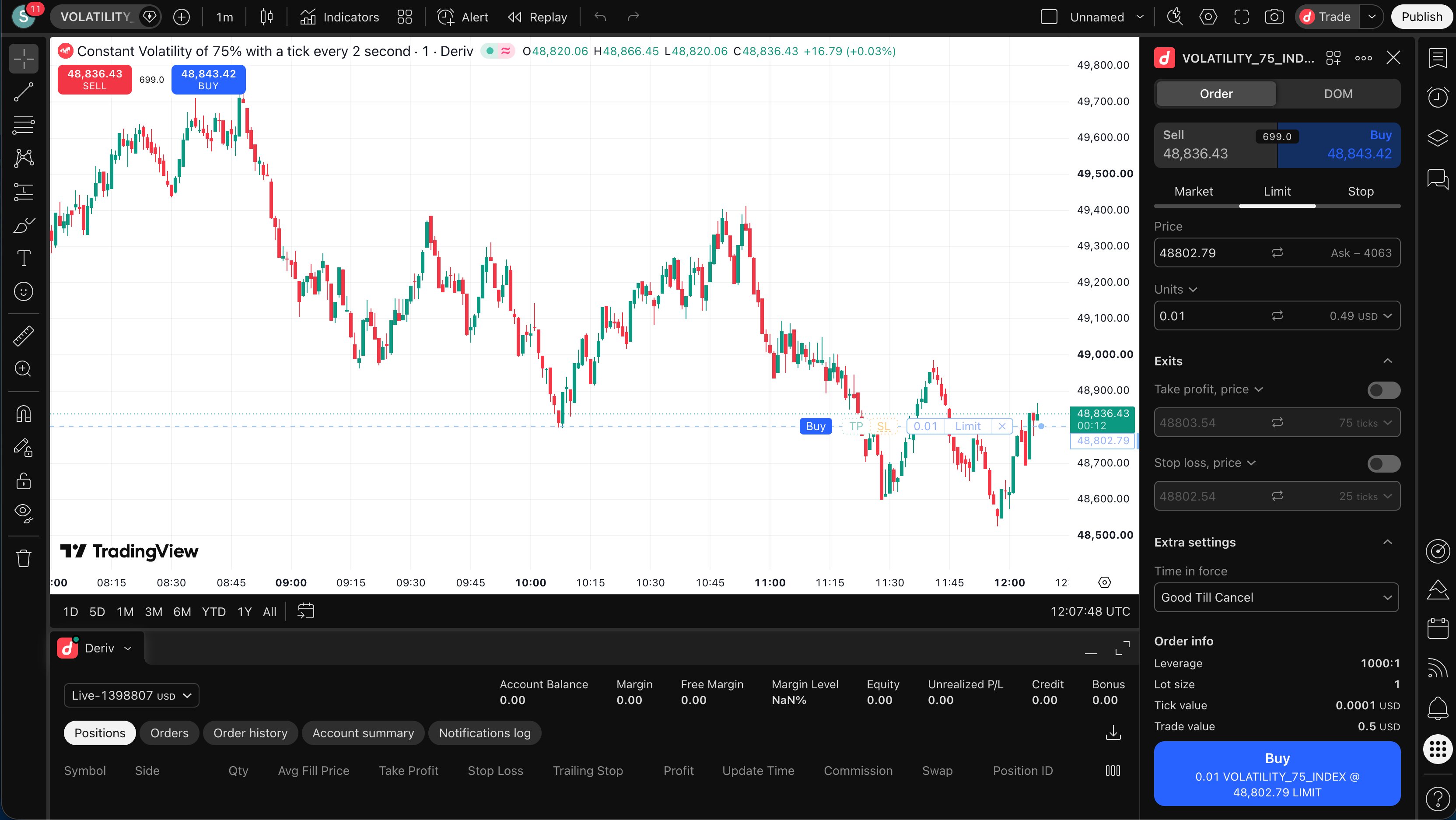
Deriv exclusive Derived Indices don go live inside TradingView. Traders fit connect Deriv account take analyse, place, and manage trades direct from TradingView charts, including Volatility, Crash/Boom, Jump, and Step Indices. TradingView dey provide di charting and trading interface, while Deriv dey continue to handle pricing, execution, and account management.
Dis launch important becos di products wey pipo dey associate pass wit Deriv don dey available inside charting environment wey plenty traders don already dey use. Instead make traders analyse inside TradingView and move go anoda platform to execute trades, dem fit move from chart go trade without say dem go interrupt dia workflow.
Analyse and trade from di same chart
Once dem don connect dia accounts, traders fit use TradingView charts, technical indicators, drawing tools, and alerts take analyse one Deriv instrument before dem place and manage a trade from di same screen.
TradingView charting environment get library of more than 400 indicators, different chart types, drawing tools, and alerts wey fit respond to price movements, indicator conditions, and oda technical triggers. Di number of charts, indicators, alerts, and advanced features wey dey available at one time depend on di trader TradingView plan.
You no need a paid TradingView subscription before you fit trade Deriv products. Traders fit connect wit free TradingView account too, while paid plans dey provide higher feature limits and additional charting functionality.
Deriv markets, wey dey available round di clock
Dis integration don bring Deriv proprietary Synthetic Indices, wey be part of im wider Derived Indices range, come TradingView.
Unlike markets wey dia prices dey respond to company earnings, economic announcements, central-bank decisions, or geopolitical developments, dem dey generate dese indices independently of real-world financial markets. Dem dey available for trade 24 hours every day, seven days every week, including weekends and public holidays.
Di range get instruments wit different price behaviours and volatility characteristics. Volatility Indices dey simulate continuous movement for defined volatility levels, while dem design Crash/Boom Indices around downward or upward price spikes. Jump and Step Indices dey offer more patterns for traders wey wan analyse different forms of market movement.
As dem dey available inside TradingView, traders fit apply dia preferred technical-analysis workflow to Deriv 24/7 markets and act on dat analysis direct from di chart.
“Derived Indices dey central to wetin make Deriv different. Dis integration dey put dose markets inside charting environment wey plenty traders don already dey use, so dem fit move from analysis go execution without say dem go interrupt dia workflow. Existing clients get more platform choice, while traders wey new to Deriv get direct way to reach our 24/7 markets,” na wetin Prakash Bhudia, Chief Growth Officer at Deriv, tok.
How you fit connect Deriv to TradingView
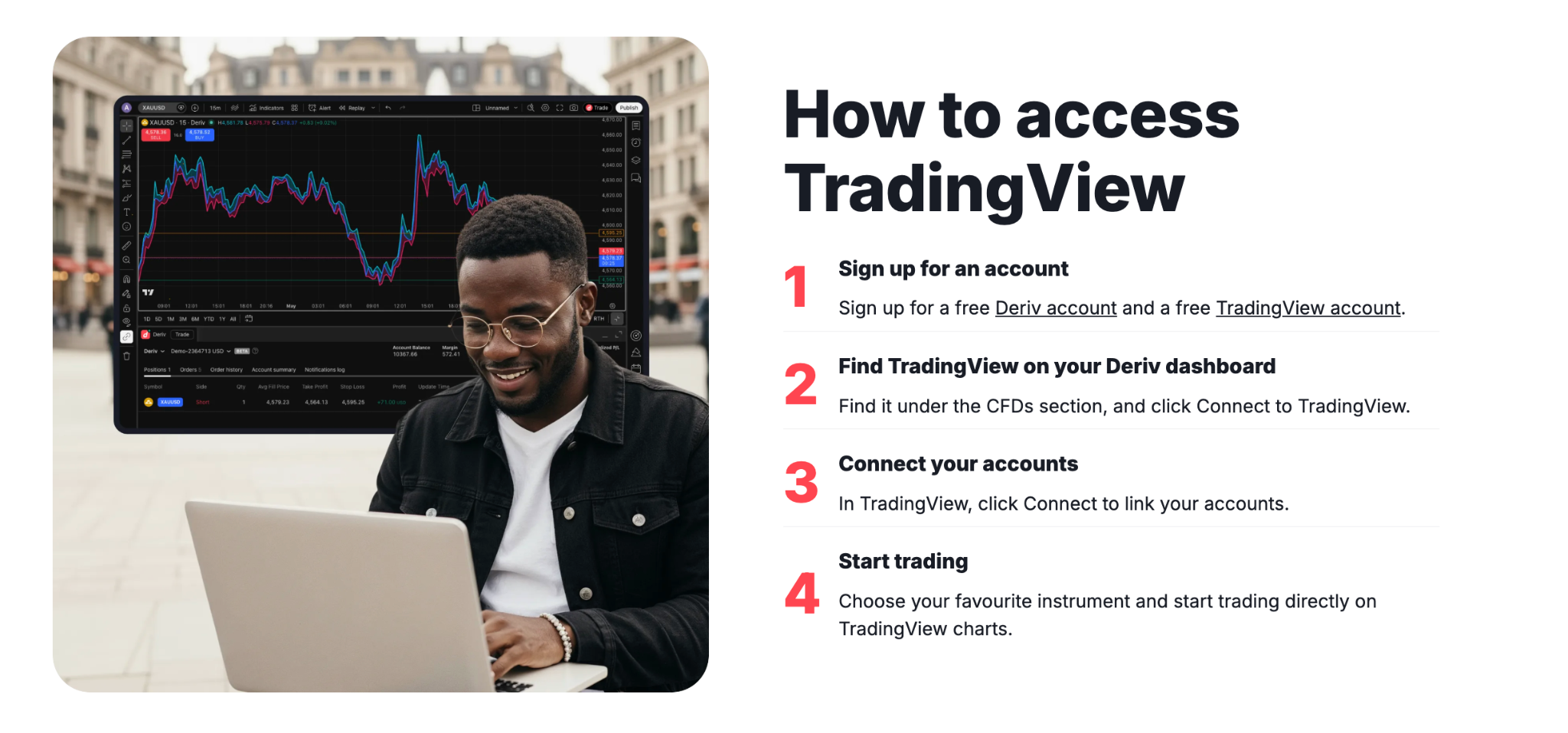
New traders fit start wit four steps:
- Open your accounts Sign up for a free Deriv account and a free or paid TradingView account. Existing clients fit use dia current accounts.
- Find TradingView for your dashboard Log in to your Deriv account, go to di CFDs section for your dashboard, and select Connect to TradingView.
- Connect di accounts Continue go TradingView, click Connect, check di permissions wey dem request, and approve access.
- Choose a market and start to trade Select a Deriv instrument, apply di TradingView charting tools wey dey available for your plan, and place or manage trades direct from di chart.
Existing Deriv clients wey don already get TradingView account fit begin from di second step. Dem go still dey manage deposits and withdrawals through di trader Deriv Wallet, not through TradingView.


