Tumutulong ang mga secure code na kumpirmahin na kayo mismo ang nagsasagawa ng isang mahalagang aksyon—gaya ng pag-log in, pagpapalit ng password, o pag-set up ng two-factor authentication (2FA). Dahil makakatulong ang mga code na ito na protektahan ang access sa inyong Deriv account, dapat itong manatiling pribado. Ipinapaliwanag ng gabay na ito kung ano ang mga secure code, bakit kailangan ang mga ito, at kung paano ligtas na pangasiwaan ang mga ito.
Mabilis na buod
- Nagdaragdag ang mga secure code ng karagdagang pagsusuri bago makumpleto ang mga sensitibong aksyon sa account.
- Maaaring kabilang dito ang mga one-time password, code mula sa authenticator app, code sa pag-reset ng password, at mga recovery code.
- Kayo mismo ang dapat maglagay ng code, at sa opisyal na website o app lang ng Deriv, sa hakbang na inaasahan ninyo.
- Huwag kailanman magpadala, bumasa nang malakas, mag-forward, mag-screenshot, o mag-post ng secure code.
- Kung aksidente ninyong naibahagi ang isang code, agad na protektahan ang inyong account sa pamamagitan ng mga opisyal na channel ng Deriv.
Ano ang mga secure code?
Ang secure code ay credential na ginagamit upang makatulong na kumpirmahin na kayo ang nagpapahintulot sa isang pag-log in o aksyon sa account. Hindi tulad ng password, pansamantala ang maraming secure code: maaaring mag-expire ang mga ito pagkalipas ng maikling panahon o gumana nang isang beses lang.
Maaari kayong makatanggap ng secure code kapag:
- Nag-log in kayo mula sa bagong device o browser
- Binuksan o ginamit ninyo ang 2FA
- Nagpalit o nag-reset kayo ng password
- Kinumpirma ninyo ang isang sensitibong aksyon sa seguridad ng account
- Nire-recover ninyo ang access sa isang account
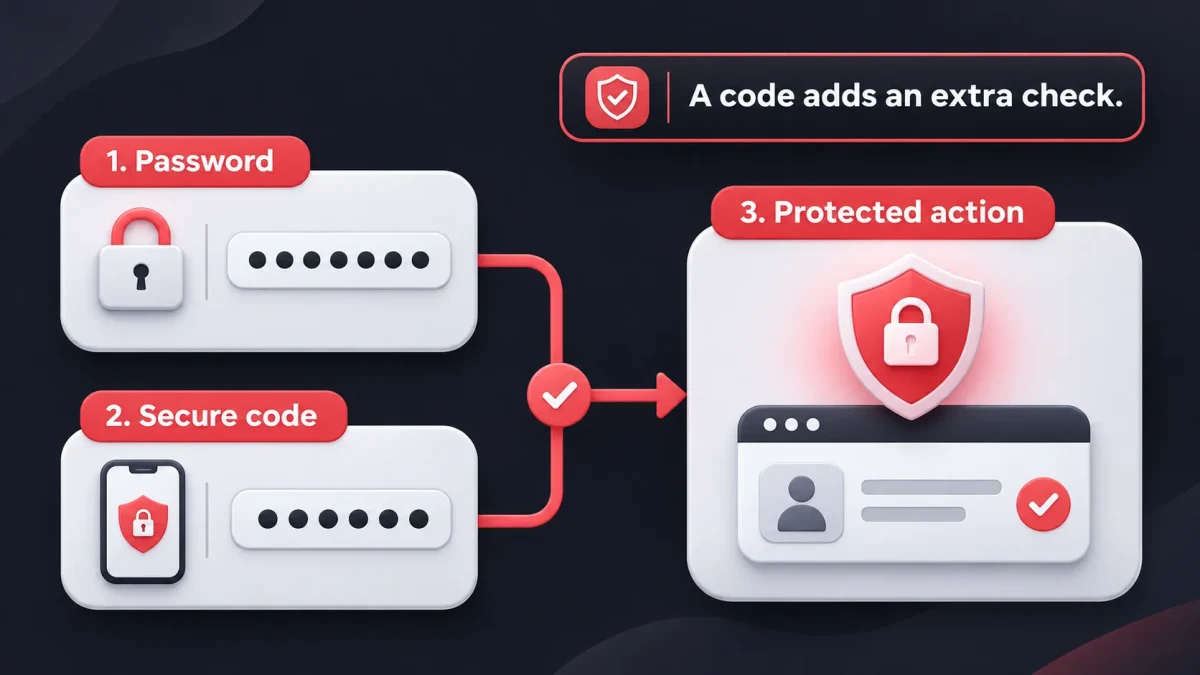
Kapaki-pakinabang ang mga secure code dahil nagdaragdag ang mga ito ng isa pang antas ng beripikasyon. Kahit matuklasan ng isang tao ang password, maaaring hindi niya makumpleto ang isang protektadong aksyon kung wala ang karagdagang code.
Mga karaniwang uri ng secure code
Ang mga one-time password (OTP) ay mga pansamantalang code na ipinapadala sa nakarehistrong email address o numero ng telepono. Nakakatulong ang mga ito na i-verify na may access kayo sa paraan ng pakikipag-ugnayan na naka-link sa account.
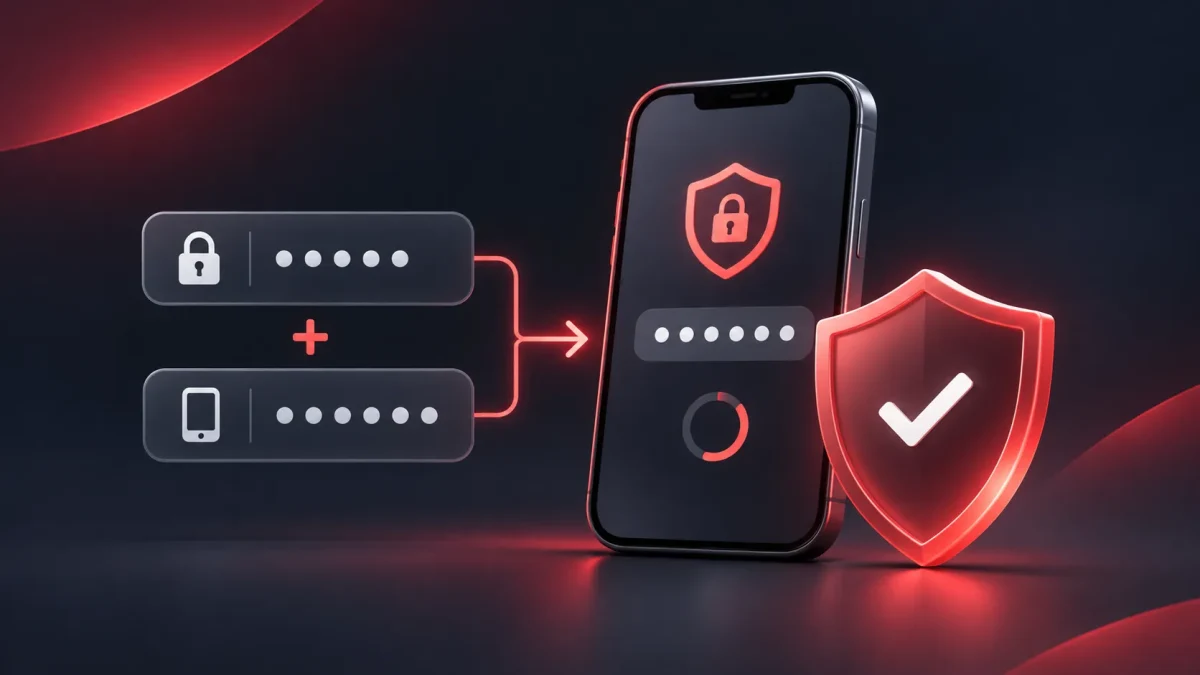
Ang mga code mula sa authenticator app ay maiikli at limitado sa oras na mga code na nabubuo sa isang authenticator app. Karaniwan itong ginagamit para sa 2FA at regular na nagbabago.
Ang mga code sa pag-reset ng password ay tumutulong kumpirmahin na awtorisado ang kahilingang mag-reset ng password. Lalo silang sensitibo dahil maaari silang maging bahagi ng proseso sa paggawa ng bagong password.
Ang mga recovery o backup code ay mga emergency code na nabubuo sa pag-set up ng 2FA. Maaari nilang matulungang maibalik ang access kung mawala ang inyong authenticator device, kaya dapat itong itago nang ligtas at ituring na parang mga password.
Bakit kailangan ang mga secure code
Maaaring mahulaan, magamit muli, o malantad ang mga password sa pamamagitan ng data breach o phishing attempt. Nakakatulong ang secure code na bawasan ang panganib na magamit ang password lang para ma-access ang isang account o magsagawa ng sensitibong pagbabago.
Halimbawa, kapag nagpalit kayo ng password ng Deriv mula sa inyong profile, maaaring magpadala ang Deriv ng one-time password sa inyong nakarehistrong email para makatulong na i-verify ang kahilingan. Kayo mismo ang maglalagay ng OTP na iyon bilang bahagi ng opisyal na proseso, saka itatakda ang bagong password.
Hindi garantiya laban sa lahat ng panganib ang karagdagang hakbang na ito, ngunit lumilikha ito ng mahalagang harang. Kinukumpirma nitong may access ang taong gumagawa ng kahilingan sa kinakailangang paraan ng beripikasyon sa sandaling iyon.
Mga code na ilalagay ninyo, hindi ibibigay
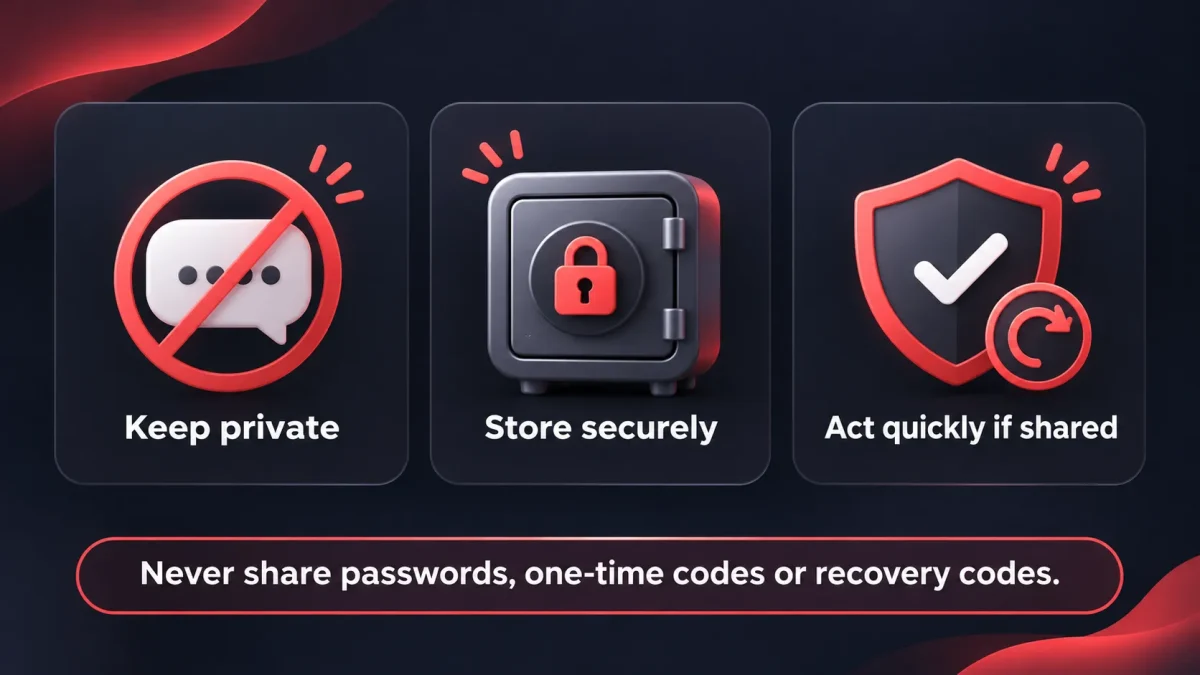
Ang secure code ay hindi impormasyong ibabahagi sa ibang tao. Isa itong tagubilin para sa inyo na kayo mismo ang kumumpleto ng isang partikular na hakbang sa seguridad.
Tandaan ang pagkakaibang ito:
| Ligtas na aksyon | Hindi ligtas na aksyon |
|---|---|
| Paglalagay ninyo mismo ng code sa opisyal na website o app ng Deriv | Pagpapadala ng code sa chat, email, o mensahe sa social media |
| Paggamit ng code sa hakbang na kayo ang nagsimula | Pagbibigay ng code sa taong kumontak sa inyo nang hindi inaasahan |
| Pag-iimbak ng mga recovery code sa protektadong lugar | Pag-save ng mga recovery code sa hindi protektadong note o screenshot |
| Direktang pagbubukas ng Deriv bago maglagay ng code | Pagsunod sa hindi napatunayang link para maglagay ng code |
Kailan ligtas maglagay ng code
Maglagay lang ng secure code kung nalalapat ang lahat ng kondisyong ito:
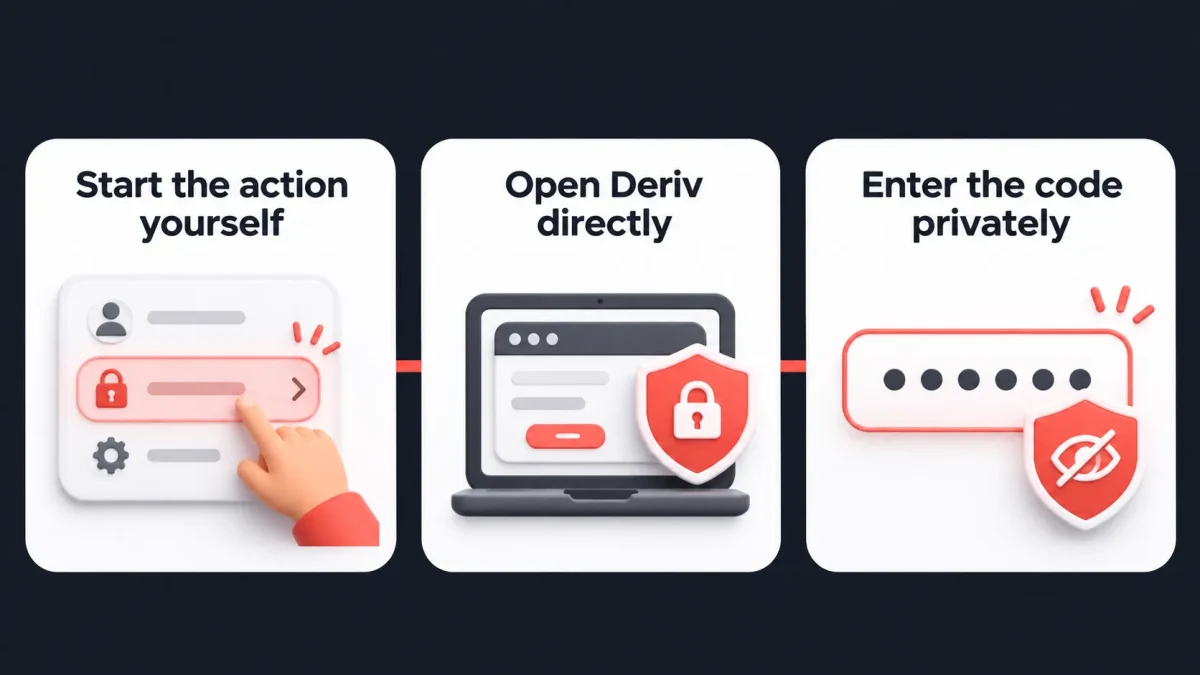
- Kayo mismo ang nagsimula ng aksyon.
- Ginagamit ninyo ang opisyal na website o app ng Deriv.
- Inaasahan ninyo ang hakbang ng beripikasyon.
- Inilalagay ang code sa kaukulang secure na field—hindi ipinapadala sa isang tao.
Halimbawa, kung pipiliin ninyo ang Password sa inyong Deriv profile at hihilingin ang pagpapalit ng password, maaaring bahagi ng inaasahang prosesong iyon ang OTP na ipapadala sa inyong nakarehistrong email. Dapat lang ilagay ang code sa opisyal na proseso ng pagpapalit ng password.
Kung hindi inaasahan ang aksyon, huminto muna bago maglagay ng anuman. Buksan nang direkta ang Deriv sa karaniwan ninyong paraan at suriin ang inyong mga setting ng account sa halip na umasa sa link sa isang mensahe.
Huwag isama ang mga code sa mga screenshot
Maaaring maglaman ang screenshot ng mas maraming impormasyon kaysa sa inaakala. Maaari nitong ipakita ang OTP, email ng account, notification ng device, reference ng transaksyon, address ng browser, o iba pang personal na detalye.
Bago magbahagi ng screenshot para sa suporta, suriin ang bawat nakikitang elemento. Huwag kailanman isama ang password, secure code, QR code, recovery code, o screen ng authenticator app. Kung maaari, i-crop o takpan ang anumang personal, pagbabayad, o detalye ng account na hindi kailangan.
Paano ligtas na mag-imbak ng mga recovery code
Iba ang mga recovery code sa karaniwang one-time code dahil maaari silang manatiling valid hanggang magamit o mapalitan. Idinisenyo ang mga ito para sa emergency, gaya ng pagkawala ng access sa authenticator app.
Itago ang mga ito sa lugar na maaabot ninyo kapag kailangan, ngunit hindi maaabot ng ibang tao. Maaaring angkop na opsyon ang isang kagalang-galang na password manager kapag protektado ito ng matibay na master password at 2FA. Maaari ring angkop ang protektadong offline na kopya.
Huwag:
- Itago ang mga recovery code sa draft ng email o hindi protektadong cloud document
- Itago ang mga ito sa pampubliko o shared na photo album
- Ipadala ang mga ito sa sarili ninyo sa pamamagitan ng chat
- Ibahagi ang mga ito sa kaibigan, kapamilya, o sinumang nagsasabing tutulong
- Isama ang mga ito sa screenshot para sa suporta
Kung gagawa kayo ng bagong recovery code, ligtas na burahin ang anumang lumang kopya para hindi kayo umasa sa mga code na hindi na gumagana.
Ano ang gagawin kung naibahagi ninyo ang isang code
Maaaring hindi na ligtas gamitin ang naibahaging code, kahit hindi pa ito nag-e-expire. Kumilos agad, ngunit gumamit lang ng mga opisyal na paraan.
- Buksan nang direkta ang Deriv sa pamamagitan ng opisyal na website o app.
- Palitan ang inyong password sa Deriv ng bago at natatanging password.
- Suriin ang inyong mga setting ng 2FA at paraan ng recovery.
- Protektahan ang email account na naka-link sa Deriv, lalo na kung maaari itong makatanggap ng mga tagubilin sa pag-reset ng password.
- Makipag-ugnayan sa Deriv sa pamamagitan ng opisyal na support kung sa tingin ninyo ay may nakapasok sa inyong account.
Bumuo ng routine para sa secure code
Ilang simpleng gawi ang makakatulong para mas madaling harapin ang mga kahilingan para sa secure code:
- Simulan ang anumang aksyon sa account mula lamang sa opisyal na website o app ng Deriv.
- Gumamit ng 2FA sa inyong Deriv account at sa email account na nakakabit dito.
- Basahin nang mabuti ang mga mensahe ng verification bago kumilos.
- Itago ang mga recovery code sa ligtas na lugar bago pa man ninyo ito kailanganin.
- Huwag aprubahan o ilagay ang code para sa aksyong hindi ninyo sinimulan.
- Ituring na dahilan ang anumang hiling na magbahagi ng code para huminto at mag-verify nang mag-isa.
Gawin ang susunod na hakbang
Suriin kung saan ninyo itinatago ang inyong mga recovery code at tiyaking naka-enable ang 2FA sa inyong Deriv account at sa email na nakakabit dito. Kung makatanggap kayo ng code para sa aksyong hindi ninyo sinimulan, huwag itong ilagay o ibahagi—buksan nang direkta ang Deriv at suriin ang inyong mga setting ng seguridad.
Quiz
Kailan dapat ninyong ilagay ang secure code?
Mga FAQ