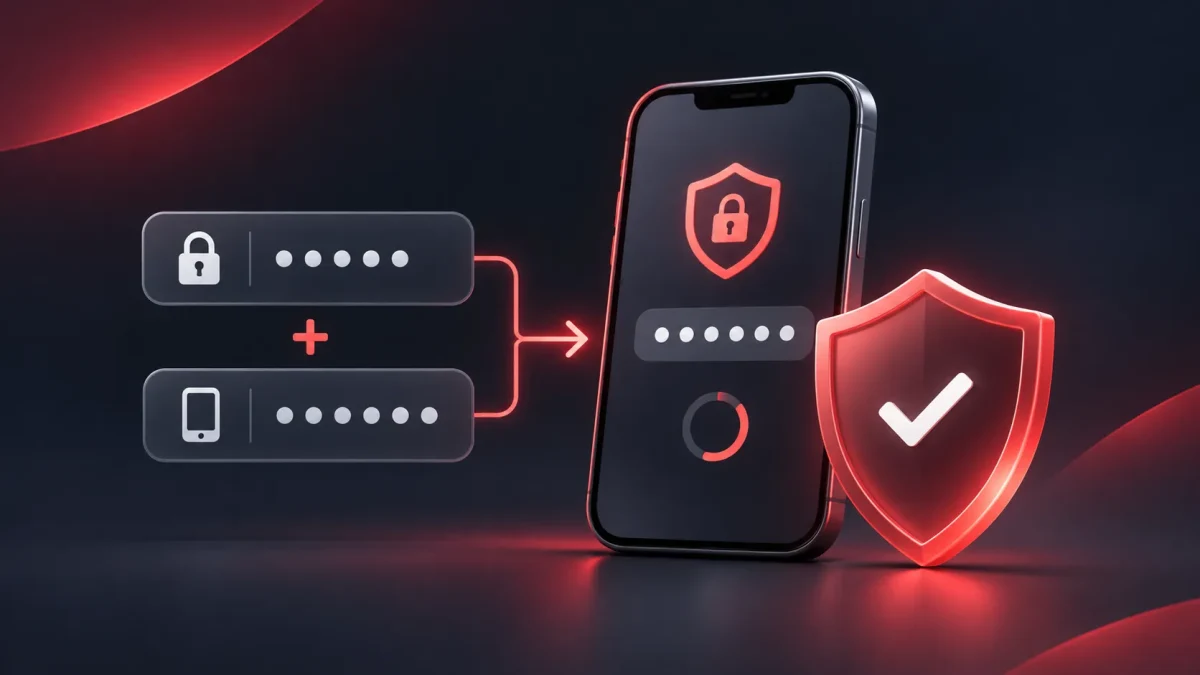
Manampy amin'ny fanamarinana fa ianao tokoa no manatanteraka hetsika manan-danja iray — toy ny fidirana amin'ny kaonty, ny fanovana tenimiafina na ny fametrahana fanamarinana amin'ny dingana roa (2FA) — ny kaody azo antoka. Satria miaro ny fidirana amin'ny kaontinao Deriv ireo kaody ireo, dia tokonyijanona ho tsiambaratelo hatrany izy ireny. Manazava ny atao hoe kaody azo antoka, ny antony ilana azy ireny ary ny fomba fikirakirana azy amim-pilaminana ity torolalana ity.
Famintinana fohy
- Manampy fanamarinana fanampiny ny kaody azo antoka alohan'ny hahafahana manatanteraka hetsika saro-pady amin'ny kaonty.
- Mety ho tafiditra amin'izany ny tenimiafina ampiasaina indray mandeha, ny kaody avy amin'ny fampiharana fanamarinana, ny kaody famerenana tenimiafina ary ny kaody fanarenana.
- Ianao ihany no tokony hampiditra ny kaody, ary ao amin'ny tranonkala na fampiharana ofisialin'ny Deriv ihany mandritra ny dingana efa nampoizinao.
- Aza mandefa, mamaky mafy, mampita, maka sary ny efijery na mamoaka kaody azo antoka mihitsy.
- Raha sendra voazaranao tsy nahy ny kaody iray, dia arovy avy hatrany amin'ny alalan'ny fantsona ofisialin'ny Deriv ny kaontinao.
Inona moa ny kaody azo antoka?
Ny kaody azo antoka dia famantarana ampiasaina hanamarinana fa nahazo alalana avy aminao ny fidirana na ny hetsika iray atao amin'ny kaonty. Tsy tahaka ny tenimiafina mahazatra, dia vonjimaika ny ankamaroan'ny kaody azo antoka: mety ho lany daty ao anatin'ny fotoana fohy izy ireny na indray mandeha ihany no miasa.
Mety hifanena amin'ny kaody azo antoka ianao rehefa:
- Miditra amin'ny alalan'ny fitaovana na mpitety tranonkala vaovao
- Mamelona na mampiasa ny 2FA
- Manova na mamerina mamorona tenimiafina
- Manamafy hetsika saro-pady momba ny fiarovana ny kaonty
- Mamerina ny fahafahana miditra amin'ny kaonty
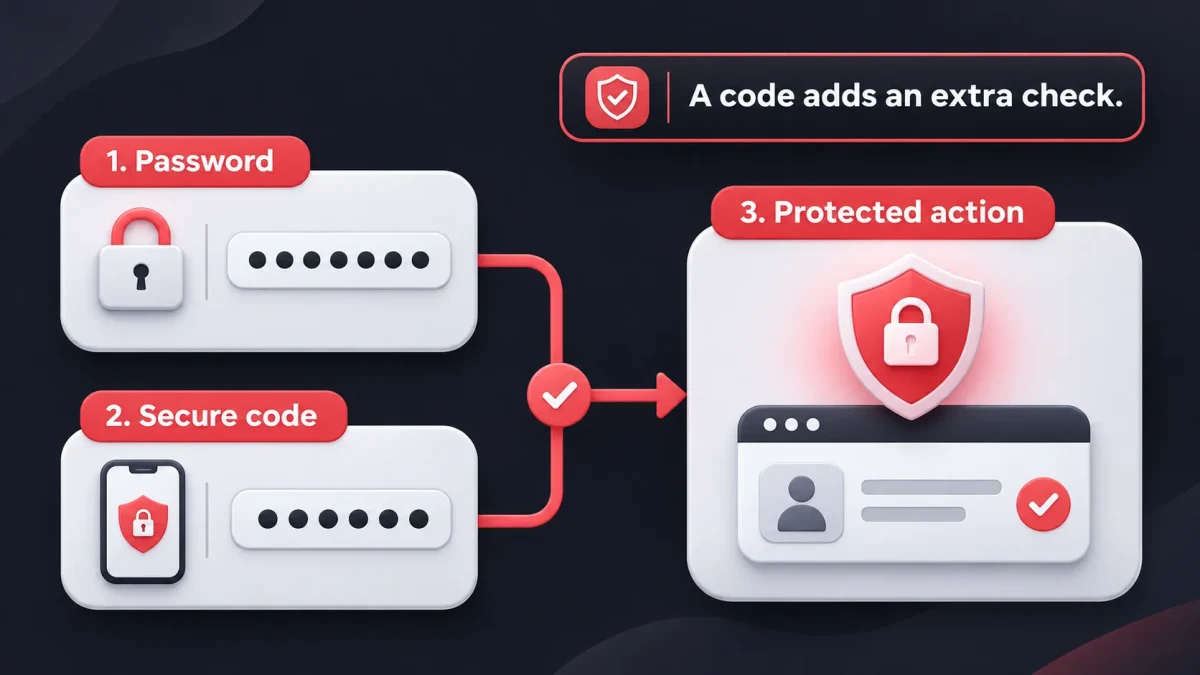
Mahasoa ny kaody azo antoka satria manampy sosona fanamarinana iray hafa. Na dia misy mahita aza ny tenimiafina iray, dia mety tsy ho afaka hanatanteraka hetsika voaaro izy raha tsy manana ilay kaody fanampiny.
Ireo karazana kaody azo antoka mahazatra
Kaody vonjimaika alefa any amin'ny adiresy mailaka na laharan-telefaonina voasoratra anarana ny tenimiafina ampiasaina indray mandeha (OTPs). Manampy amin'ny fanamarinana izy ireny fa afaka miditra amin'ilay fitaovana fifandraisana mifandray amin'ny kaonty ianao.
Kaody fohy sy voafetra ara-potoana avoakan'ny fampiharana fanamarinana ny kaody avy amin'ny fampiharana fanamarinana. Fampiasa matetika amin'ny 2FA izy ireny ary miovaova tsy tapaka.
Manampy amin'ny fanamarinana fa nahazo alalana ny fangatahana hamerina hamorona tenimiafina ny kaody famerenana tenimiafina. Saro-pady indrindra izy ireny satria mety ho anisan'ny dingana famoronana tenimiafina vaovao.
Kaody vonjy taitra foronina rehefa mametraka ny 2FA ny kaody fanarenana na fiandry. Mety hanampy amin'ny famerenana ny fidirana amin'ny kaonty izy ireny raha very ny fitaovana fanamarinana ampiasainao, ka tsy maintsy tehirizina amin'ny toerana azo antoka sy raisina tahaka ny tenimiafina.
Nahoana no ilaina ny kaody azo antoka
Mety ho voavinavina, ho voampiasa indray na ho tafaporitsaka noho ny fahavakisan'ny angon-drakitra na ny fisolokiana (phishing) ny tenimiafina. Manampy amin'ny fampihenana ny mety hampiasana tenimiafina irery hidirana amin'ny kaonty na hanaovana fanovana saro-pady ny kaody azo antoka.
Ohatra, rehefa manova ny tenimiafinao Deriv avy ao amin'ny mombamomba anao ianao, dia mety handefa tenimiafina ampiasaina indray mandeha any amin'ny mailaka nisoratanao anarana ny Deriv mba hanamarinana ilay fangatahana. Ianao ihany no mampiditra io OTP io ao anatin'ny dingana ofisialy, ary avy eo dia mametraka ilay tenimiafina vaovao ianao.
Tsy miantoka fiarovana amin'ny loza rehetra akory io dingana fanampiny io, saingy mametraka sakana lehibe. Manamafy izany fa manana fahafahana miditra amin'ilay fomba fanamarinana takina amin'io fotoana io ilay olona manao ny fangatahana.
natao hampidirinao ny kaody, fa tsy homena olon-kafa
Tsy fampahalalana tokony hozaraina amin'olon-kafa ny kaody azo antoka. Toromarika ho anao izany mba hanatanterahanao samirery dingana fiarovana voafaritra tsara iray.
Tadidio tsara ity fahasamihafana ity:
| Hetsika azo antoka | Hetsika mampidi-doza |
|---|---|
| Ianao ihany no mampiditra ny kaody ao amin'ny tranonkala na fampiharana ofisialin'ny Deriv | Mandefa kaody amin'ny alalan'ny resaka an-tsoratra (chat), mailaka na hafatra amin'ny tambajotra sosialy |
| Mampiasa kaody mandritra ny dingana iray izay ianao no nanomboka azy | Manome kaody ho an'olona nifandray taminao tampoka tsy nampoizina |
| Mitahiry ny kaody fanarenana amin'ny toerana voaaro | Mitahiry ny kaody fanarenana ao anaty naoty tsy voaaro na sary nalaina tamin'ny efijery |
| Manokatra mivantana ny Deriv alohan'ny hampidirana kaody | Manaraka rohy tsy voamarina mba hampidirana kaody |
Rahoviana no azo antoka ny mampiditra kaody
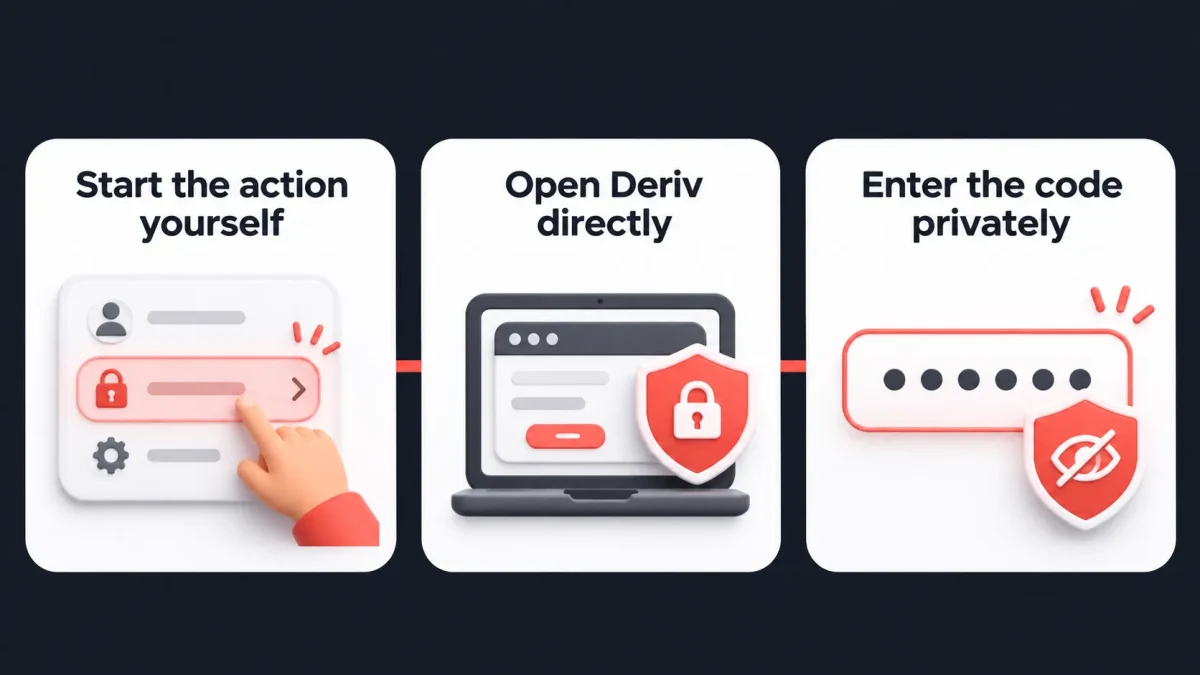
Ampidiro ihany ny kaody azo antoka rehefa feno ireto fepetra rehetra ireto:
- Ianao mihitsy no nanomboka ilay hetsika.
- Ny tranonkala na fampiharana ofisialin'ny Deriv no ampiasainao.
- Efa nampoizinao ilay dingana fanamarinana.
- Ampidirina ao amin'ilay saha azo antoka natokana ho amin'izany ilay kaody — fa tsy alefa any amin'olona.
Ohatra, raha misafidy ny Password ao amin'ny mombamomba anao ao amin'ny Deriv ianao ary mangataka fanovana tenimiafina, dia mety ho anisan'izany dingana efa nampoizina izany ny OTP alefa any amin'ny mailaka nisoratanao anarana. Ao anatin'ilay dingana ofisialy fanovana tenimiafina ihany no tokony hampidirana ilay kaody.
Raha tsy nampoizinao ilay hetsika, dia miatoa kely alohan'ny hampidirana na inona na inona. Sokafy mivantana amin'ny fomba mahazatra anao ny Deriv ary jereo ny fikirakirana ny kaontinao toy izay hiantehitra amin'ny rohy ao anaty hafatra.
Aza ampidirina ao anaty sarin'efijery ny kaody
Mety ahitana fampahalalana betsaka kokoa noho izay hita ety ivelany ny sary nalaina tamin'ny efijery (screenshot). Mety hampiseho OTP, mailaky ny kaonty, fampahafantarana amin'ny fitaovana, laharan-taratasin'ny fifanakalozana, adiresin'ny mpitety tranonkala na antsipiriany manokana hafa izany.
Alohan'ny hizarana sarin'efijery ho an'ny sampana fanampiana, dia jereo tsara ny singa rehetra hita maso. Aza ampidirina ao mihitsy ny tenimiafina, kaody azo antoka, kaody QR, kaody fanarenana na ny efijerin'ny fampiharana fanamarinana. Raha azo atao, dia tapaho na sarony izay antsipiriany manokana, fandoavam-bola na momba ny kaonty izay tsy ilaina.
Ahoana ny fomba fitahirizana amim-pilaminana ny kaody fanarenana
Tsy mitovy amin'ny kaody mahazatra ampiasaina indray mandeha ny kaody fanarenana satria mety hanan-kery hatrany mandra-pampiasa na mandra-panolo azy. Natao ho an'ny toe-javatra vonjy taitra izy ireny, toy ny fahaverezan'ny fahafahana miditra amin'ny fampiharana fanamarinana.
Tehirizo amin'ny toerana azonao idirana rehefa ilaina izy ireny, saingy tsy azon'olon-kafa idirana. Mety ho safidy tsara ny fitaovana fitantanana tenimiafina azo itokisana rehefa voaaro amin'ny tenimiafina fototra matanjaka sy 2FA. Mety ho mety ihany koa ny kopia ivelan'ny aterineto voaaro tsara.
Aza manao ireto:
- Mitahiry kaody fanarenana ao anaty vakiraoka mailaka na antontan-taratasy an-drahona (cloud) tsy voaaro
- Mitahiry azy ireny ao anaty tahirin-tsary ho an'ny besinimaro na iombonana
- Mandefa azy ireny ho an'ny tenanao amin'ny alalan'ny resaka an-tsoratra (chat)
- Mizara azy ireny amin'ny namana, olona ao amin'ny fianakaviana na izay rehetra milaza ho manampy
- Mampiditra azy ireny ao anaty sarin'efijery alefa any amin'ny sampana fanampiana
Raha mamorona kaody fanarenana vaovao ianao, dia fafao amin'ny fomba azo antoka izay kopia tranainy mba tsy hianteheranao amin'ny kaody tsy miasa intsony.
Inona no tokony hatao raha sendra nizara kaody ianao
Mety tsy ho azo antoka intsony ny fampiasana kaody efa voazara, na dia mbola tsy lany daty aza izany. Mandraisa fepetra haingana, saingy ny lalana ofisialy ihany no ampiasao.
- Sokafy mivantana amin'ny alalan'ny tranonkala na fampiharana ofisialy ny Deriv.
- Ovao ho tenimiafina vaovao sy miavaka ny tenimiafinao Deriv.
- Jereo sy hamarino ny fikirakirana ny 2FA sy ny fomba fanarenana ny kaontinao.
- Arovy ny kaonty mailaka mifandray amin'ny Deriv, indrindra raha mety handray toromarika famerenana tenimiafina izany.
- Mifandraisa amin'ny Deriv amin'ny alalan'ny fanohanana ofisialy raha mihevitra ianao fa mety nisy olona niditra tao amin'ny kaontinao.

Mametraka fahazarana azo antoka momba ny kaody fiarovana
Misy fahazarana tsotra vitsivitsy manamora ny fitantanana ny fangatahana kaody fiarovana:
- Atombohy avy amin'ny tranonkala na fampiharana ofisialin'ny Deriv ihany ny hetsika momba ny kaonty.
- Mampiasà 2FA amin'ny kaonty Deriv anao sy amin'ny kaonty mailaka mifandray aminy.
- Vakio tsara ny hafatra fanamarinana alohan'ny hanaovana hetsika.
- Tehirizo amin'ny toerana voaaro ny kaody fanarenana alohan'ny ilanao azy.
- Aza mankato na mampiditra kaody velively ho an'ny hetsika izay tsy natombokao.
- Raiso ho antony hijanonana sy hanamarinana manokana ny fangatahana rehetra mba hizara kaody.
Mandrosoa amin'ny dingana manaraka
Jereo indray ny toerana itehirizanao ny kaody fanarenana anao ary ataovy azo antoka fa mandeha ny 2FA amin'ny kaonty Deriv anao sy ny mailaka mifandray aminy. Raha mahazo kaody ho an'ny hetsika tsy natombokao ianao, dia aza ampidirina na zaraina izany—sokafy mivantana ny Deriv ary jereo ny fikirakirana fiarovana ao aminao.
Quiz
Rahoviana ianao no tokony hampiditra kaody azo antoka?
Fanontaniana matetika