メインコンテンツへスキップ

セキュリティコードとは何か、そして絶対に共有してはいけない理由

5
分で読めます
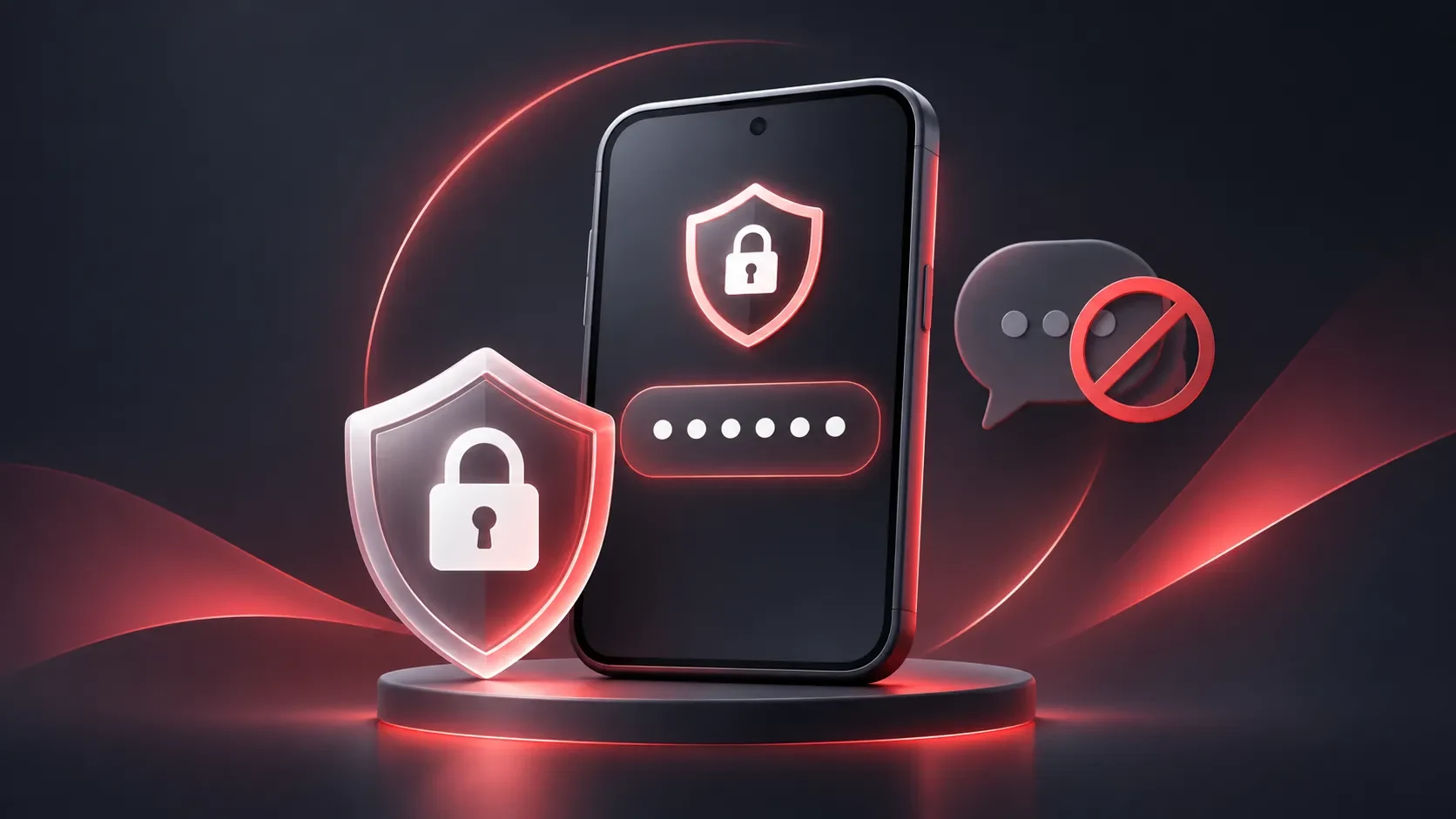
認証コードの汎用入力欄、セキュリティシールド、ブロックされたチャット吹き出しが描かれた保護されたスマートフォンのイラスト。セキュアコードを非公開で使用することを表しています。

セキュリティコードは、ログイン、パスワードの変更、二要素認証(2FA)の設定といった重要な操作を、お客様ご本人が行っていることを確認するためのものです。これらのコードはDeriv口座へのアクセスを守る役割を果たすため、常に他人に知られないようにする必要があります。このガイドでは、セキュリティコードとは何か、なぜ必要なのか、そして安全に取り扱う方法について説明します。

要点のまとめ

  • セキュリティコードは、重要な口座操作を完了する前に、追加の確認を行うためのものです。
  • ワンタイムパスワード、認証アプリのコード、パスワード再設定コード、リカバリーコードなどがあります。
  • コードは、予定していた手順の中で、公式のDerivウェブサイトまたはアプリにのみ、ご自身で入力してください。
  • セキュリティコードを送信したり、読み上げたり、転送したり、スクリーンショットに撮ったり、投稿したりしないでください。
  • 誤ってコードを共有してしまった場合は、Derivの公式チャネルを通じてすみやかに口座を保護してください。

セキュリティコードとは?

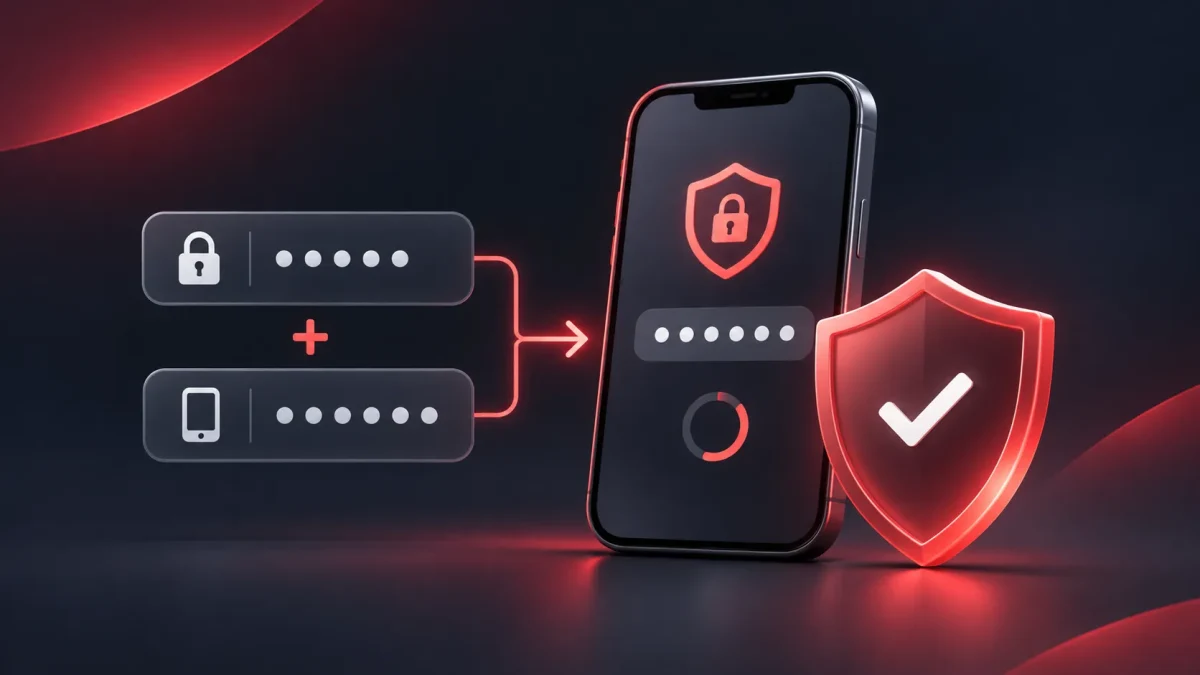
セキュリティコードとは、ログインや口座に関する操作がお客様ご本人によって承認されたものであることを確認するための認証情報です。パスワードとは異なり、多くのセキュリティコードは一時的なもので、短時間で有効期限が切れたり、一度しか使えなかったりします。

次のような場面で、セキュリティコードが必要になることがあります。

  • 新しいデバイスやブラウザからログインするとき
  • 2FAを有効にするとき、または使用するとき
  • パスワードを変更または再設定するとき
  • セキュリティに関わる重要な口座操作を確認するとき
  • 口座へのアクセスを回復するとき

セキュリティコードは、確認の層をもう一つ追加できるため有用です。パスワードが第三者に知られてしまっても、追加のコードがなければ、保護された操作を完了できない場合があります。

セキュリティコードの主な種類

ワンタイムパスワード(OTP)は、登録済みのメールアドレスまたは電話番号に送信される一時的なコードです。口座に紐づいた連絡手段にお客様がアクセスできることを確認するのに役立ちます。

認証アプリのコードは、認証アプリで生成される、有効時間の短いコードです。2FAでよく使われ、定期的に変わります。

パスワード再設定コードは、パスワードの再設定リクエストが承認されたものであることを確認するためのコードです。新しいパスワードを作成する手続きの一部となる場合があるため、特に慎重な取り扱いが必要です。

リカバリーコードまたはバックアップコードは、2FAの設定時に作成される緊急用のコードです。認証デバイスを紛失した場合にアクセスを回復するのに役立つことがあるため、安全に保管し、パスワードと同じように扱う必要があります。
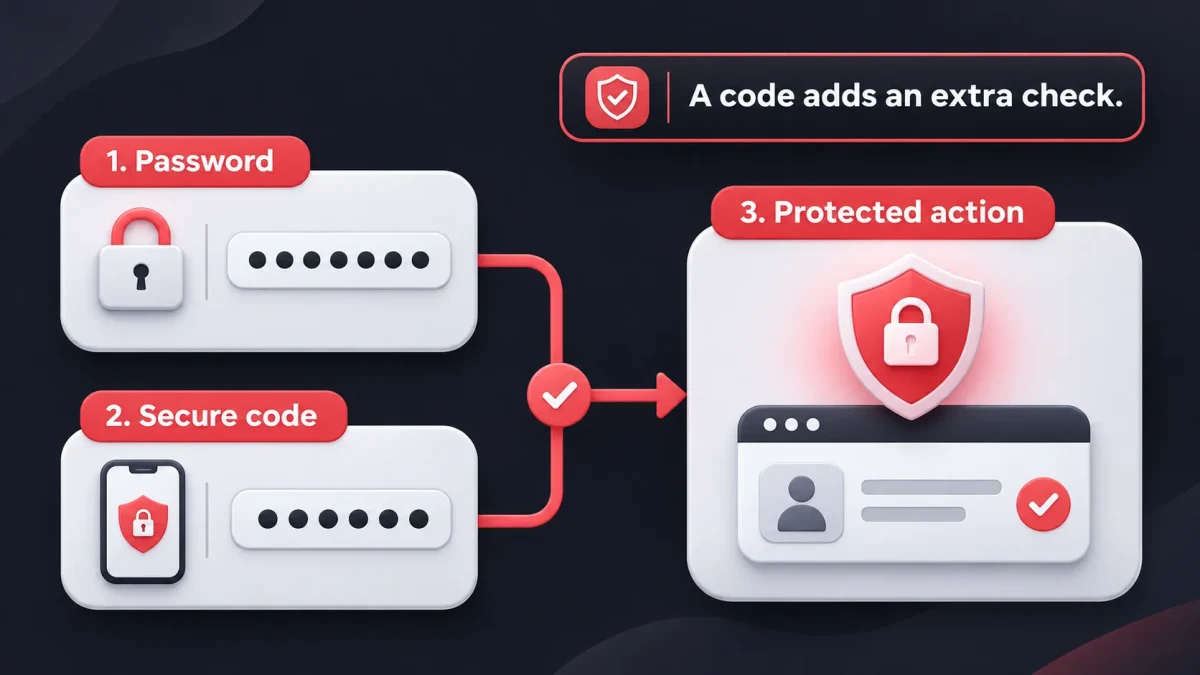
Secure codes help confirm that an important action—such as signing in, changing a password or setting up two-factor authentication (2FA)—is being completed by you. Because these codes can help protect access to your Deriv account, they should always remain private. This guide explains what secure codes are, why they are needed and how to handle them safely. Quick summary Secure codes add an extra check before sensitive account actions can be completed. They can include one-time passwords, authenticator-app codes, password-reset codes and recovery codes. Enter a code yourself only in the official Deriv website or app during an expected step. Never send, read aloud, forward, screenshot or post a secure code. If you accidentally share a code, secure your account promptly through official Deriv channels. What are secure codes? A secure code is a credential used to help confirm that a login or account action is authorised by you. Unlike a password, many secure codes are temporary: they may expire after a short period or work only once. You may encounter a secure code when you: Sign in from a new device or browser Turn on or use 2FA Change or reset a password Confirm a sensitive account-security action Recover access to an account Secure codes are useful because they add another layer of verification. Even if someone discovers a password, they may be unable to complete a protected action without the additional code. Common types of secure codes One-time passwords (OTPs) are temporary codes sent to a registered email address or phone number. They help verify that you can access the contact method linked to the account. Authenticator-app codes are short, time-limited codes generated in an authenticator app. They are commonly used for 2FA and change regularly. Password-reset codes help confirm that a request to reset a password is authorised. They are especially sensitive because they can be part of a process to create a new password. Recovery or backup codes are emergency codes created when setting up 2FA. They may help restore access if you lose an authenticator device, so they must be stored securely and treated like passwords.   Alt text: Diagram shows a password and a secure code as separate requirements before a protected account action can proceed. Why secure codes are needed Passwords can be guessed, reused or exposed through a data breach or phishing attempt. A secure code helps reduce the risk that a password alone can be used to access an account or make a sensitive change. For example, when you change a Deriv password from your profile, Deriv may send a one-time password to your registered email to help verify the request. You enter that OTP yourself as part of the official process, then set the new password.  This extra step is not a guarantee against every risk, but it creates an important barrier. It confirms that the person making the request has access to the required verification method at that moment. Codes are for you to enter, not to give away A secure code is not a piece of information to share with another person. It is an instruction for you to complete a specific security step yourself. Keep this distinction in mind: Safe action Unsafe action Entering a code yourself in the official Deriv website or app Sending a code in a chat, email or social-media message Using a code during a step you started Giving a code to someone who contacted you unexpectedly Storing recovery codes in a protected location Saving recovery codes in an unprotected note or screenshot Opening Deriv directly before entering a code Following an unverified link to enter a code   When it is safe to enter a code Enter a secure code only when all of these conditions apply: You started the action yourself. You are using the official Deriv website or app. You expected the verification step. The code is being entered into the relevant secure field—not sent to a person. For example, if you select Password in your Deriv profile and request a password change, an OTP sent to your registered email can be part of that expected process. The code should be entered only in the official password-change flow. If the action is unexpected, pause before entering anything. Open Deriv directly through your usual route and check your account settings instead of relying on a link in a message. Keep codes out of screenshots A screenshot can contain more information than it first appears to. It may show an OTP, account email, device notification, transaction reference, browser address or other personal details. Before sharing a screenshot for support purposes, review every visible element. Never include a password, secure code, QR code, recovery code or authenticator-app screen. When possible, crop or redact any personal, payment or account details that are not needed.  Alt text: Three cards show starting an account action, opening Deriv directly, and privately entering a secure code in the official platform. How to store recovery codes safely Recovery codes are different from ordinary one-time codes because they may remain valid until used or replaced. They are designed for emergencies, such as losing access to an authenticator app. Store them somewhere you can access when needed, but where other people cannot. A reputable password manager can be a suitable option when it is protected by a strong master password and 2FA. A protected offline copy may also be appropriate. Do not: Keep recovery codes in an email draft or unprotected cloud document Store them in a public or shared photo album Send them to yourself through chat Share them with a friend, family member or anyone claiming to help Include them in a support screenshot If you generate new recovery codes, securely remove any outdated copies so you do not rely on codes that no longer work. What to do if you shared a code A shared code may no longer be safe to use, even if it has not yet expired. Act promptly, but use only official routes. Open Deriv directly through the official website or app. Change your Deriv password to a new, unique password. Review your 2FA settings and recovery methods. Secure the email account linked to Deriv, particularly if it may receive password-reset instructions. Contact Deriv through official support if you think someone may have accessed your account.  Alt text: Three cards advise keeping codes private, storing recovery codes securely, and protecting an account promptly if a code is shared. Build a secure-code routine A few simple habits make secure-code requests easier to handle: Start account actions only from the official Deriv website or app. Use 2FA on your Deriv account and on the email account linked to it. Read verification messages carefully before acting. Keep recovery codes in a protected location before you need them. Never approve or enter a code for an action you did not start. Treat any request to share a code as a reason to stop and verify independently. Take the next step Review where you store your recovery codes and make sure 2FA is enabled on your Deriv account and the email linked to it. If you receive a code for an action you did not start, do not enter or share it—open Deriv directly and review your security settings.

‍セキュリティコードが必要な理由

パスワードは、推測されたり、使い回されたり、データ漏えいやフィッシングによって流出したりする可能性があります。セキュリティコードは、パスワードだけで口座にアクセスされたり、重要な変更を加えられたりするリスクを減らすのに役立ちます。

たとえば、プロフィールからDerivのパスワードを変更する際、リクエストを確認するために、登録済みのメールアドレス宛てにワンタイムパスワードが送信されることがあります。お客様はこのOTPを公式の手続きの中でご自身で入力し、その後に新しいパスワードを設定します。

この追加の手順は、あらゆるリスクを防げるわけではありませんが、重要な防御となります。リクエストを行っている人が、その時点で必要な認証手段にアクセスできることを確認できるためです。

コードはご自身で入力するもので、他人に渡すものではありません

セキュリティコードは、他の人と共有する情報ではありません。特定のセキュリティ手順を、お客様ご自身で完了するためのものです。

次の違いを覚えておいてください。

安全な行動 危険な行動
公式のDerivウェブサイトまたはアプリで、ご自身でコードを入力する チャット、メール、SNSのメッセージでコードを送信する
ご自身が開始した手順の中でコードを使用する 突然連絡してきた相手にコードを教える
リカバリーコードを保護された場所に保管する リカバリーコードを保護されていないメモやスクリーンショットに保存する
コードを入力する前にDerivを直接開く 確認できないリンクをたどってコードを入力する

‍

コードを入力しても安全なとき

次の条件がすべて当てはまる場合にのみ、セキュリティコードを入力してください。

  1. ご自身でその操作を開始した。
  2. 公式のDerivウェブサイトまたはアプリを使用している。
  3. その確認手順が行われることを予期していた。
  4. コードを、該当する安全な入力欄に入力しており、人に送信しているわけではない。

たとえば、Derivのプロフィールでパスワードを選択してパスワードの変更をリクエストした場合、登録済みのメールアドレスに送信されるOTPは、その予定された手続きの一部となります。このコードは、公式のパスワード変更の手順内でのみ入力してください。

予期しない操作を求められた場合は、何も入力せずにいったん手を止めてください。メッセージ内のリンクに頼らず、普段お使いの方法でDerivを直接開き、口座設定をご確認ください。

コードをスクリーンショットに含めないでください

スクリーンショットには、一見してわかる以上の情報が含まれていることがあります。OTP、口座のメールアドレス、デバイスの通知、取引の参照番号、ブラウザのアドレス、その他の個人情報が写り込む場合があります。

サポートのためにスクリーンショットを共有する前に、表示されているすべての要素を確認してください。パスワード、セキュリティコード、QRコード、リカバリーコード、認証アプリの画面は絶対に含めないでください。可能な場合は、不要な個人情報、支払い情報、口座情報をトリミングまたは塗りつぶしてください。
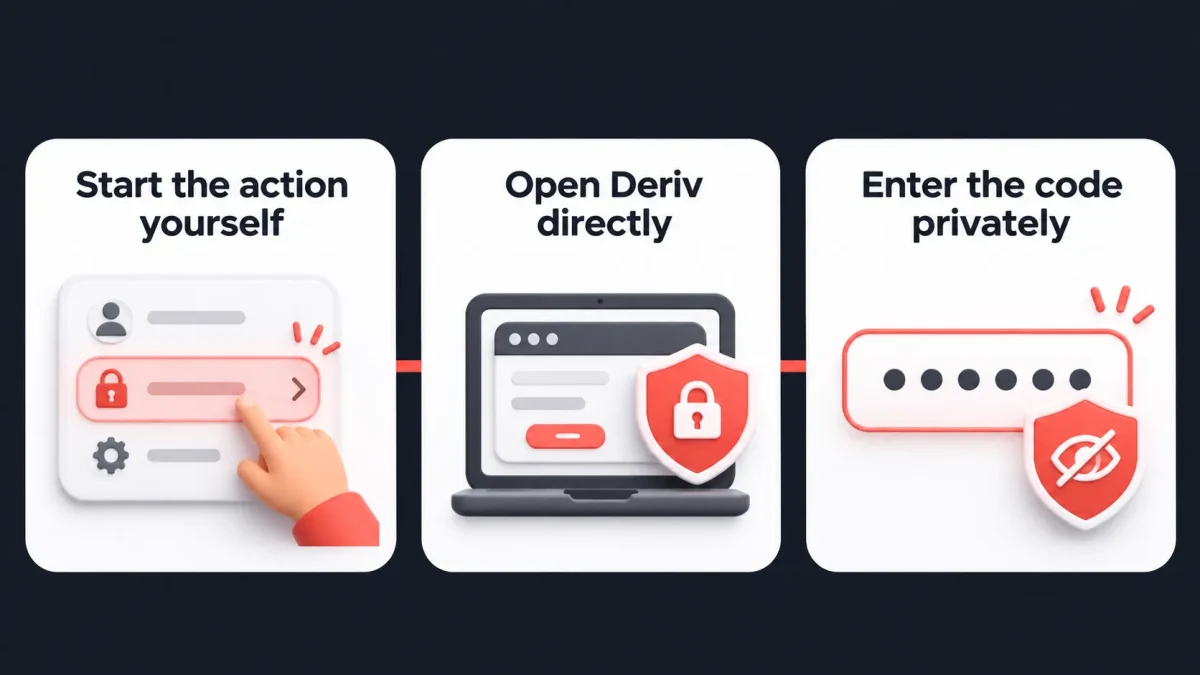
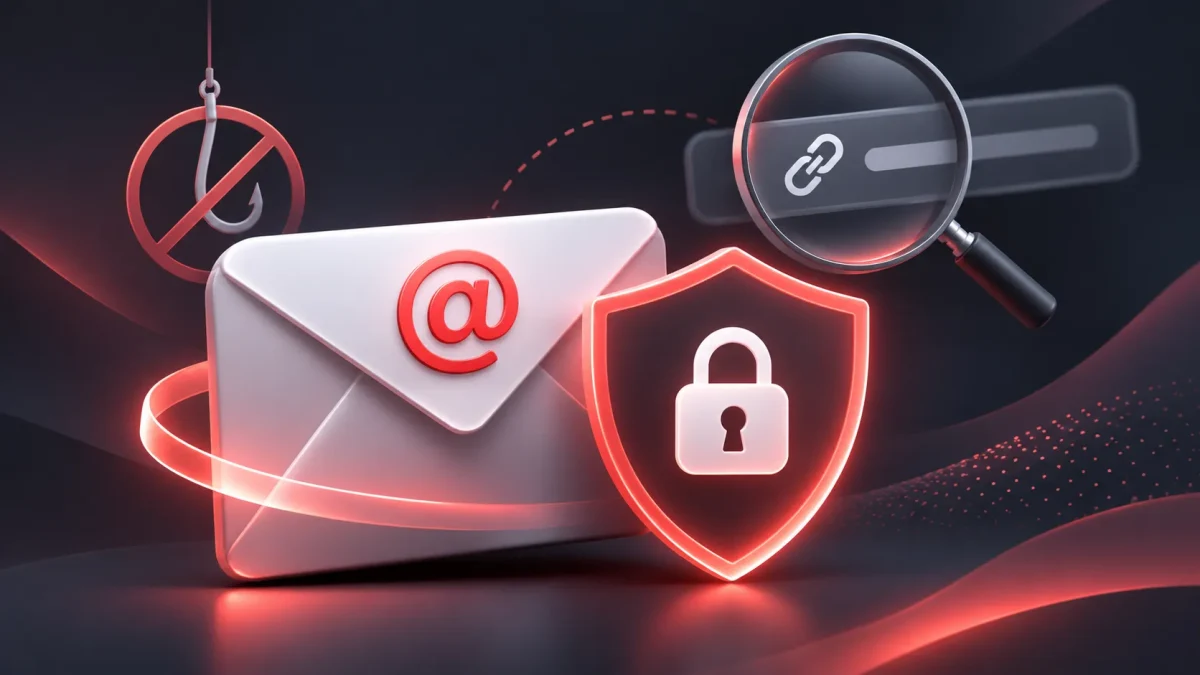
Three cards show starting an account action, opening Deriv directly, and privately entering a secure code in the official platform.

リカバリーコードを安全に保管する方法

リカバリーコードは、使用または再発行されるまで有効な場合があるため、通常のワンタイムコードとは異なります。認証アプリにアクセスできなくなった場合などの緊急時のために用意されています。

必要なときにご自身がアクセスでき、他の人がアクセスできない場所に保管してください。強力なマスターパスワードと2FAで保護されている、信頼できるパスワードマネージャーは、適した選択肢の一つです。保護されたオフラインのコピーも適している場合があります。

次のことは行わないでください。

  • リカバリーコードをメールの下書きや保護されていないクラウド上のドキュメントに保管する
  • 公開または共有されているフォトアルバムに保存する
  • チャットでご自身宛てに送信する
  • 友人、家族、または手助けすると名乗る人に共有する
  • サポート用のスクリーンショットに含める

新しいリカバリーコードを生成した場合は、古いコピーを安全に削除し、使えなくなったコードに頼ることのないようにしてください。

コードを共有してしまった場合の対処法

共有したコードは、まだ有効期限が切れていなくても、安全に使用できない可能性があります。すみやかに対応し、必ず公式の経路のみを使用してください。

  1. 公式ウェブサイトまたはアプリからDerivを直接開きます。
  2. Derivのパスワードを、新しい固有のパスワードに変更します。
  3. 2FAの設定とリカバリー方法を確認します。
  4. Derivに紐づいているメールアカウントを保護します。特に、パスワード再設定の案内を受け取る可能性がある場合は重要です。
  5. お客様のアカウントに第三者がアクセスした可能性があると思われる場合は、公式サポートを通じてDerivにお問い合わせください。
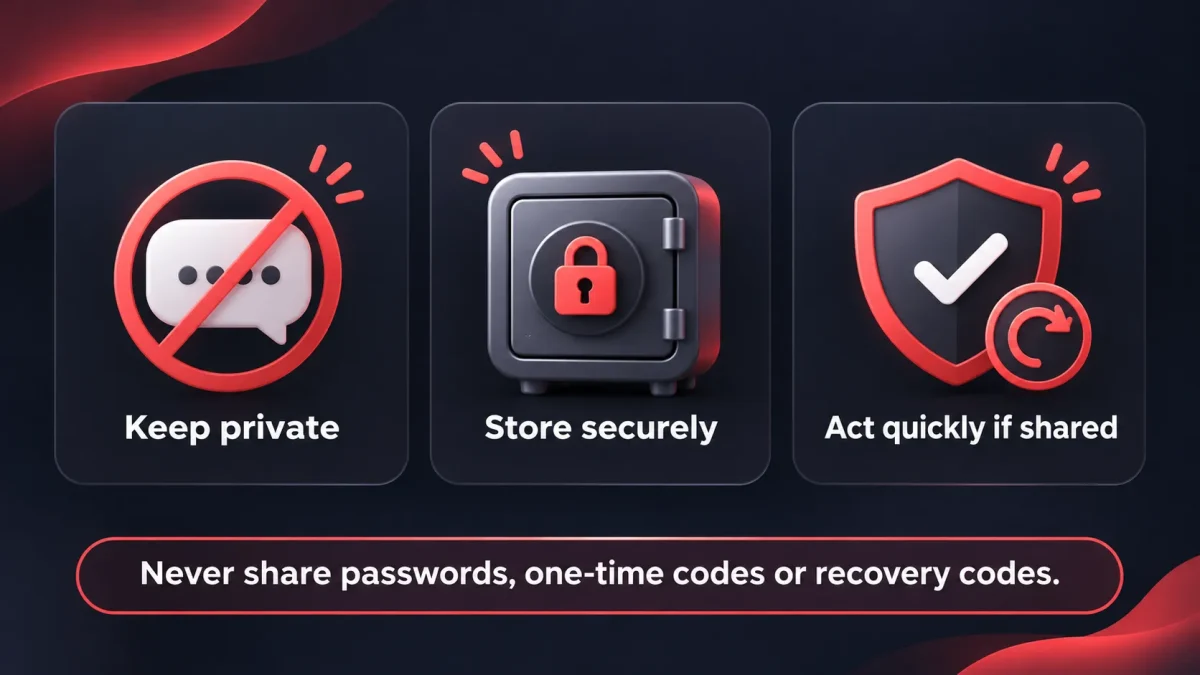
Three cards advise keeping codes private, storing recovery codes securely, and protecting an account promptly if a code is shared.

セキュアコードを安全に扱う習慣をつくる

次のような簡単な習慣を身につけると、セキュアコードの入力を求められた際にも落ち着いて対応できます。

  • アカウントに関する操作は、必ずDerivの公式ウェブサイトまたは公式アプリから開始してください。
  • Derivアカウントと、そのアカウントに登録しているメールアカウントで2FAを利用しましょう。
  • 認証メッセージは、操作する前によく読んでください。
  • リカバリーコードは、必要になる前に安全な場所に保管してください。
  • ご自身で開始していない操作のコードを承認したり、入力したりしないでください。
  • コードの共有を求められたら、いったん手を止めて、別の方法で確認してください。

次のステップへ

リカバリーコードの保管場所を見直し、Derivアカウントと、そのアカウントに登録しているメールアカウントで2FAが有効になっていることを確認してください。ご自身で開始していない操作のコードが届いた場合は、入力も共有もせず、Derivを直接開いてセキュリティ設定をご確認ください。

Quiz

セキュリティコードを入力するのはどのような場合ですか?

FAQ

Analyse markets with AI-powered insights

Explore TradersView
WhatsApp