Spring na hoofinhoud

Wat is sekuriteitskodes en waarom moet u dit nooit deel nie

5
min leestyd
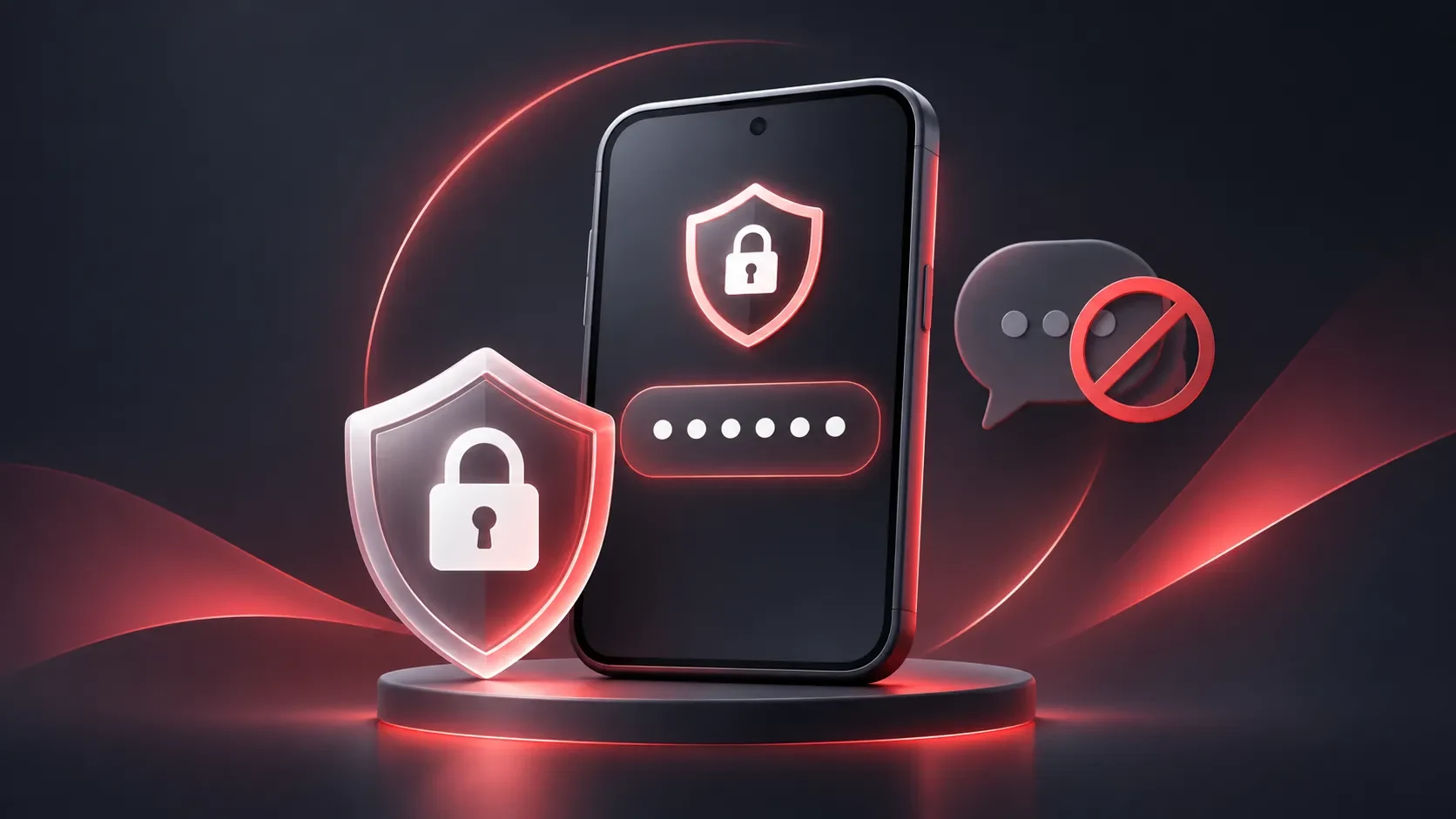
Illustrasie van ’n beskermde foon met ’n generiese veld vir ’n verifikasiekode, sekuriteitskilde en ’n geblokkeerde gespreksborrel, wat die private gebruik van sekuriteitskodes uitbeeld.

Sekuriteitskodes help bevestig dat dit u is wat ’n belangrike handeling uitvoer, soos om aan te meld, ’n wagwoord te verander of tweefaktorverifikasie (2FA) op te stel. Omdat hierdie kodes toegang tot u Deriv-rekening help beskerm, moet dit altyd vertroulik bly. Hierdie gids verduidelik wat sekuriteitskodes is, waarom dit nodig is en hoe om dit veilig te hanteer.

Kort opsomming

  • Sekuriteitskodes bied ’n bykomende verifikasiestap voordat sensitiewe rekeninghandelinge voltooi kan word.
  • Dit kan eenmalige wagwoorde, kodes van verifieerdertoepassings, wagwoordterugstellingkodes en herstelkodes insluit.
  • Voer ’n kode slegs self op die amptelike Deriv-webwerf of in die toepassing in wanneer u die stap verwag.
  • Moet nooit ’n sekuriteitskode stuur, hardop lees, aanstuur, ’n skermskoot daarvan neem of dit plaas nie.
  • As u per ongeluk ’n kode deel, beveilig u rekening dadelik deur die amptelike Deriv-kanale.

Wat is sekuriteitskodes?

’n Sekuriteitskode is ’n aanmeldmiddel wat help bevestig dat u ’n aanmelding of rekeninghandeling gemagtig het. Anders as ’n wagwoord is baie sekuriteitskodes tydelik: dit kan ná ’n kort tydperk verval of slegs een keer werk.

U kan ’n sekuriteitskode teëkom wanneer u:

  • Vanaf ’n nuwe toestel of blaaier aanmeld
  • 2FA aanskakel of gebruik
  • ’n Wagwoord verander of terugstel
  • ’n Sensitiewe handeling bevestig wat met rekeningsekuriteit verband hou
  • Toegang tot ’n rekening herstel

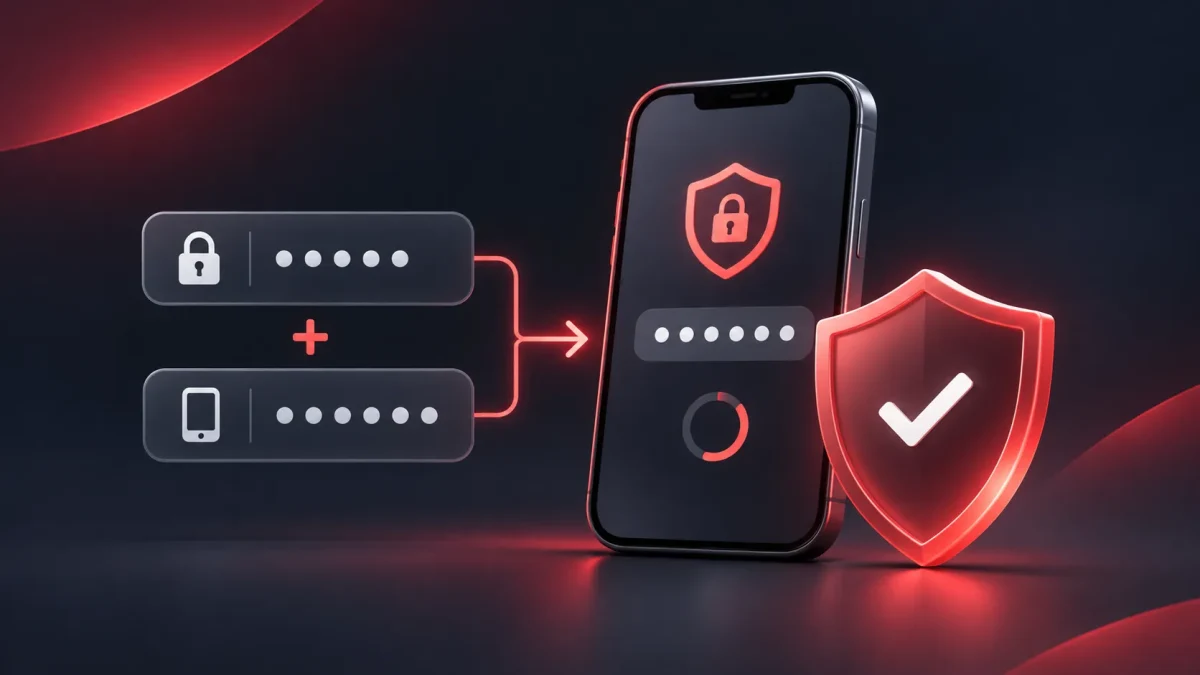
Sekuriteitskodes is nuttig omdat dit ’n bykomende verifikasiestap bied. Selfs as iemand ’n wagwoord ontdek, kan dit wees dat hulle nie ’n beskermde handeling sonder die bykomende kode kan voltooi nie.

Algemene tipes sekuriteitskodes

Eenmalige wagwoorde (OTPs) is tydelike kodes wat na ’n geregistreerde e-posadres of telefoonnommer gestuur word. Dit help bevestig dat u toegang het tot die kontakmetode wat aan die rekening gekoppel is.

Kodes van verifieerdertoepassings is kort kodes met ’n beperkte geldigheidstyd wat in ’n verifieerdertoepassing gegenereer word. Dit word algemeen vir 2FA gebruik en verander gereeld.

Wagwoordterugstellingkodes help bevestig dat ’n versoek om ’n wagwoord terug te stel gemagtig is. Dit is besonder sensitief omdat dit deel kan wees van die proses om ’n nuwe wagwoord te skep.

Herstel- of rugsteunkodes is noodkodes wat geskep word wanneer 2FA opgestel word. Dit kan help om toegang te herstel as u ’n toestel met ’n verifieerdertoepassing verloor. Daarom moet dit veilig bewaar en soos wagwoorde hanteer word.
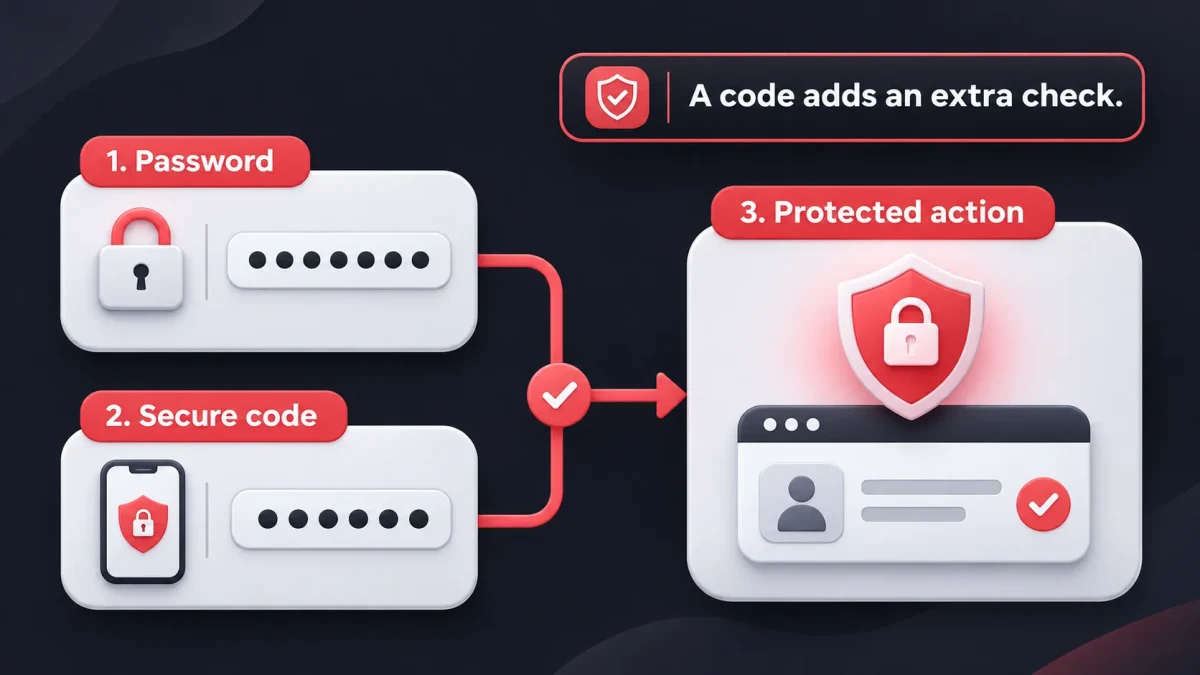
Secure codes help confirm that an important action—such as signing in, changing a password or setting up two-factor authentication (2FA)—is being completed by you. Because these codes can help protect access to your Deriv account, they should always remain private. This guide explains what secure codes are, why they are needed and how to handle them safely. Quick summary Secure codes add an extra check before sensitive account actions can be completed. They can include one-time passwords, authenticator-app codes, password-reset codes and recovery codes. Enter a code yourself only in the official Deriv website or app during an expected step. Never send, read aloud, forward, screenshot or post a secure code. If you accidentally share a code, secure your account promptly through official Deriv channels. What are secure codes? A secure code is a credential used to help confirm that a login or account action is authorised by you. Unlike a password, many secure codes are temporary: they may expire after a short period or work only once. You may encounter a secure code when you: Sign in from a new device or browser Turn on or use 2FA Change or reset a password Confirm a sensitive account-security action Recover access to an account Secure codes are useful because they add another layer of verification. Even if someone discovers a password, they may be unable to complete a protected action without the additional code. Common types of secure codes One-time passwords (OTPs) are temporary codes sent to a registered email address or phone number. They help verify that you can access the contact method linked to the account. Authenticator-app codes are short, time-limited codes generated in an authenticator app. They are commonly used for 2FA and change regularly. Password-reset codes help confirm that a request to reset a password is authorised. They are especially sensitive because they can be part of a process to create a new password. Recovery or backup codes are emergency codes created when setting up 2FA. They may help restore access if you lose an authenticator device, so they must be stored securely and treated like passwords.   Alt text: Diagram shows a password and a secure code as separate requirements before a protected account action can proceed. Why secure codes are needed Passwords can be guessed, reused or exposed through a data breach or phishing attempt. A secure code helps reduce the risk that a password alone can be used to access an account or make a sensitive change. For example, when you change a Deriv password from your profile, Deriv may send a one-time password to your registered email to help verify the request. You enter that OTP yourself as part of the official process, then set the new password.  This extra step is not a guarantee against every risk, but it creates an important barrier. It confirms that the person making the request has access to the required verification method at that moment. Codes are for you to enter, not to give away A secure code is not a piece of information to share with another person. It is an instruction for you to complete a specific security step yourself. Keep this distinction in mind: Safe action Unsafe action Entering a code yourself in the official Deriv website or app Sending a code in a chat, email or social-media message Using a code during a step you started Giving a code to someone who contacted you unexpectedly Storing recovery codes in a protected location Saving recovery codes in an unprotected note or screenshot Opening Deriv directly before entering a code Following an unverified link to enter a code   When it is safe to enter a code Enter a secure code only when all of these conditions apply: You started the action yourself. You are using the official Deriv website or app. You expected the verification step. The code is being entered into the relevant secure field—not sent to a person. For example, if you select Password in your Deriv profile and request a password change, an OTP sent to your registered email can be part of that expected process. The code should be entered only in the official password-change flow. If the action is unexpected, pause before entering anything. Open Deriv directly through your usual route and check your account settings instead of relying on a link in a message. Keep codes out of screenshots A screenshot can contain more information than it first appears to. It may show an OTP, account email, device notification, transaction reference, browser address or other personal details. Before sharing a screenshot for support purposes, review every visible element. Never include a password, secure code, QR code, recovery code or authenticator-app screen. When possible, crop or redact any personal, payment or account details that are not needed.  Alt text: Three cards show starting an account action, opening Deriv directly, and privately entering a secure code in the official platform. How to store recovery codes safely Recovery codes are different from ordinary one-time codes because they may remain valid until used or replaced. They are designed for emergencies, such as losing access to an authenticator app. Store them somewhere you can access when needed, but where other people cannot. A reputable password manager can be a suitable option when it is protected by a strong master password and 2FA. A protected offline copy may also be appropriate. Do not: Keep recovery codes in an email draft or unprotected cloud document Store them in a public or shared photo album Send them to yourself through chat Share them with a friend, family member or anyone claiming to help Include them in a support screenshot If you generate new recovery codes, securely remove any outdated copies so you do not rely on codes that no longer work. What to do if you shared a code A shared code may no longer be safe to use, even if it has not yet expired. Act promptly, but use only official routes. Open Deriv directly through the official website or app. Change your Deriv password to a new, unique password. Review your 2FA settings and recovery methods. Secure the email account linked to Deriv, particularly if it may receive password-reset instructions. Contact Deriv through official support if you think someone may have accessed your account.  Alt text: Three cards advise keeping codes private, storing recovery codes securely, and protecting an account promptly if a code is shared. Build a secure-code routine A few simple habits make secure-code requests easier to handle: Start account actions only from the official Deriv website or app. Use 2FA on your Deriv account and on the email account linked to it. Read verification messages carefully before acting. Keep recovery codes in a protected location before you need them. Never approve or enter a code for an action you did not start. Treat any request to share a code as a reason to stop and verify independently. Take the next step Review where you store your recovery codes and make sure 2FA is enabled on your Deriv account and the email linked to it. If you receive a code for an action you did not start, do not enter or share it—open Deriv directly and review your security settings.

‍Waarom sekuriteitskodes nodig is

Wagwoorde kan geraai, hergebruik of deur ’n databreuk of uitvissingpoging blootgelê word. ’n Sekuriteitskode help om die risiko te verminder dat ’n wagwoord alleen gebruik kan word om toegang tot ’n rekening te verkry of ’n sensitiewe verandering aan te bring.

Wanneer u byvoorbeeld ’n Deriv-wagwoord vanaf u profiel verander, kan Deriv ’n eenmalige wagwoord na u geregistreerde e-posadres stuur om die versoek te help verifieer. U voer self daardie OTP as deel van die amptelike proses in en stel dan die nuwe wagwoord op.

Hierdie ekstra stap bied nie ’n waarborg teen elke risiko nie, maar dit skep ’n belangrike versperring. Dit bevestig dat die persoon wat die versoek rig, op daardie oomblik toegang het tot die vereiste verifikasiemetode.

Kodes is vir u om in te voer, nie om weg te gee nie

’n Sekuriteitskode is nie inligting om met iemand anders te deel nie. Dit is bedoel vir u om self ’n spesifieke sekuriteitstap te voltooi.

Hou hierdie onderskeid in gedagte:

Veilige handeling Onveilige handeling
Voer self ’n kode op die amptelike Deriv-webwerf of in die toepassing in Stuur ’n kode in ’n klets-, e-pos- of sosialemediaboodskap
Gebruik ’n kode tydens ’n stap wat u begin het Gee ’n kode aan iemand wat u onverwags gekontak het
Bewaar herstelkodes op ’n beskermde plek Stoor herstelkodes in ’n onbeskermde nota of skermskoot
Maak Deriv direk oop voordat u ’n kode invoer Volg ’n ongeverifieerde skakel om ’n kode in te voer

‍

Wanneer is dit veilig om ’n kode in te voer?

Voer ’n sekuriteitskode slegs in wanneer al hierdie voorwaardes geld:

  1. U het self die handeling begin.
  2. U gebruik die amptelike Deriv-webwerf of -toepassing.
  3. U het die verifikasiestap verwag.
  4. Die kode word in die toepaslike veilige veld ingevoer en nie aan ’n persoon gestuur nie.

As u byvoorbeeld Wagwoord in u Deriv-profiel kies en ’n wagwoordverandering versoek, kan ’n OTP wat na u geregistreerde e-posadres gestuur word, deel van daardie verwagte proses wees. Die kode moet slegs tydens die amptelike wagwoordveranderingsproses ingevoer word.

As die handeling onverwags is, wag eers voordat u enigiets invoer. Maak Deriv direk op die gewone manier oop en gaan u rekeninginstellings na in plaas daarvan om op ’n skakel in ’n boodskap staat te maak.

Hou kodes uit skermskote

’n Skermskoot kan meer inligting bevat as wat dit aanvanklik lyk. Dit kan ’n OTP, die e-posadres van die rekening, ’n toestelkennisgewing, ’n transaksieverwysing, ’n blaaieradres of ander persoonlike besonderhede wys.

Gaan elke sigbare element na voordat u ’n skermskoot vir ondersteuningsdoeleindes deel. Moet nooit ’n wagwoord, sekuriteitskode, QR-kode, herstelkode of skerm van ’n verifieerdertoepassing insluit nie. Sny enige persoonlike, betalings- of rekeningbesonderhede wat nie nodig is nie uit of bedek dit waar moontlik.
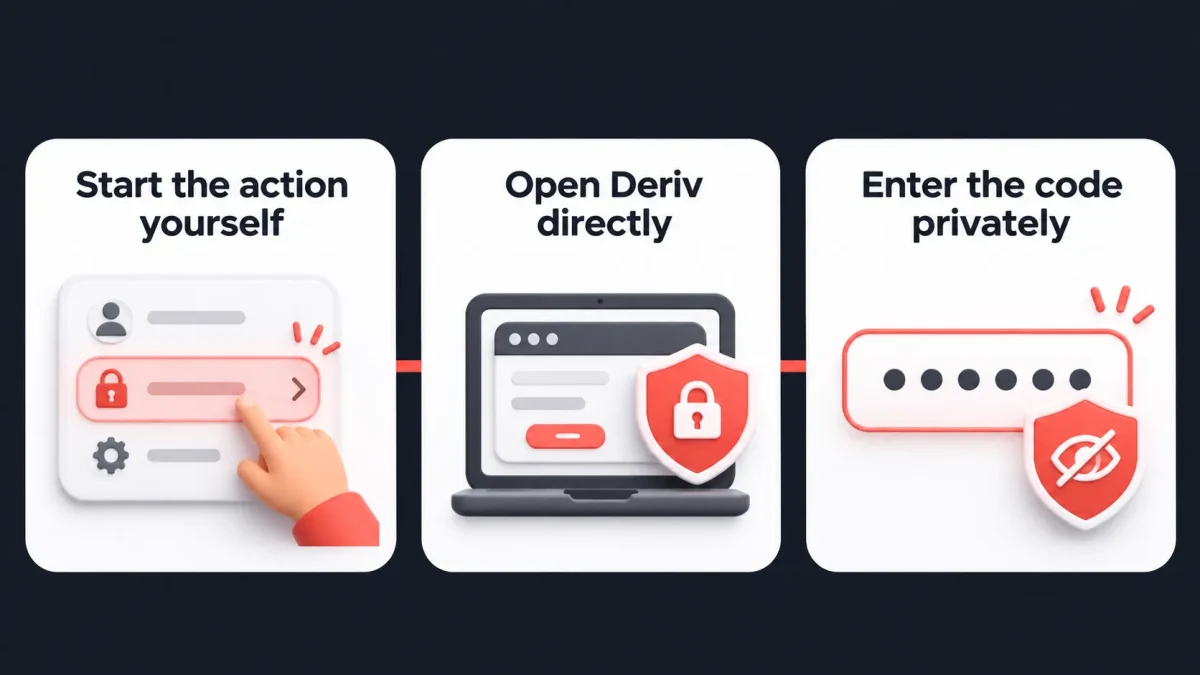
Three cards show starting an account action, opening Deriv directly, and privately entering a secure code in the official platform.

Hoe om herstelkodes veilig te bewaar

Herstelkodes verskil van gewone eenmalige kodes omdat dit geldig kan bly totdat dit gebruik of vervang word. Dit is bedoel vir noodgevalle, soos wanneer u toegang tot ’n verifieerdertoepassing verloor.

Bewaar dit op ’n plek waar u toegang daartoe kan kry wanneer nodig, maar waar ander mense nie kan nie. ’n Betroubare wagwoordbestuurder kan ’n geskikte opsie wees wanneer dit met ’n sterk meesterwagwoord en 2FA beskerm word. ’n Beskermde vanlyn kopie kan ook geskik wees.

Moenie:

  • Herstelkodes in ’n e-poskonsep of onbeskermde wolkdokument bewaar nie
  • Dit in ’n openbare of gedeelde fotoalbum bewaar nie
  • Dit via ’n klets aan uself stuur nie
  • Dit met ’n vriend, familielid of enigiemand wat beweer dat hulle help, deel nie
  • Dit in ’n skermskoot vir ondersteuning insluit nie

As u nuwe herstelkodes genereer, verwyder enige verouderde kopieë op ’n veilige manier sodat u nie op kodes staatmaak wat nie meer werk nie.

Wat om te doen as u ’n kode gedeel het

’n Gedeelde kode is moontlik nie meer veilig om te gebruik nie, selfs al het dit nog nie verval nie. Tree dadelik op, maar gebruik slegs amptelike kanale.

  1. Maak Deriv direk deur die amptelike webwerf of toepassing oop.
  2. Verander u Deriv-wagwoord na ’n nuwe, unieke wagwoord.
  3. Gaan u 2FA-instellings en herstelmetodes na.
  4. Beveilig die e-posrekening wat aan Deriv gekoppel is, veral as dit wagwoordterugstellinginstruksies kan ontvang.
  5. Kontak Deriv via die amptelike ondersteuningsdiens as u dink dat iemand moontlik toegang tot u rekening verkry het.
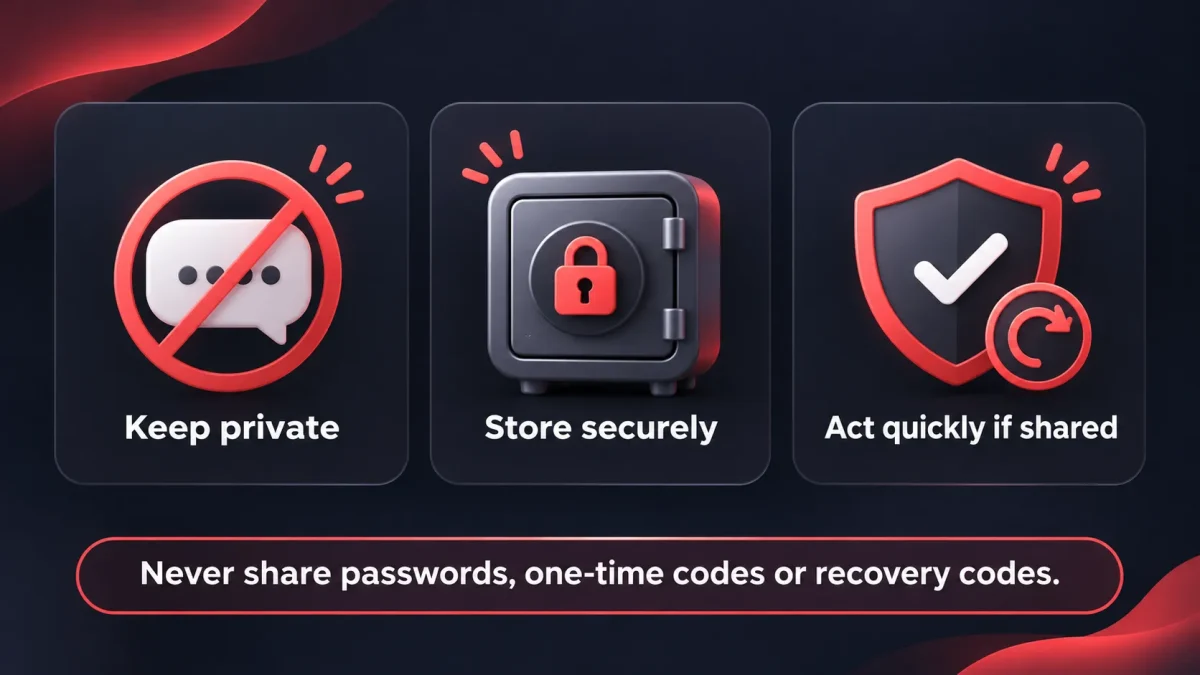
Three cards advise keeping codes private, storing recovery codes securely, and protecting an account promptly if a code is shared.

Bou ’n veilige roetine vir sekuriteitskodes

’n Paar eenvoudige gewoontes maak dit makliker om versoeke vir sekuriteitskodes te hanteer:

  • Begin rekeninghandelinge slegs op die amptelike Deriv-webwerf of -toepassing.
  • Gebruik 2FA op u Deriv-rekening en op die e-posrekening wat daaraan gekoppel is.
  • Lees verifikasieboodskappe aandagtig deur voordat u optree.
  • Bewaar herstelkodes op ’n beskermde plek voordat u dit nodig het.
  • Moet nooit ’n kode goedkeur of invoer vir ’n handeling wat u nie begin het nie.
  • Beskou enige versoek om ’n kode te deel as ’n rede om te stop en die versoek onafhanklik te verifieer.

Neem die volgende stap

Gaan na waar u u herstelkodes bewaar en maak seker dat 2FA op u Deriv-rekening en die e-posrekening wat daaraan gekoppel is, geaktiveer is. As u ’n kode ontvang vir ’n handeling wat u nie begin het nie, moet dit nie invoer of deel nie—maak Deriv direk oop en gaan u sekuriteitsinstellings na.

Quiz

Wanneer moet u ’n sekuriteitskode invoer?

Gereelde vrae

Analyse markets with AI-powered insights

Explore TradersView
WhatsApp