Ana içeriğe geç

Güvenlik kodları nedir ve neden asla paylaşmamalısınız

5
dk okuma
Genel bir doğrulama kodu alanı, güvenlik kalkanları ve engellenmiş bir sohbet balonu içeren korumalı bir telefon illüstrasyonu; güvenlik kodlarının gizli kullanımını temsil eder.

Güvenlik kodları, oturum açma, şifre değiştirme veya iki adımlı doğrulama (2FA) kurma gibi önemli bir işlemi sizin gerçekleştirdiğinizi doğrulamaya yardımcı olur. Bu kodlar Deriv hesabınıza erişimi korumaya yardımcı olabildiği için her zaman gizli kalmalıdır. Bu rehberde güvenlik kodlarının ne olduğunu, neden gerekli olduğunu ve bunları nasıl güvenle kullanacağınızı anlatıyoruz.

Kısa özet

  • Güvenlik kodları, hassas hesap işlemleri tamamlanmadan önce ek bir kontrol sağlar.
  • Tek kullanımlık şifreler, kimlik doğrulama uygulaması kodları, şifre sıfırlama kodları ve kurtarma kodları bu kapsamdadır.
  • Bir kodu yalnızca beklediğiniz bir adımda, resmi Deriv web sitesinde veya uygulamasında kendiniz girin.
  • Güvenlik kodunu asla göndermeyin, sesli okumayın, iletmeyin, ekran görüntüsünü almayın veya paylaşmayın.
  • Bir kodu yanlışlıkla paylaştıysanız hesabınızı hemen resmi Deriv kanalları üzerinden güvence altına alın.

Güvenlik kodları nedir?

Güvenlik kodu, bir girişin veya hesap işleminin sizin tarafınızdan yetkilendirildiğini doğrulamaya yardımcı olan bir kimlik bilgisidir. Şifrenin aksine, birçok güvenlik kodu geçicidir: kısa bir süre sonra geçerliliğini yitirebilir veya yalnızca bir kez kullanılabilir.

Şu durumlarda bir güvenlik koduyla karşılaşabilirsiniz:

  • Yeni bir cihazdan veya tarayıcıdan giriş yaptığınızda
  • 2FA'yı açtığınızda veya kullandığınızda
  • Şifrenizi değiştirdiğinizde veya sıfırladığınızda
  • Hassas bir hesap güvenliği işlemini onayladığınızda
  • Bir hesaba erişimi geri almak istediğinizde

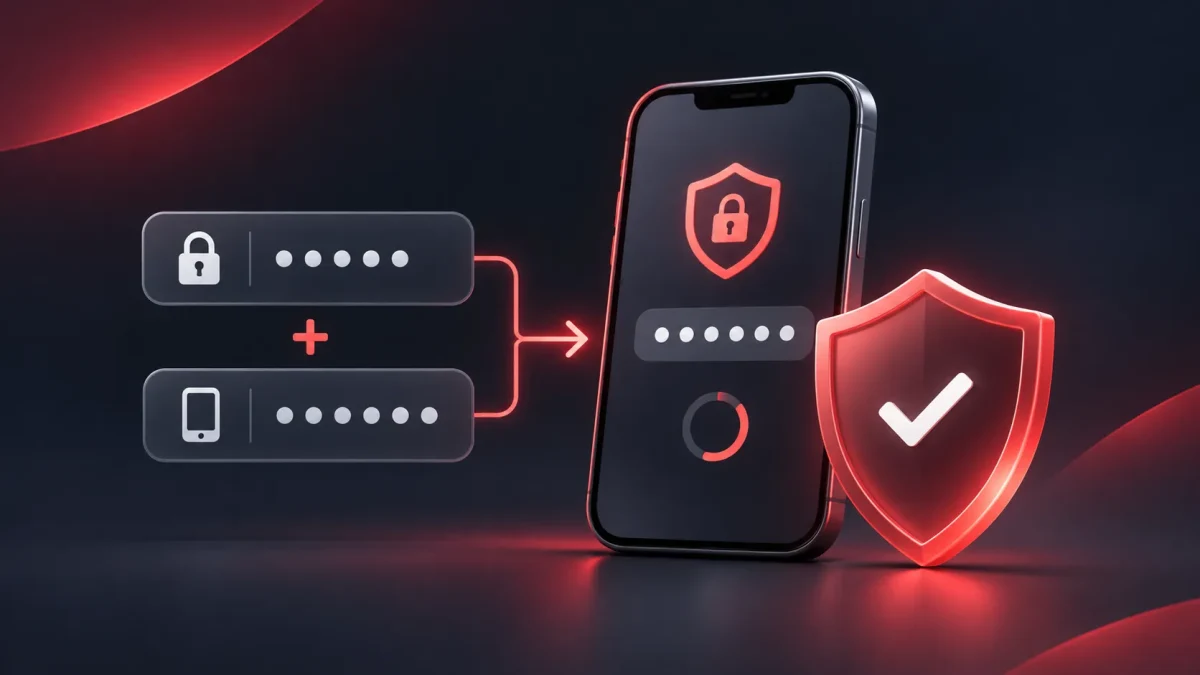
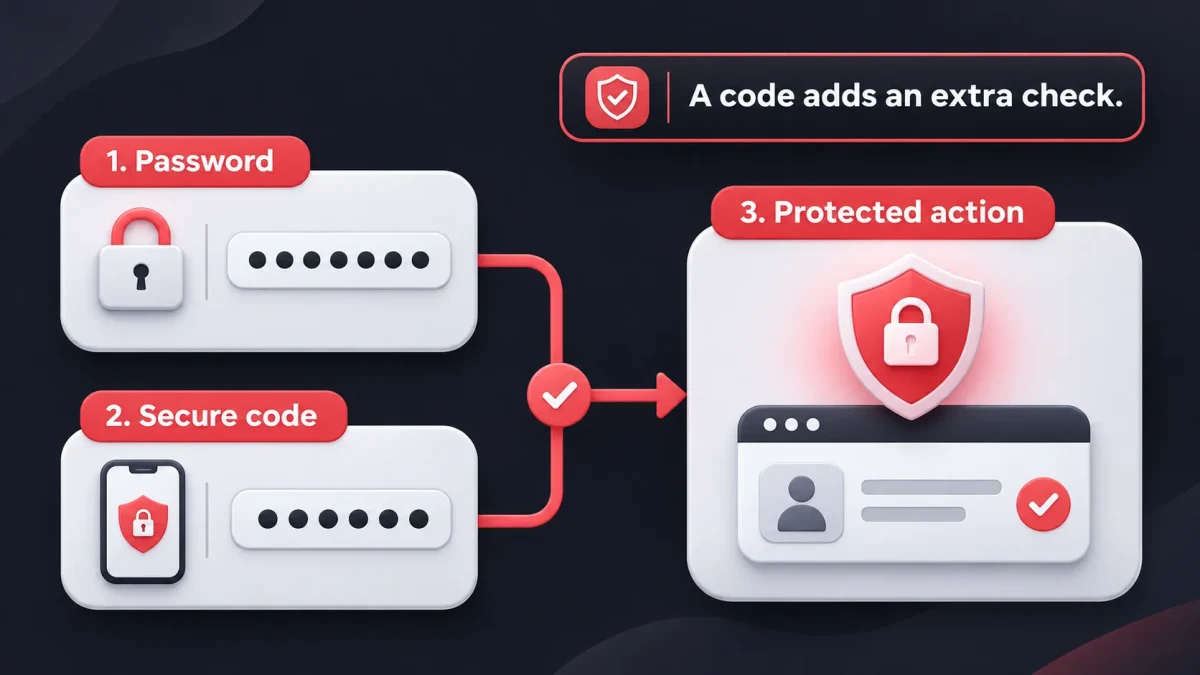
Güvenlik kodları, ek bir doğrulama katmanı sağladığı için faydalıdır. Biri şifrenizi öğrense bile, ek kod olmadan korunan bir işlemi tamamlayamayabilir.

Güvenlik kodlarının yaygın türleri

Tek kullanımlık şifreler (OTP'ler), kayıtlı e-posta adresinize veya telefon numaranıza gönderilen geçici kodlardır. Hesaba bağlı iletişim yöntemine erişebildiğinizi doğrulamaya yardımcı olurlar.

Kimlik doğrulama uygulaması kodları, bir kimlik doğrulama uygulamasında oluşturulan kısa ömürlü kodlardır. Genellikle 2FA için kullanılırlar ve düzenli olarak değişirler.

Şifre sıfırlama kodları, bir şifre sıfırlama talebinin yetkili olduğunu doğrulamaya yardımcı olur. Yeni bir şifre oluşturma sürecinin parçası olabildikleri için özellikle hassastırlar.

Kurtarma veya yedek kodlar, 2FA kurulurken oluşturulan acil durum kodlarıdır. Kimlik doğrulama cihazınızı kaybederseniz erişimi geri almanıza yardımcı olabilirler. Bu nedenle güvenli biçimde saklanmalı ve şifre gibi korunmalıdırlar.
Secure codes help confirm that an important action—such as signing in, changing a password or setting up two-factor authentication (2FA)—is being completed by you. Because these codes can help protect access to your Deriv account, they should always remain private. This guide explains what secure codes are, why they are needed and how to handle them safely. Quick summary Secure codes add an extra check before sensitive account actions can be completed. They can include one-time passwords, authenticator-app codes, password-reset codes and recovery codes. Enter a code yourself only in the official Deriv website or app during an expected step. Never send, read aloud, forward, screenshot or post a secure code. If you accidentally share a code, secure your account promptly through official Deriv channels. What are secure codes? A secure code is a credential used to help confirm that a login or account action is authorised by you. Unlike a password, many secure codes are temporary: they may expire after a short period or work only once. You may encounter a secure code when you: Sign in from a new device or browser Turn on or use 2FA Change or reset a password Confirm a sensitive account-security action Recover access to an account Secure codes are useful because they add another layer of verification. Even if someone discovers a password, they may be unable to complete a protected action without the additional code. Common types of secure codes One-time passwords (OTPs) are temporary codes sent to a registered email address or phone number. They help verify that you can access the contact method linked to the account. Authenticator-app codes are short, time-limited codes generated in an authenticator app. They are commonly used for 2FA and change regularly. Password-reset codes help confirm that a request to reset a password is authorised. They are especially sensitive because they can be part of a process to create a new password. Recovery or backup codes are emergency codes created when setting up 2FA. They may help restore access if you lose an authenticator device, so they must be stored securely and treated like passwords.   Alt text: Diagram shows a password and a secure code as separate requirements before a protected account action can proceed. Why secure codes are needed Passwords can be guessed, reused or exposed through a data breach or phishing attempt. A secure code helps reduce the risk that a password alone can be used to access an account or make a sensitive change. For example, when you change a Deriv password from your profile, Deriv may send a one-time password to your registered email to help verify the request. You enter that OTP yourself as part of the official process, then set the new password.  This extra step is not a guarantee against every risk, but it creates an important barrier. It confirms that the person making the request has access to the required verification method at that moment. Codes are for you to enter, not to give away A secure code is not a piece of information to share with another person. It is an instruction for you to complete a specific security step yourself. Keep this distinction in mind: Safe action Unsafe action Entering a code yourself in the official Deriv website or app Sending a code in a chat, email or social-media message Using a code during a step you started Giving a code to someone who contacted you unexpectedly Storing recovery codes in a protected location Saving recovery codes in an unprotected note or screenshot Opening Deriv directly before entering a code Following an unverified link to enter a code   When it is safe to enter a code Enter a secure code only when all of these conditions apply: You started the action yourself. You are using the official Deriv website or app. You expected the verification step. The code is being entered into the relevant secure field—not sent to a person. For example, if you select Password in your Deriv profile and request a password change, an OTP sent to your registered email can be part of that expected process. The code should be entered only in the official password-change flow. If the action is unexpected, pause before entering anything. Open Deriv directly through your usual route and check your account settings instead of relying on a link in a message. Keep codes out of screenshots A screenshot can contain more information than it first appears to. It may show an OTP, account email, device notification, transaction reference, browser address or other personal details. Before sharing a screenshot for support purposes, review every visible element. Never include a password, secure code, QR code, recovery code or authenticator-app screen. When possible, crop or redact any personal, payment or account details that are not needed.  Alt text: Three cards show starting an account action, opening Deriv directly, and privately entering a secure code in the official platform. How to store recovery codes safely Recovery codes are different from ordinary one-time codes because they may remain valid until used or replaced. They are designed for emergencies, such as losing access to an authenticator app. Store them somewhere you can access when needed, but where other people cannot. A reputable password manager can be a suitable option when it is protected by a strong master password and 2FA. A protected offline copy may also be appropriate. Do not: Keep recovery codes in an email draft or unprotected cloud document Store them in a public or shared photo album Send them to yourself through chat Share them with a friend, family member or anyone claiming to help Include them in a support screenshot If you generate new recovery codes, securely remove any outdated copies so you do not rely on codes that no longer work. What to do if you shared a code A shared code may no longer be safe to use, even if it has not yet expired. Act promptly, but use only official routes. Open Deriv directly through the official website or app. Change your Deriv password to a new, unique password. Review your 2FA settings and recovery methods. Secure the email account linked to Deriv, particularly if it may receive password-reset instructions. Contact Deriv through official support if you think someone may have accessed your account.  Alt text: Three cards advise keeping codes private, storing recovery codes securely, and protecting an account promptly if a code is shared. Build a secure-code routine A few simple habits make secure-code requests easier to handle: Start account actions only from the official Deriv website or app. Use 2FA on your Deriv account and on the email account linked to it. Read verification messages carefully before acting. Keep recovery codes in a protected location before you need them. Never approve or enter a code for an action you did not start. Treat any request to share a code as a reason to stop and verify independently. Take the next step Review where you store your recovery codes and make sure 2FA is enabled on your Deriv account and the email linked to it. If you receive a code for an action you did not start, do not enter or share it—open Deriv directly and review your security settings.

‍Güvenlik kodlarına neden ihtiyaç duyulur?

Şifreler tahmin edilebilir, tekrar kullanılabilir veya bir veri ihlali ya da kimlik avı girişimi sonucunda ele geçirilebilir. Güvenlik kodu, bir hesaba erişmek veya hassas bir değişiklik yapmak için tek başına şifrenin yeterli olması riskini azaltmaya yardımcı olur.

Örneğin profilinizden Deriv şifrenizi değiştirdiğinizde, Deriv talebi doğrulamaya yardımcı olmak için kayıtlı e-posta adresinize tek kullanımlık bir şifre gönderebilir. Bu OTP'yi resmi sürecin bir parçası olarak kendiniz girer, ardından yeni şifrenizi belirlersiniz.

Bu ek adım her riske karşı bir garanti değildir, ancak önemli bir engel oluşturur. Talepte bulunan kişinin gerekli doğrulama yöntemine o anda erişebildiğini doğrular.

Kodlar sizin girmeniz içindir, başkasına vermeniz için değil

Güvenlik kodu, başka birine verilecek bir bilgi değildir. Belirli bir güvenlik adımını kendiniz tamamlamanız için size verilmiş bir yönergedir.

Bu ayrımı aklınızda tutun:

Güvenli eylem Güvensiz eylem
Kodu resmi Deriv web sitesinde veya uygulamasında kendiniz girmek Kodu sohbet, e-posta veya sosyal medya mesajıyla göndermek
Kodu kendi başlattığınız bir adımda kullanmak Kodu size beklenmedik şekilde ulaşan birine vermek
Kurtarma kodlarını korumalı bir yerde saklamak Kurtarma kodlarını korumasız bir nota veya ekran görüntüsüne kaydetmek
Kodu girmeden önce Deriv'i doğrudan açmak Kodu girmek için doğrulanmamış bir bağlantıyı izlemek

‍

Kodu girmenin güvenli olduğu durumlar

Güvenlik kodunu yalnızca aşağıdaki koşulların tümü geçerliyse girin:

  1. İşlemi kendiniz başlattınız.
  2. Resmi Deriv web sitesini veya uygulamasını kullanıyorsunuz.
  3. Doğrulama adımını bekliyordunuz.
  4. Kod bir kişiye gönderilmiyor, ilgili güvenli alana giriliyor.

Örneğin Deriv profilinizde Şifre seçeneğini seçip şifre değişikliği talep ederseniz, kayıtlı e-posta adresinize gönderilen bir OTP beklenen sürecin parçası olabilir. Kod yalnızca resmi şifre değiştirme akışında girilmelidir.

İşlem beklenmedik bir işlemse, hiçbir şey girmeden önce durun. Deriv'i her zaman kullandığınız yolla doğrudan açın ve bir mesajdaki bağlantıya güvenmek yerine hesap ayarlarınızı kontrol edin.

Kodları ekran görüntülerinin dışında tutun

Bir ekran görüntüsü ilk bakışta göründüğünden daha fazla bilgi içerebilir. Bir OTP'yi, hesap e-postasını, cihaz bildirimini, işlem referansını, tarayıcı adresini veya diğer kişisel bilgileri gösterebilir.

Destek amacıyla bir ekran görüntüsü paylaşmadan önce görünen tüm öğeleri gözden geçirin. Görüntüye asla şifre, güvenlik kodu, QR kodu, kurtarma kodu veya kimlik doğrulama uygulaması ekranı eklemeyin. Mümkünse gerekli olmayan kişisel, ödeme veya hesap bilgilerini kırpın ya da gizleyin.
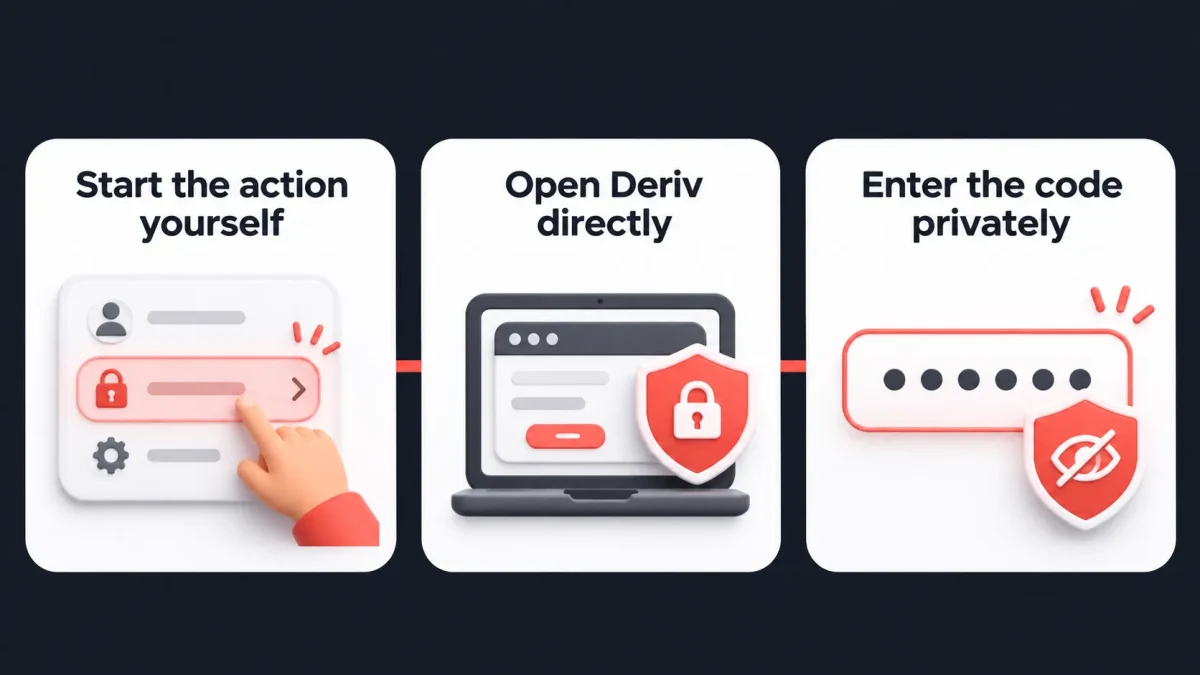
Three cards show starting an account action, opening Deriv directly, and privately entering a secure code in the official platform.

Kurtarma kodları güvenli biçimde nasıl saklanır?

Kurtarma kodları, kullanılana veya değiştirilene kadar geçerli kalabildikleri için sıradan tek kullanımlık kodlardan farklıdır. Kimlik doğrulama uygulamasına erişimi kaybetmek gibi acil durumlar için tasarlanmışlardır.

Bunları ihtiyaç duyduğunuzda erişebileceğiniz, ancak başkalarının erişemeyeceği bir yerde saklayın. Güçlü bir ana şifre ve 2FA ile korunan güvenilir bir şifre yöneticisi uygun bir seçenek olabilir. Korumalı bir çevrimdışı kopya da uygun olabilir.

Şunları yapmayın:

  • Kurtarma kodlarını e-posta taslağında veya korumasız bir bulut belgesinde tutmak
  • Bunları herkese açık veya paylaşılan bir fotoğraf albümünde saklamak
  • Bunları kendinize sohbet üzerinden göndermek
  • Bunları bir arkadaşınızla, aile üyenizle veya yardım ettiğini söyleyen biriyle paylaşmak
  • Bunları destek için aldığınız bir ekran görüntüsüne eklemek

Yeni kurtarma kodları oluşturursanız, artık çalışmayan kodlara güvenmemek için eski kopyaları güvenli biçimde silin.

Bir kodu paylaştıysanız ne yapmalısınız?

Paylaşılan bir kod, süresi henüz dolmamış olsa bile artık kullanımı güvenli olmayabilir. Hemen harekete geçin, ancak yalnızca resmi yolları kullanın.

  1. Deriv'i resmi web sitesi veya uygulama üzerinden doğrudan açın.
  2. Deriv şifrenizi yeni ve benzersiz bir şifreyle değiştirin.
  3. 2FA ayarlarınızı ve kurtarma yöntemlerinizi gözden geçirin.
  4. Özellikle şifre sıfırlama talimatlarını alabilecekse, Deriv'e bağlı e-posta hesabınızı güvence altına alın.
  5. Hesabınıza başkasının erişmiş olabileceğini düşünüyorsanız resmi destek kanalları üzerinden Deriv ile iletişime geçin.
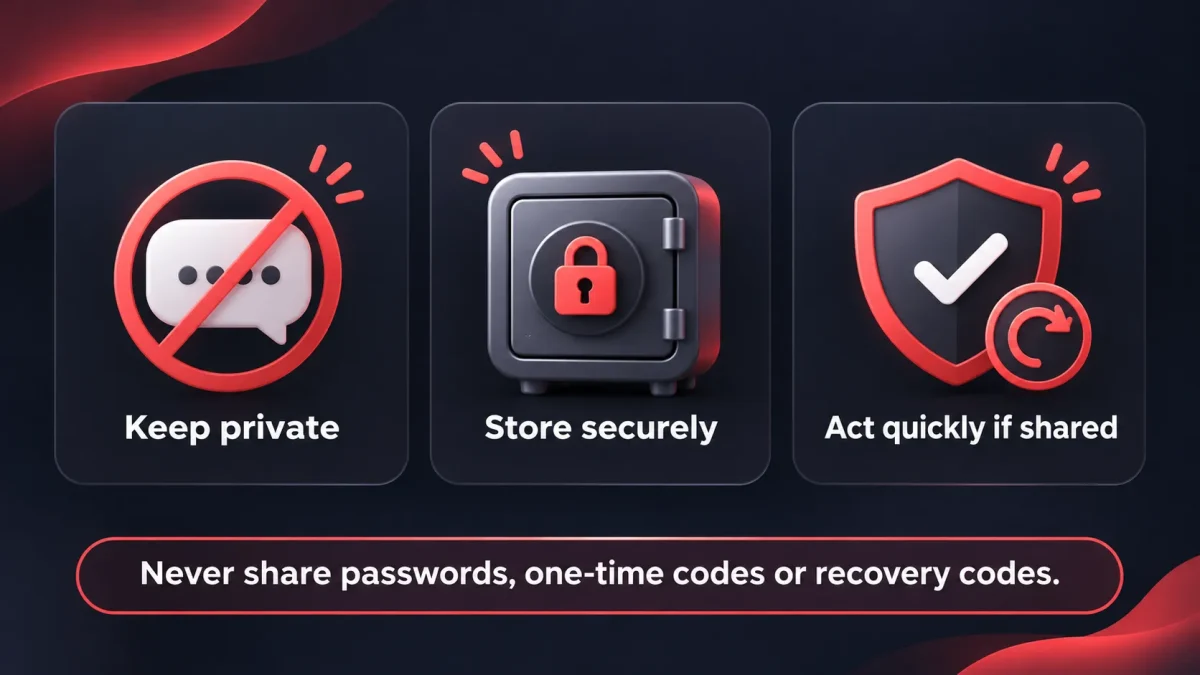
Three cards advise keeping codes private, storing recovery codes securely, and protecting an account promptly if a code is shared.

Güvenlik kodları için bir rutin oluşturun

Birkaç basit alışkanlık, güvenlik kodu taleplerini yönetmeyi kolaylaştırır:

  • Hesapla ilgili işlemlere yalnızca resmi Deriv web sitesinden veya uygulamasından başlayın.
  • Deriv hesabınızda 2FA kullanın ve hesabınıza bağlı e-posta hesabında da kullanın.
  • İşlem yapmadan önce doğrulama mesajlarını dikkatle okuyun.
  • Kurtarma kodlarını ihtiyaç duymadan önce korumalı bir yerde saklayın.
  • Kendi başlatmadığınız bir işlem için gelen kodu asla onaylamayın veya girmeyin.
  • Sizden bir kodu paylaşmanızı isteyen her talebi, durup bağımsız olarak doğrulama yapmanız gereken bir işaret olarak görün.

Sonraki adımı atın

Kurtarma kodlarınızı nerede sakladığınızı gözden geçirin ve Deriv hesabınızda ile bu hesaba bağlı e-posta hesabında 2FA'nın etkin olduğundan emin olun. Kendi başlatmadığınız bir işlem için kod alırsanız kodu girmeyin ve paylaşmayın; Deriv'i doğrudan açın ve güvenlik ayarlarınızı gözden geçirin.

Quiz

Güvenlik kodunu ne zaman girmelisiniz?

Sık sorulan sorular

Analyse markets with AI-powered insights

Explore TradersView
WhatsApp