ወደ ዋናው ይዘት ዝለል

የደህንነት ኮዶች ምንድን ናቸው እና ለምን መቼም ማጋራት የለብዎትም

5
ደቂቃ ንባብ
የግል አጠቃቀምን የሚወክል፣ አጠቃላይ የማረጋገጫ ኮድ መስክ ያለው የተጠበቀ ስልክ፣ የደህንነት ጋሻዎች እና የታገደ የውይይት አረፋ ምስል።

የደህንነት ኮዶች እንደ መግባት፣ የይለፍ ቃል መቀየር ወይም ባለ ሁለት ደረጃ ማረጋገጫ (2FA) ማዋቀር ያሉ አስፈላጊ ተግባራት በእርስዎ እየተከናወኑ መሆኑን ለማረጋገጥ ይረዳሉ። እነዚህ ኮዶች የDeriv ሂሳብዎን መዳረሻ ለመጠበቅ ሊረዱ ስለሚችሉ ሁልጊዜ ሚስጥራዊ ሆነው መቆየት አለባቸው። ይህ መመሪያ የደህንነት ኮዶች ምን እንደሆኑ፣ ለምን እንደሚያስፈልጉ እና እንዴት በደህንነት መያዝ እንዳለባቸው ያብራራል።

ፈጣን ማጠቃለያ

  • የደህንነት ኮዶች ሚስጥራዊ የሂሳብ ተግባራት ከመጠናቀቃቸው በፊት ተጨማሪ ፍተሻ ይጨምራሉ።
  • አንድ ጊዜ የሚያገለግሉ የይለፍ ቃሎችን፣ የአረጋጋጭ መተግበሪያ ኮዶችን፣ የይለፍ ቃል ዳግም ማስጀመሪያ ኮዶችን እና የመልሶ ማግኛ ኮዶችን ሊያካትቱ ይችላሉ።
  • ኮድን ራስዎ የሚያስገቡት በይፋዊው የDeriv ድህረ ገጽ ወይም መተግበሪያ ውስጥ በሚጠብቁት ደረጃ ላይ ብቻ ነው።
  • የደህንነት ኮድን በፍጹም አይላኩ፣ ድምፅ ከፍ አድርገው አያንብቡ፣ አያስተላልፉ፣ ስክሪንሾት አያንሱ ወይም አይለጥፉ።
  • ኮድ በስህተት ካጋሩ፣ በይፋዊ የDeriv መንገዶች በኩል ሂሳብዎን በአስቸኳይ ያስጠብቁ።

የደህንነት ኮዶች ምንድን ናቸው?

የደህንነት ኮድ መግቢያ ወይም የሂሳብ ተግባር በእርስዎ የተፈቀደ መሆኑን ለማረጋገጥ የሚያገለግል የምስክር መረጃ ነው። ከይለፍ ቃል በተለየ፣ ብዙ የደህንነት ኮዶች ጊዜያዊ ናቸው፤ ከአጭር ጊዜ በኋላ ጊዜያቸው ሊያበቃ ወይም አንድ ጊዜ ብቻ ሊሠሩ ይችላሉ።

የደህንነት ኮድ ሊያጋጥምዎት የሚችለው፦

  • ከአዲስ መሣሪያ ወይም ብሮውዘር ሲገቡ
  • 2FA ሲያበሩ ወይም ሲጠቀሙ
  • የይለፍ ቃል ሲቀይሩ ወይም ዳግም ሲያስጀምሩ
  • ሚስጥራዊ የሂሳብ ደህንነት ተግባር ሲያረጋግጡ
  • የሂሳብ መዳረሻን መልሰው ሲያገኙ

የደህንነት ኮዶች ተጨማሪ የማረጋገጫ ደረጃ ስለሚጨምሩ ጠቃሚ ናቸው። አንድ ሰው የይለፍ ቃልዎን ቢያገኝ እንኳ፣ ያለ ተጨማሪው ኮድ የተጠበቀውን ተግባር ማጠናቀቅ ላይችል ይችላል።

የተለመዱ የደህንነት ኮድ ዓይነቶች

አንድ ጊዜ የሚያገለግሉ የይለፍ ቃሎች (OTPs) ወደ የተመዘገበ ኢሜይል አድራሻ ወይም ስልክ ቁጥር የሚላኩ ጊዜያዊ ኮዶች ናቸው። ከሂሳቡ ጋር የተያያዘውን የመገናኛ መንገድ መድረስ እንደሚችሉ ለማረጋገጥ ይረዳሉ።

የአረጋጋጭ መተግበሪያ ኮዶች በአረጋጋጭ መተግበሪያ ውስጥ የሚመነጩ አጭር እና በጊዜ የተገደቡ ኮዶች ናቸው። በተለምዶ ለ2FA ያገለግላሉ እና በየጊዜው ይቀየራሉ።

የይለፍ ቃል ዳግም ማስጀመሪያ ኮዶች የይለፍ ቃል ዳግም የማስጀመር ጥያቄ የተፈቀደ መሆኑን ለማረጋገጥ ይረዳሉ። አዲስ የይለፍ ቃል የመፍጠር ሂደት አካል ሊሆኑ ስለሚችሉ በተለይ ሚስጥራዊ ናቸው።

የመልሶ ማግኛ ወይም የመጠባበቂያ ኮዶች 2FA ሲዋቀር የሚፈጠሩ የድንገተኛ ጊዜ ኮዶች ናቸው። የአረጋጋጭ መሣሪያ ቢጠፋብዎ መዳረሻን ለመመለስ ሊረዱ ስለሚችሉ በደህንነት ሊቀመጡ እና እንደ የይለፍ ቃል ሊያዙ ይገባል።
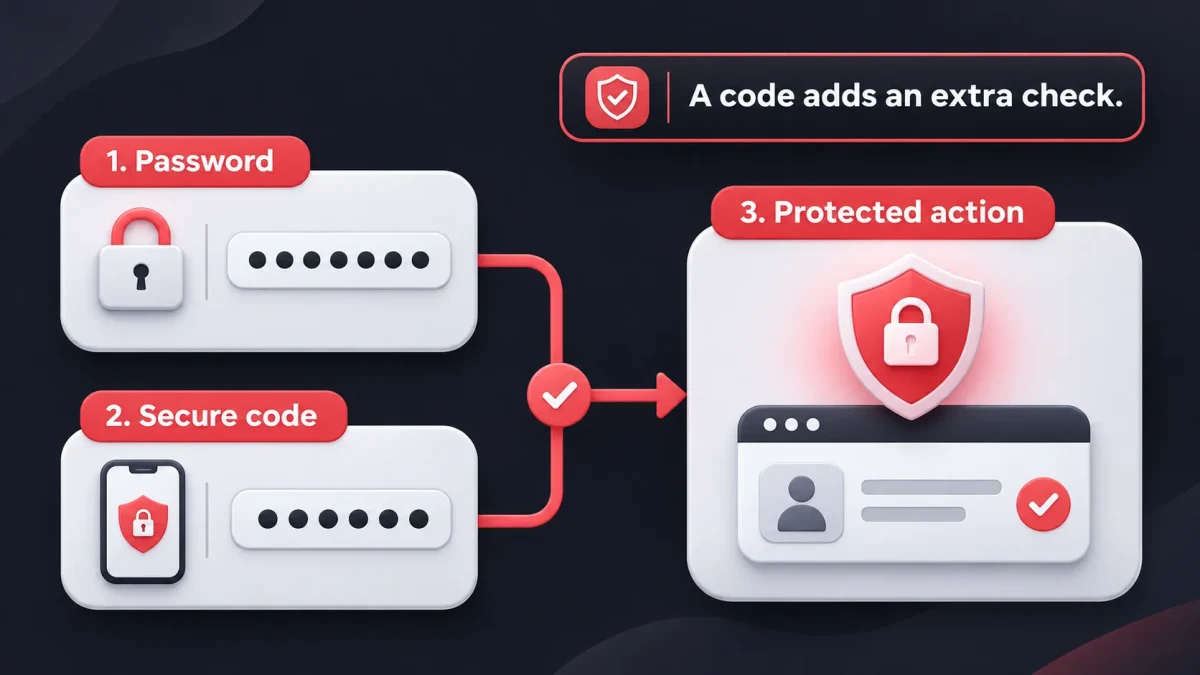
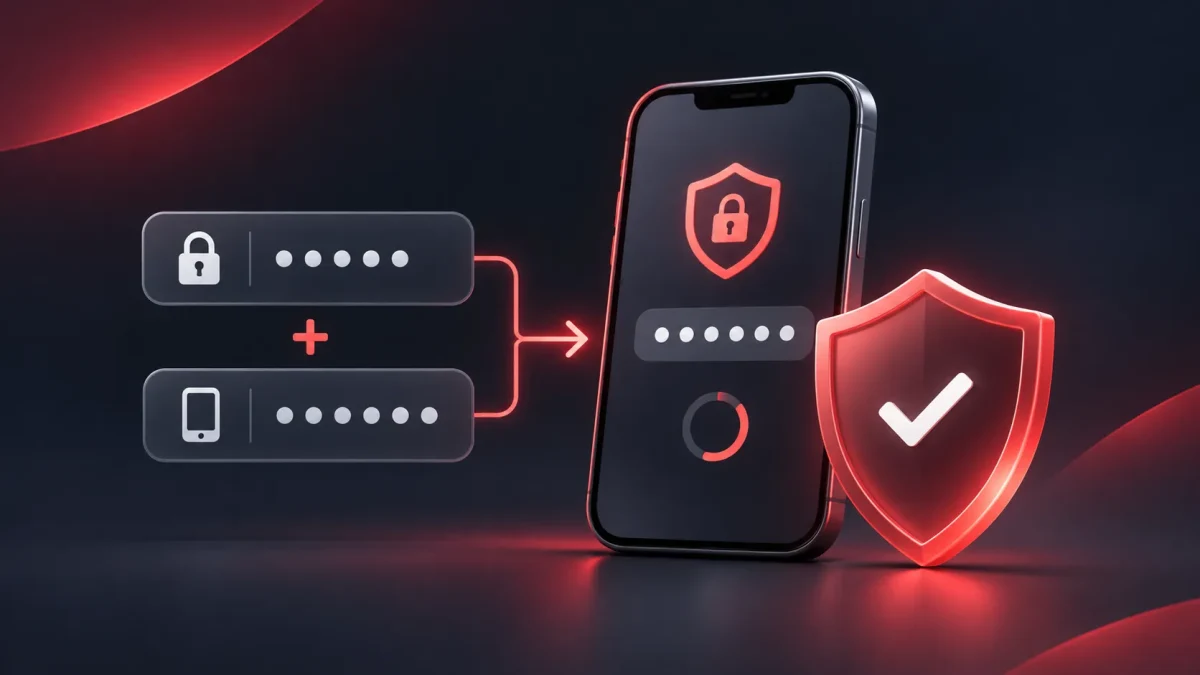
Secure codes help confirm that an important action—such as signing in, changing a password or setting up two-factor authentication (2FA)—is being completed by you. Because these codes can help protect access to your Deriv account, they should always remain private. This guide explains what secure codes are, why they are needed and how to handle them safely. Quick summary Secure codes add an extra check before sensitive account actions can be completed. They can include one-time passwords, authenticator-app codes, password-reset codes and recovery codes. Enter a code yourself only in the official Deriv website or app during an expected step. Never send, read aloud, forward, screenshot or post a secure code. If you accidentally share a code, secure your account promptly through official Deriv channels. What are secure codes? A secure code is a credential used to help confirm that a login or account action is authorised by you. Unlike a password, many secure codes are temporary: they may expire after a short period or work only once. You may encounter a secure code when you: Sign in from a new device or browser Turn on or use 2FA Change or reset a password Confirm a sensitive account-security action Recover access to an account Secure codes are useful because they add another layer of verification. Even if someone discovers a password, they may be unable to complete a protected action without the additional code. Common types of secure codes One-time passwords (OTPs) are temporary codes sent to a registered email address or phone number. They help verify that you can access the contact method linked to the account. Authenticator-app codes are short, time-limited codes generated in an authenticator app. They are commonly used for 2FA and change regularly. Password-reset codes help confirm that a request to reset a password is authorised. They are especially sensitive because they can be part of a process to create a new password. Recovery or backup codes are emergency codes created when setting up 2FA. They may help restore access if you lose an authenticator device, so they must be stored securely and treated like passwords.   Alt text: Diagram shows a password and a secure code as separate requirements before a protected account action can proceed. Why secure codes are needed Passwords can be guessed, reused or exposed through a data breach or phishing attempt. A secure code helps reduce the risk that a password alone can be used to access an account or make a sensitive change. For example, when you change a Deriv password from your profile, Deriv may send a one-time password to your registered email to help verify the request. You enter that OTP yourself as part of the official process, then set the new password.  This extra step is not a guarantee against every risk, but it creates an important barrier. It confirms that the person making the request has access to the required verification method at that moment. Codes are for you to enter, not to give away A secure code is not a piece of information to share with another person. It is an instruction for you to complete a specific security step yourself. Keep this distinction in mind: Safe action Unsafe action Entering a code yourself in the official Deriv website or app Sending a code in a chat, email or social-media message Using a code during a step you started Giving a code to someone who contacted you unexpectedly Storing recovery codes in a protected location Saving recovery codes in an unprotected note or screenshot Opening Deriv directly before entering a code Following an unverified link to enter a code   When it is safe to enter a code Enter a secure code only when all of these conditions apply: You started the action yourself. You are using the official Deriv website or app. You expected the verification step. The code is being entered into the relevant secure field—not sent to a person. For example, if you select Password in your Deriv profile and request a password change, an OTP sent to your registered email can be part of that expected process. The code should be entered only in the official password-change flow. If the action is unexpected, pause before entering anything. Open Deriv directly through your usual route and check your account settings instead of relying on a link in a message. Keep codes out of screenshots A screenshot can contain more information than it first appears to. It may show an OTP, account email, device notification, transaction reference, browser address or other personal details. Before sharing a screenshot for support purposes, review every visible element. Never include a password, secure code, QR code, recovery code or authenticator-app screen. When possible, crop or redact any personal, payment or account details that are not needed.  Alt text: Three cards show starting an account action, opening Deriv directly, and privately entering a secure code in the official platform. How to store recovery codes safely Recovery codes are different from ordinary one-time codes because they may remain valid until used or replaced. They are designed for emergencies, such as losing access to an authenticator app. Store them somewhere you can access when needed, but where other people cannot. A reputable password manager can be a suitable option when it is protected by a strong master password and 2FA. A protected offline copy may also be appropriate. Do not: Keep recovery codes in an email draft or unprotected cloud document Store them in a public or shared photo album Send them to yourself through chat Share them with a friend, family member or anyone claiming to help Include them in a support screenshot If you generate new recovery codes, securely remove any outdated copies so you do not rely on codes that no longer work. What to do if you shared a code A shared code may no longer be safe to use, even if it has not yet expired. Act promptly, but use only official routes. Open Deriv directly through the official website or app. Change your Deriv password to a new, unique password. Review your 2FA settings and recovery methods. Secure the email account linked to Deriv, particularly if it may receive password-reset instructions. Contact Deriv through official support if you think someone may have accessed your account.  Alt text: Three cards advise keeping codes private, storing recovery codes securely, and protecting an account promptly if a code is shared. Build a secure-code routine A few simple habits make secure-code requests easier to handle: Start account actions only from the official Deriv website or app. Use 2FA on your Deriv account and on the email account linked to it. Read verification messages carefully before acting. Keep recovery codes in a protected location before you need them. Never approve or enter a code for an action you did not start. Treat any request to share a code as a reason to stop and verify independently. Take the next step Review where you store your recovery codes and make sure 2FA is enabled on your Deriv account and the email linked to it. If you receive a code for an action you did not start, do not enter or share it—open Deriv directly and review your security settings.

‍የደህንነት ኮዶች ለምን ያስፈልጋሉ

የይለፍ ቃሎች ሊገመቱ፣ ደግመው ሊያገለግሉ ወይም በመረጃ ጥሰት ወይም በማጭበርበሪያ ሙከራ (phishing) ሊጋለጡ ይችላሉ። የደህንነት ኮድ የይለፍ ቃል ብቻውን ሂሳብን ለመድረስ ወይም ሚስጥራዊ ለውጥ ለማድረግ የመጠቀም አደጋን ለመቀነስ ይረዳል።

ለምሳሌ፣ የDeriv የይለፍ ቃልዎን ከመገለጫዎ ሲቀይሩ፣ Deriv ጥያቄውን ለማረጋገጥ ወደ የተመዘገበ ኢሜይልዎ አንድ ጊዜ የሚያገለግል የይለፍ ቃል ሊልክ ይችላል። ያንን OTP እንደ ይፋዊው ሂደት አካል ራስዎ ያስገባሉ፣ ከዚያም አዲሱን የይለፍ ቃል ያዘጋጃሉ።

ይህ ተጨማሪ ደረጃ ከእያንዳንዱ አደጋ የሚከላከል ዋስትና አይደለም፣ ነገር ግን ጠቃሚ እንቅፋት ይፈጥራል። ጥያቄውን የሚያቀርበው ሰው በዚያ ቅጽበት አስፈላጊው የማረጋገጫ መንገድ መዳረሻ እንዳለው ያረጋግጣል።

ኮዶች እርስዎ የሚያስገቡት እንጂ ለሌሎች የሚሰጡ አይደሉም

የደህንነት ኮድ ለሌላ ሰው የሚጋራ መረጃ አይደለም። የተወሰነ የደህንነት ደረጃን ራስዎ እንዲያጠናቅቁ የሚሰጥ መመሪያ ነው።

ይህን ልዩነት ያስታውሱ፦

ደህንነቱ የተጠበቀ ተግባር ደህንነቱ ያልተጠበቀ ተግባር
ኮድን በይፋዊው የDeriv ድህረ ገጽ ወይም መተግበሪያ ውስጥ ራስዎ ማስገባት ኮድን በቻት፣ በኢሜይል ወይም በማህበራዊ ሚዲያ መልዕክት መላክ
እርስዎ በጀመሩት ደረጃ ወቅት ኮድን መጠቀም ባልተጠበቀ ሁኔታ ላገኘዎት ሰው ኮድ መስጠት
የመልሶ ማግኛ ኮዶችን በተጠበቀ ቦታ ማስቀመጥ የመልሶ ማግኛ ኮዶችን ባልተጠበቀ ማስታወሻ ወይም ስክሪንሾት ውስጥ ማስቀመጥ
ኮድ ከማስገባትዎ በፊት Derivን በቀጥታ መክፈት ኮድ ለማስገባት ያልተረጋገጠ ሊንክ መከተል

‍

ኮድ ማስገባት ደህንነቱ የተጠበቀ ሲሆን

የደህንነት ኮድ የሚያስገቡት እነዚህ ሁሉ ሁኔታዎች ሲሟሉ ብቻ ነው፦

  1. ተግባሩን እርስዎ ራስዎ ጀምረዋል።
  2. ይፋዊውን የDeriv ድህረ ገጽ ወይም መተግበሪያ እየተጠቀሙ ነው።
  3. የማረጋገጫ ደረጃውን ጠብቀውት ነበር።
  4. ኮዱ ለሰው እየተላከ ሳይሆን ወደሚመለከተው የደህንነት መስክ እየገባ ነው።

ለምሳሌ፣ በDeriv መገለጫዎ ውስጥ የይለፍ ቃል አማራጭን መርጠው የይለፍ ቃል ለውጥ ከጠየቁ፣ ወደ የተመዘገበ ኢሜይልዎ የሚላክ OTP የዚያ የሚጠበቅ ሂደት አካል ሊሆን ይችላል። ኮዱ መግባት ያለበት በይፋዊው የይለፍ ቃል መቀየሪያ ሂደት ውስጥ ብቻ ነው።

ድርጊቱ ያልተጠበቀ ከሆነ፣ ማንኛውንም ነገር ከማስገባትዎ በፊት ቆም ይበሉ። በመልዕክት ውስጥ ባለ ሊንክ ከመመካት ይልቅ Derivን በተለመደው መንገድዎ በቀጥታ ይክፈቱ እና የሂሳብ ቅንብሮችዎን ይመልከቱ።

ኮዶችን ከስክሪንሾቶች ያርቁ

ስክሪንሾት መጀመሪያ ላይ ከሚመስለው በላይ መረጃ ሊይዝ ይችላል። OTP፣ የሂሳብ ኢሜይል፣ የመሣሪያ ማሳወቂያ፣ የግብይት ማጣቀሻ፣ የብሮውዘር አድራሻ ወይም ሌሎች የግል ዝርዝሮችን ሊያሳይ ይችላል።

ለድጋፍ ዓላማ ስክሪንሾት ከማጋራትዎ በፊት የሚታዩትን ሁሉንም ክፍሎች ይመልከቱ። የይለፍ ቃል፣ የደህንነት ኮድ፣ QR ኮድ፣ የመልሶ ማግኛ ኮድ ወይም የአረጋጋጭ መተግበሪያ ስክሪን በፍጹም አያካትቱ። ከተቻለ የማያስፈልጉ የግል፣ የክፍያ ወይም የሂሳብ ዝርዝሮችን ይከርክሙ ወይም ይሸፍኑ።
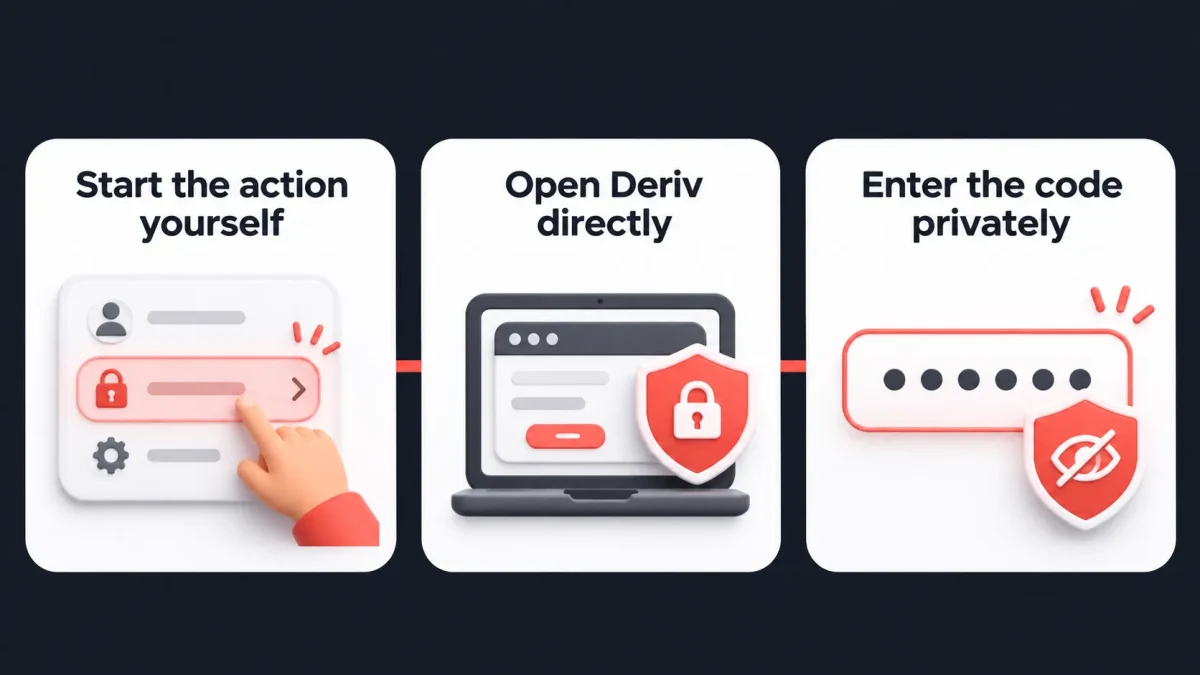
Three cards show starting an account action, opening Deriv directly, and privately entering a secure code in the official platform.

የመልሶ ማግኛ ኮዶችን በደህንነት እንዴት ማስቀመጥ እንደሚቻል

የመልሶ ማግኛ ኮዶች እስኪጠቀሙባቸው ወይም እስኪተኩ ድረስ ሊያገለግሉ ስለሚችሉ ከተለመዱ አንድ ጊዜ ከሚያገለግሉ ኮዶች ይለያሉ። የተነደፉት እንደ የአረጋጋጭ መተግበሪያ መዳረሻ ማጣት ላሉ የድንገተኛ ጊዜ ሁኔታዎች ነው።

ሲያስፈልግ እርስዎ ሊደርሱበት በሚችሉበት ነገር ግን ሌሎች ሰዎች በማይደርሱበት ቦታ ያስቀምጧቸው። ታማኝ የሆነ የይለፍ ቃል አስተዳዳሪ በጠንካራ ዋና የይለፍ ቃል እና በ2FA ሲጠበቅ ተስማሚ አማራጭ ሊሆን ይችላል። የተጠበቀ ከመስመር ውጭ ቅጂም ተገቢ ሊሆን ይችላል።

የማይደረጉ ነገሮች፦

  • የመልሶ ማግኛ ኮዶችን በኢሜይል ረቂቅ ወይም ባልተጠበቀ የክላውድ ሰነድ ውስጥ ማስቀመጥ
  • በይፋዊ ወይም በጋራ የፎቶ አልበም ውስጥ ማስቀመጥ
  • በቻት ለራስዎ መላክ
  • ለጓደኛ፣ ለቤተሰብ አባል ወይም ለመርዳት ለሚል ማንኛውም ሰው ማጋራት
  • በድጋፍ ስክሪንሾት ውስጥ ማካተት

አዳዲስ የመልሶ ማግኛ ኮዶችን ካመነጩ፣ ከእንግዲህ በማይሠሩ ኮዶች እንዳይመኩ ጊዜ ያለፈባቸውን ቅጂዎች በደህንነት ያስወግዱ።

ኮድ ካጋሩ ምን ማድረግ እንዳለብዎት

የተጋራ ኮድ ገና ጊዜው ባያበቃም እንኳ ለመጠቀም ደህንነቱ የተጠበቀ ላይሆን ይችላል። በፍጥነት ይንቀሳቀሱ፣ ነገር ግን ይፋዊ መንገዶችን ብቻ ይጠቀሙ።

  1. Derivን በይፋዊው ድህረ ገጽ ወይም መተግበሪያ በኩል በቀጥታ ይክፈቱ።
  2. የDeriv የይለፍ ቃልዎን ወደ አዲስ እና ልዩ የይለፍ ቃል ይቀይሩ።
  3. የ2FA ቅንብሮችዎን እና የመልሶ ማግኛ ዘዴዎችዎን ይገምግሙ።
  4. ከDeriv ጋር የተያያዘውን የኢሜይል ሂሳብ ያስጠብቁ፤ በተለይም የይለፍ ቃል ዳግም ማስጀመሪያ መመሪያዎችን ሊቀበል ስለሚችል።
  5. አንድ ሰው ወደ ሂሳብዎ ገብቶ ሊሆን ይችላል ብለው ካሰቡ፣ በይፋዊው የድጋፍ ቻናል በኩል Derivን ያነጋግሩ።
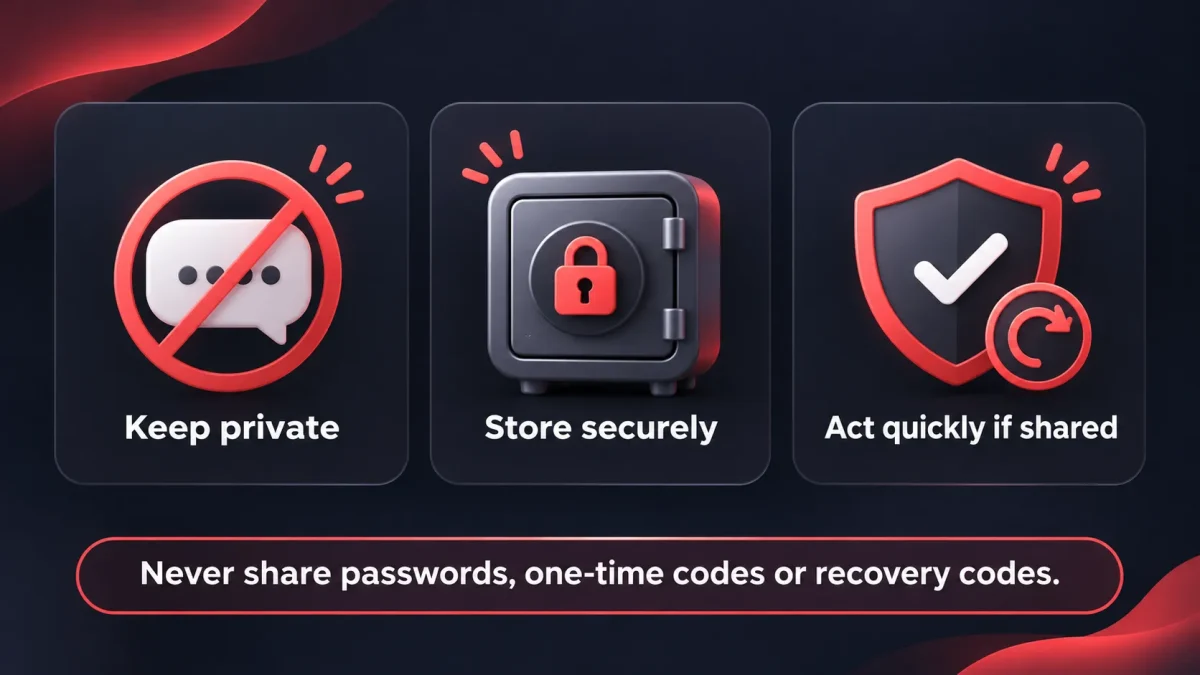
Three cards advise keeping codes private, storing recovery codes securely, and protecting an account promptly if a code is shared.

የደህንነት ኮዶችን ለመጠቀም ጥብቅ ልማድ ይገንቡ

ጥቂት ቀላል ልማዶች የደህንነት ኮድ ጥያቄዎችን ለማስተናገድ ቀላል ያደርጉልዎታል፦

  • የሂሳብ እንቅስቃሴዎችን ሁልጊዜ ከይፋዊው የDeriv ድህረ ገጽ ወይም መተግበሪያ ብቻ ይጀምሩ።
  • በDeriv ሂሳብዎ ላይ 2FA ይጠቀሙ፣ እንዲሁም ከሂሳብዎ ጋር በተገናኘው የኢሜይል አካውንት ላይም ይጠቀሙ።
  • እርምጃ ከመውሰድዎ በፊት የማረጋገጫ መልዕክቶችን በጥንቃቄ ያንብቡ።
  • የመልሶ ማግኛ ኮዶችን ሳያስፈልግዎ በፊት በተጠበቀ ቦታ ያስቀምጡ።
  • እርስዎ ላልጀመሩት እርምጃ ኮድ በጭራሽ አያጽድቁ ወይም አያስገቡ።
  • ኮድ እንዲያጋሩ የሚጠይቅ ማንኛውም ጥያቄ ቆም ብለው በራስዎ መንገድ የሚያረጋግጡበት ምክንያት እንደሆነ ይቁጠሩ።

ቀጣዩን እርምጃ ይውሰዱ

የመልሶ ማግኛ ኮዶችዎን የት እንደሚያስቀምጡ ይገምግሙ፣ እንዲሁም በDeriv ሂሳብዎ እና ከእሱ ጋር በተገናኘው ኢሜይል ላይ 2FA መንቃቱን ያረጋግጡ። እርስዎ ላልጀመሩት እርምጃ ኮድ ከደረሰዎት አያስገቡት ወይም አያጋሩት። Derivን በቀጥታ ይክፈቱ እና የደህንነት ቅንብሮችዎን ይገምግሙ።

Quiz

የደህንነት ኮድ መቼ ማስገባት ይኖርብዎታል?

ተደጋጋሚ ጥያቄዎች

Analyse markets with AI-powered insights

Explore TradersView
WhatsApp